

Picking a survey tool in 2026 is harder than it should be. Free plans aren't really free, AI features are mostly drafting assistants in disguise, and most "best of" lists rank tools by affiliate payout rather than how the software actually behaves.
In 2026, surveys are no longer just about asking questions. With shrinking attention spans, rising survey fatigue, and stricter data privacy laws, choosing the right survey tool can directly impact response rates, data quality, and compliance.
Whether the use case is customer feedback, market research, employee insights, or product validation, the right survey platform changes the outcome. Many modern tools now offer generous free plans — letting teams design surveys, distribute across channels, and collect responses without paying upfront. This guide covers 15 of the best, evaluated hands-on.
Want to jump to your favorite section? Use the following jump links.
- How I shortlisted the survey tools
- Overview of the shortlisted tools
- List of all the free survey tools and apps
- Which is the best survey tool (according to me)
Here are some key takeaways before jumping deep into the blog.
How these tools were shortlisted
The shortlist focuses on survey tools with real free plans, not limited-time trials. Each plan needs to remain usable without requiring users to upgrade.
More than 80 survey platforms were evaluated through sign-up, test surveys, and hands-on testing of their dashboards. The 15 tools below were shortlisted based on five criteria.
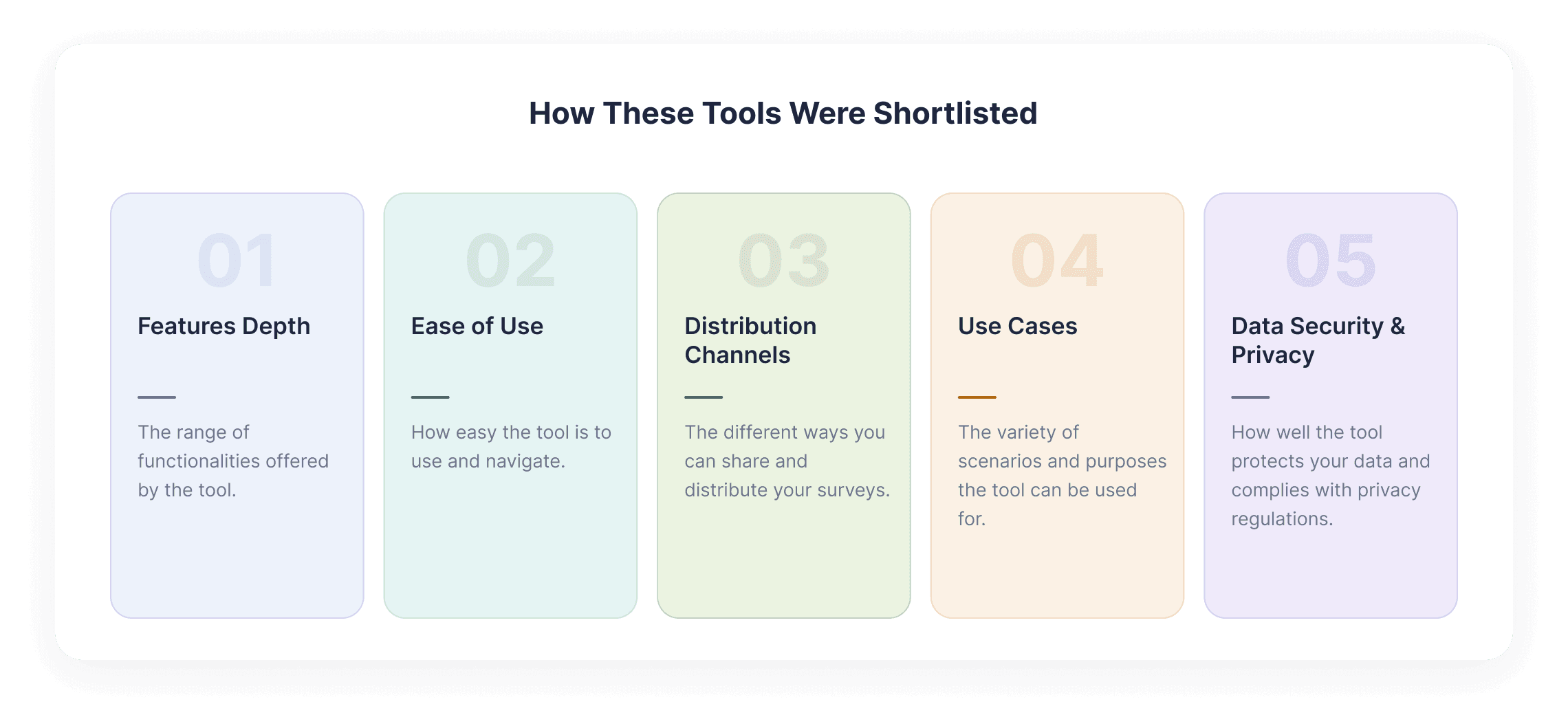
Factor 1 - Features Depth
What's actually accessible on the free plan: question types, logic branching, conditional routing, and distribution channels — not just whether a free plan exists, but how much of the tool can be evaluated before paying.
Factor 2 - Ease of Use
We measured how long it took to create a basic survey on each platform.
Tools that took more than 10 minutes to get from sign-up to a usable survey were flagged. Platforms with a steeper learning curve were still considered when their capabilities justified it, with that limitation noted in the review.
Factor 3 - Distribution Channels
We documented the available ways to share each survey, including email, SMS, WhatsApp, web embeds, offline collection, QR codes, and social media.
Distribution options matter because they determine how easily you can reach respondents. A tool limited to web links offers a different level of flexibility from one that lets you reach people across multiple channels.
Factor 4 - Use Cases
Surveys serve different purposes: customer feedback, market research, academic studies, live event polling, scheduling. Tools offering versatility matters — a scheduling tool and an enterprise VoC platform serve fundamentally different needs.
Factor 5 - Data Security & Privacy
Documented compliance for GDPR, HIPAA, CCPA, SOC 2 Type 2, and ISO/IEC 27001 was verified on each tool. "Compliance-ready" claims without documentation were not accepted at face value.
Beyond these five factors, G2 and Capterra ratings were cross-referenced, looking at recent review themes rather than just star averages — and integration depth with common CRM and helpdesk tools was tested.
Online survey tools vs. survey apps — what's the difference?
The terms are used interchangeably, but there is a meaningful distinction:
A survey tool is typically the web-based builder and dashboard — where surveys are created, distributed via link or email, and where results are analyzed.
A survey app usually refers to the mobile or offline-capable companion — used for field research, kiosk-mode feedback, in-store CSAT, or door-to-door data collection where Wi-Fi is unreliable.
Most modern platforms in this list offer both. The few that are web-only are mentioned below.
Overview of the Free Survey Tools and Apps
We have compiled all the survey apps and tools in the following table. Go through the table and see if you can spot tools that best fit your needs.
| Tool | Free Plan | Best For | AI Features | Paid From | Ideal User |
|---|---|---|---|---|---|
| SurveySparrow | 3 surveys, 50 res/mo | Conversational CX platform | Yes | $19/mo | CX & feedback teams |
| Qualtrics | 3 surveys, 500 res total | Academic & enterprise research | Yes | $120/mo | Enterprises & academics |
| SurveyMonkey | Unlimited surveys, 40 res/mo | Quick polls & business surveys | No | $39/mo | SMBs & general users |
| Typeform | 10 surveys, 10 res each | Conversational lead gen | Yes | $25/mo | Marketing & lead gen teams |
| Jotform | 5 forms, 100 sub/mo | Form-heavy workflows | No | $34/mo | Non-profits, events, healthcare |
| Google Forms | Unlimited (15GB storage) | Simple internal surveys | No | Free / $12/user | Students, educators, small teams |
| Microsoft Forms | 400 forms, 200 res/form | Microsoft 365 users | Yes | £4.90/user | Microsoft 365 organizations |
| Zoho Forms | 3 forms, 500 sub/mo | Zoho ecosystem users | No | $10/mo | Zoho ecosystem users |
| Alchemer | 8 questions only | Enterprise voice-of-customer | Yes | $55/user | Market researchers & enterprises |
| Zonka Feedback | 7-day trial, all features | Omnichannel CX feedback | Yes | On request | CX teams running NPS & CSAT |
| QuestionPro | 10 surveys, 200 res each | Enterprise analytics | Yes | $99/user | Expert researchers & enterprises |
| LimeSurvey | Unlimited surveys, 25 res/mo | Academic & open-source needs | No | $39/mo | Academics & developers |
| Mentimeter | 3 surveys, basic features | Live audience engagement | No | $11.99/mo | Event hosts & trainers |
| SurveyPlanet | Unlimited surveys & res | Budget-conscious teams | No | $20/mo | Nonprofits & student researchers |
| Tally | Unlimited forms & res | Developers & no-code builders | No | $29/mo | Developers & no-code teams |
Still deciding which platform to use?
Explore SurveySparrow with a free 14-day trial.
Free online survey tools: what to look for
When the goal is to create an online survey free of charge, not all tools are equal. Some offer unlimited surveys but restrict responses; others allow powerful features like logic branching, AI survey creation, or integrations even in their free plans.
When choosing a free survey tool, consider response limits, survey customisation options, integrations and sharing channels, data export capabilities, and security and compliance standards.
The 15 tools below all allow surveys to be created online for free, with features tested, with upgrade paths only when needs grow.
The 15 best online survey tools and apps, reviewed
Let's look at the top 15 survey platforms in detail.
1. SurveySparrow
G2 Rating: 4.4 / 5 (2000+ reviews)
Capterra Rating: 4.4 / 5 (200+ reviews)


What the free plan gives you. Three active surveys, which is enough to test the tool properly. Three different surveys were tried during evaluation — a chat survey, NPS® survey, and a classic form — using every available question type. Sharing is possible through web links, email, Slack, and Microsoft Teams. Response collection caps at 50 per month, including partials. The CX dashboard provides basic insights in one place and exports for further analysis. 1000+ survey templates and AI surveys are also available on the free version.
What’s It Best For?
SurveySparrow is best known for its conversational interface, which makes surveys more interactive and engaging — translating directly into higher completion rates and better data quality. The platform suits businesses that want a comprehensive view of their customers: alongside surveys, it offers reputation management, voice-of-customer, sentiment analysis, and more. For teams looking to manage customer data in one place, SurveySparrow is one of the strongest survey tools to consider.

The tool is best suited for businesses who want to get a comprehensive idea about their customers. I noticed the tool offered not just surveys, a set of tools to help with reputation management, voice of the customer, sentiment analysis, and more.
So, if you are someone who wants to manage all customer data at one point, I’d say SurveySparrow is one of the best survey tools to consider.
What I Like the Most About the Tool
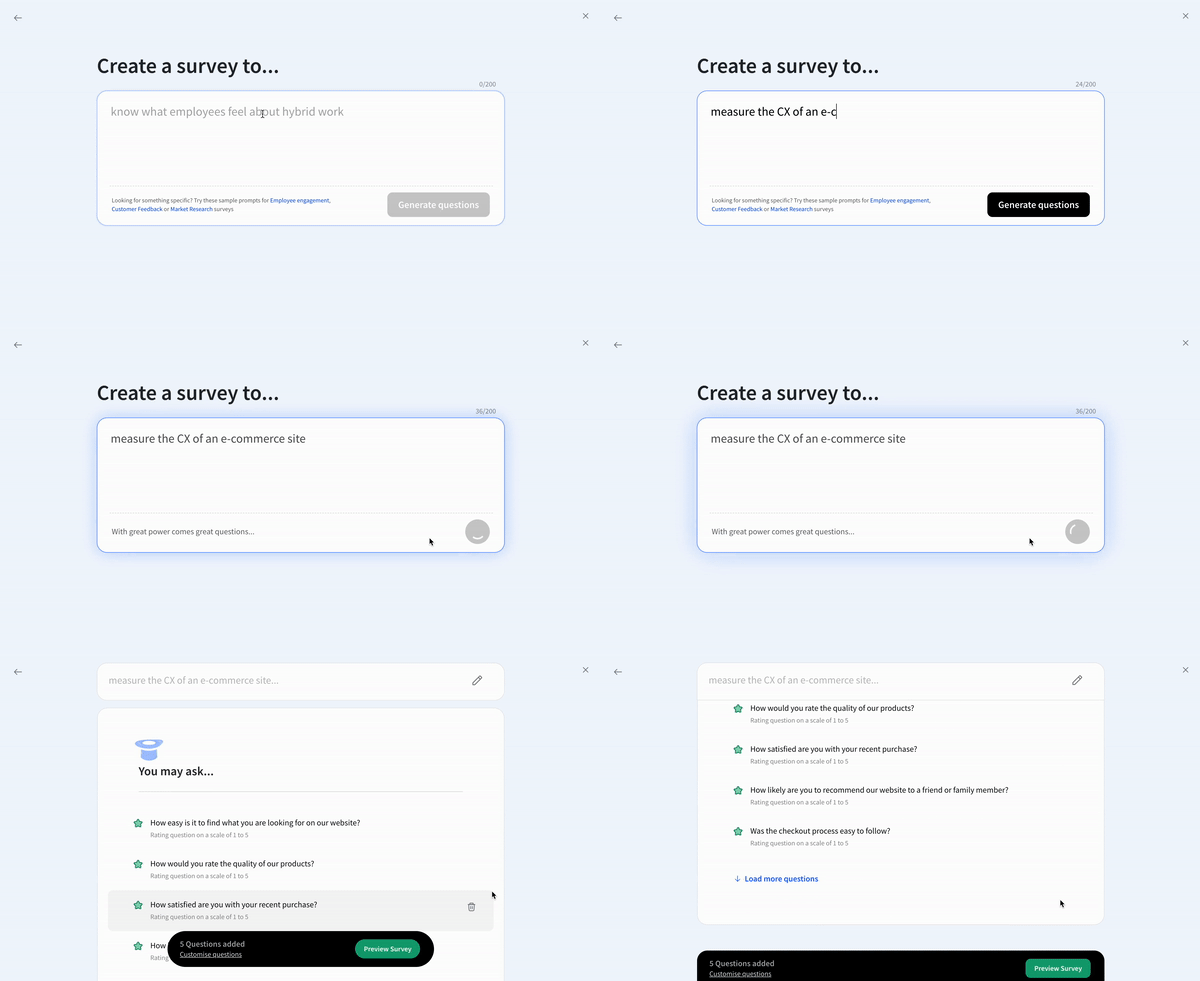
The AI survey feature acts like ChatGPT for survey design where you can drop in a prompt and it builds the survey. CogniVue, an advanced text analytics layer, is a standout for enterprises wrestling with open-ended response volume (premium, available on demo). And WhatsApp sharing plus 10 other channels including SMS, Slack, and offline is rare on this list

What I Dislike About the Tool
Multilingual surveys (130+ languages) are gated behind paid plans — a couple of languages in the free tier would help users test fit.
Paid Plans of the Tool
Individuals: Basic $19/mo · Starter $39/mo.
Teams: Business $79/mo · Professional $249/mo.
Why teams consider SurveySparrow
✓ Conversational surveys
✓ NPS, CSAT and CES
✓ Multiple distribution channels
✓ AI survey creation
✓ Feedback analysis
✓ Automated workflows

See what SurveySparrow looks like in action
TRUSTED BY BEST-IN-CLASS BRANDS


SurveySparrow offers one of the most engaging online survey experiences with its conversational interface that can boost completion rates by up to 40% compared to traditional forms.
What users actually say: In a recent r/customerexperience thread on the best CX tools for 2026, one user wrote that "for improving completion rates, SurveySparrow does a great job — people actually finish the surveys" because reducing friction matters more than feature depth. (Reddit, r/customerexperience) On G2, the most common praise theme is the chat-style interface lifting response rates; the most common gripe is that multilingual surveys are gated behind paid plans.
2. Qualtrics
G2 Rating: 4.4 / 5 (500+ reviews)
Capterra Rating: 4.6 / 5 (200+ reviews)

For researchers and academics seeking advanced online survey capabilities, Qualtrics offers powerful analytical tools even in its free version.
What the free plan gives you. 3 active surveys, 8 question types, 500 responses in total, 30 questions per survey.
What’s It Best For?
Advanced research. Qualtrics is known for text analytics, contact center analytics,, and sentiment detection in open-ended questions. Offers 100+ question types, 30+ chart types, conditional questions, conjoint analysis, and custom question types via APIs.

What I Like the Most About the Tool
Pulling survey results is fast, and there is built-in support for quarterly reporting. Customization is strong — surveys personalize easily to specific research needs.
What I Dislike About the Tool
Logic-question setup is tricky for new users. Importing data from other software can be cumbersome. Pricing is enterprise-tier which most SMBs will find it unrealistic.
What users actually say: On r/Marketresearch, users repeatedly call Qualtrics "the gold standard for academic and large-enterprise work" but warn that "it's overkill for anything smaller." G2 reviewers love the depth of conditional logic and conjoint analysis but consistently flag the learning curve and pricing — a recurring G2 quote across reviews is some version of "powerful, but you need a dedicated researcher to use it well." (G2: Qualtrics reviews)
Paid Plans of the Tool
Available on request, the pricing is not stated explicity. But when testing, Qualtrics Core XM was charged $120 per user per month (billed annually).
If you want similar capabilities of Qualtrics, without having to burn a hole in your pocket, here's a list of affordable alternatives to Qualtrics.
Or, if you're already using Qualtircs, see how SurveySparrow compares with Qualtrics for conversational surveys and mobile-friendly UI.
Compare SurveySparrow vs Qualtrics →
3. SurveyMonkey
G2 Rating: 4.4 / 5 (20,000+ reviews)
Capterra Rating: 4.6 / 5 (200+ reviews)
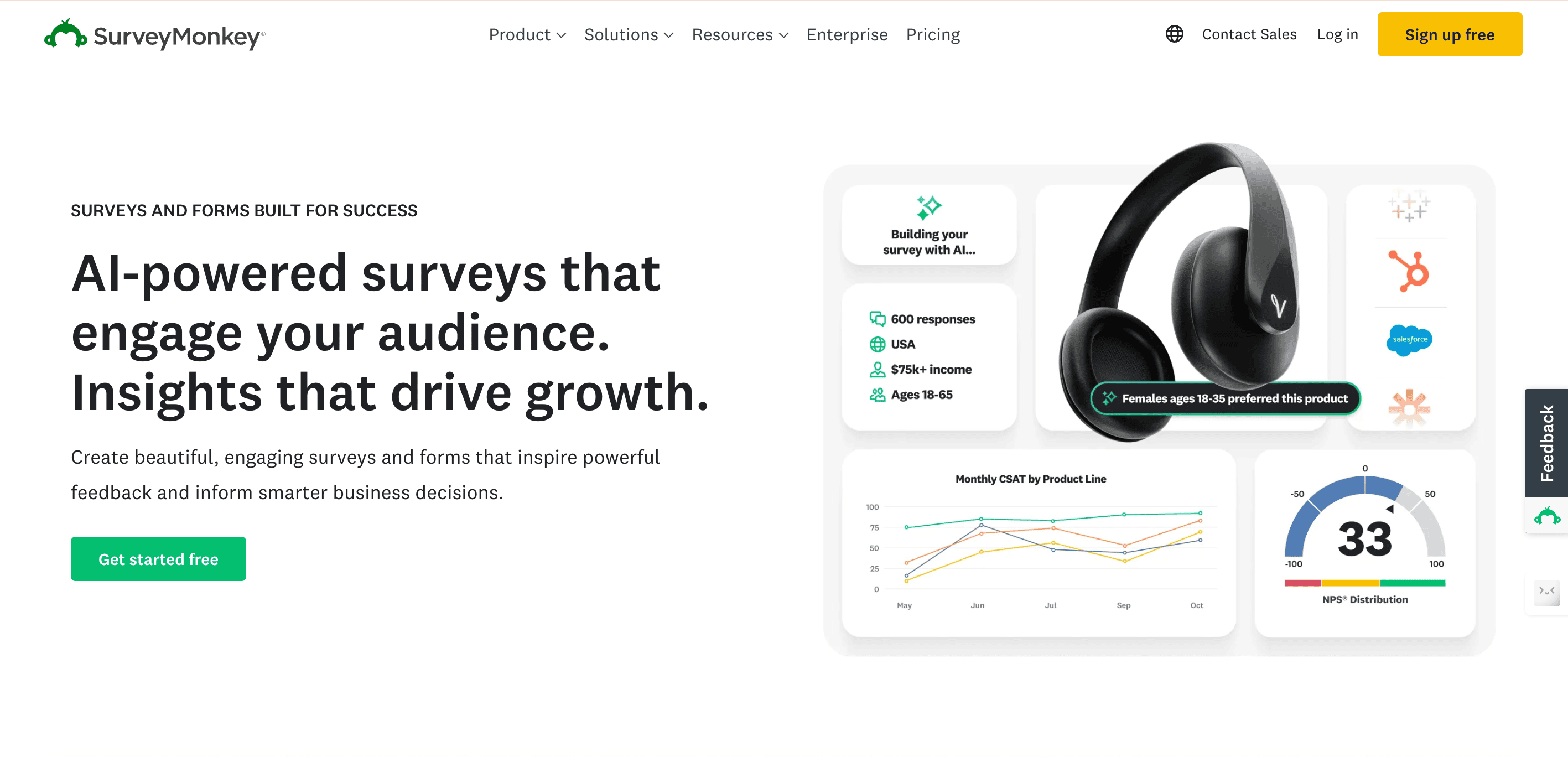
One of the most recognized names in online surveys, SurveyMonkey combines ease of use with powerful features that make it suitable for both beginners and survey professionals.
What the free plan gives you. Unlimited surveys, 10 questions per survey, 40 responses per month visible (more are collected but not viewable), no logic functions, no data export.
What’s It Best For?
Quick polls and everyday business surveys. Easy to use with features like A/B testing and branching logic on paid tiers. The audience panel is useful for surveying specific demographics.
What I Like the Most About the Tool
Genuinely simple survey creation. Strong integrations and good customization options.
What I Dislike About the Tool
Stakeholder sharing is weak. Several mid-tier features have migrated to higher plans. Survey design lags behind newer competitors.
Paid Plans of the Tool
Individuals: Advantage $39/mo.
Teams: Advantage $25/user/mo (min 3 users), Premier $75/user/mo (min 3 users).
What users actually say: Reddit's r/humanresources crowd notes SurveyMonkey is "the safe default — everyone knows what it is, so respondents trust it." But on r/UXresearch, several users complain that "they keep moving useful features into higher plans and the poor UX of the survey platform" (r/UXresearch)
Suggested Read: Better Alternatives to SurveyMonkey.
Considering a pocket-friendly priced alternative to SurveyMonkey?
See how SurveySparrow compares: SurveySparrow vs SurveyMonkey →
4. Typeform
G2 Rating: 4.5 / 5 (700+ reviews)
Capterra Rating: 4.7 / 5 (800+ reviews)

Typeform is one of the most customizable survey platforms out there. The survey logic is really helpful in making the surveys responsive to response.
What the free plan gives you. 10 surveys, 10 responses each. Very limited — closer to a demo than a free tier.
What’s It Best For?
Design-first, conversational lead-gen forms. Easy to send results, and respondents don't need an account to view them.

What I Like the Most About the Tool
Genuinely user-friendly setup. VideoAsk is a standout for richer customer feedback through video responses.
What I Dislike About the Tool
Value-for-money is a concern — $29/month buys only 100 responses. Analytics could be deeper.
These are some reasons why people look for better Typeform alternatives.
Paid Plans of the Tool
Basic $25/mo · Plus, Business, Enterprise (custom). Billed annually.
What users actually say. In an r/marketing thread on Typeform pros and cons, users praise it as "the prettiest form builder out there" but complain the free plan is basically a demo and pricing-per-response scales painfully. G2 reviews echo the same — beautiful UI, thin analytics. (Reddit, r/marketing)
Considering Typeform for conversational surveys?
See how SurveySparrow and Typeform compare for CX and feedback collection.
5. Jotforms
G2 Rating: 4.7 / 5 (3,000+ reviews)
Capterra Rating: 4.6 / 5 (2,000+ reviews)

JotForm is one of the leading creative online survey apps. It's known for its intuitiveness and ease of use. With fairly decent analytics and integrations, JotForm combines powerful features in its online form.
What the free plan gives you. 5 forms or surveys, 100 monthly submissions, 500 total submission storage (the dual cap is confusing).
What’s It Best For?
Form-heavy workflows. The template library is enormous and supports payments, approvals, and signatures even on lower tiers.

What I Like the Most About the Tool
Data collected can be managed directly in Jotform or exported to spreadsheets, databases, or CRM apps. Support is widely reported as responsive.
What I Dislike About the Tool
Sharing tables with non-account users doesn't include an Excel download option.
Paid Plans of the Tool
Bronze $34/mo
Silver & Gold is billed annually.
What users actually say. On G2 review, users have mentioned "I'm able to customize forms exactly to my needs" and that it "looks a lot more professional" than Word or Excel — but warning the submission limit "was not clear" and the forced upgrade "felt very forced." Reality sits in the middle where it's polished and customizable, but pricing surprises sting smaller users.
6. Google Forms
G2 Rating: No G2 Profile
Capterra Rating: 4.7 / 5 (10,000+ reviews)

Google Forms is undoubtedly one of the best free online survey tools. It lets you assemble surveys quickly and easily via their convenient drag-and-drop interface. The survey platform also provides you with real-time response information and charts.
What the free plan gives you. Unlimited surveys, capped only by the 15 GB Google Drive storage.
What’s It Best For?
Simple internal surveys and any team already in Google Workspace. Data syncs natively with other Google products.

What I Like the Most About the Tool
Effortless survey creation. Real-time response info and charts. Tight integration with Google Sheets.
What I Dislike About the Tool
Design controls are basic — there's no real way to make surveys feel branded. Limited question types and weak logic compared to others on this list.
Paid Plans of the Tool
Google Workspace from $12/user/month.
7. Microsoft Forms
G2 Rating: 4.4 / 5 (300+ reviews)
Capterra Rating: 4.6 / 5 (100+ reviews)

What the free plan gives you. 400 forms total, 200 responses per form, 8 question types.
What’s It Best For?
Microsoft Forms are survey tools best suited for Microsoft Suite users. The fact that it is available only with Microsoft 365, makes it more aligned for MS users. It’s relatively easier to create surveys and offer a few templates (like Google Forms) to start with.

What I Like the Most About the Tool
Robust integration with Excel. Excel also comes with password protection. Hence, only authorized persons can access my shared survey forms. Its versatility in creating quizzes, surveys, and polls are also a plus point.
What I Dislike About the Tool
The share options are limited to just Email, weblinks, website embedding, QR codes, and social shares (X and Facebook). This also requires purchase the entire MS Suite to get Microsoft Forms.
Paid Plans of the Tool
From £4.90/user/month (excl. VAT) as part of M365.
Learn More: How to create survey on Microsoft Forms?
8. Zoho Forms
G2 Rating: 4.4 / 5 (150+ reviews)
Capterra Rating: 4.5 / 5 (100+ reviews)

What the free plan gives you. 3 forms or surveys, 500 submissions/month, 1 user, payment questions included, 200 MB file storage.
What’s It Best For?
Zoho Forms is an easy-to-use online survey software. It has a rich array of features and is a highly user-friendly tool. It works seamlessly as long as your needs are basic.
Apart from basic survey features, what sets Zoho Forms apart is its seamless collaboration with all Zoho Suite products.
What I Like the Most About the Tool
Easiness to create forms and then share them with links. Very reliable and this makes my day to day easier. Don't have to think much of it. It just gets done.

What I Dislike About the Tool
Customization options are limited and themes are dated. Pop-up forms render poorly on mobile. Support response time is reported as slow.
Paid Plans of the Tool
Standard $10/mo (billed annually) — unlimited forms for 10 users, 25,000 submissions/month. One of the most cost-effective options.
What users actually say. G2 themes converge on "reliable and cheap if you're already in Zoho; underwhelming if you're not." Reddit mentions are sparse — Zoho Forms is rarely the topic of a thread, which itself is a signal: it's a utility, not a destination.
9. Alchemer (SurveyGizmo)
G2 Rating: 4.4 / 5 (800+ reviews)
Capterra Rating: 4.5 / 5 (300+ reviews)

What the free plan gives you. 8 survey questions only — almost everything else is locked.
What’s It Best For?
Formerly SurveyGizmo, Alchemer is a voice-of-customer tool that helps understand customer opinions. It has good automation capabilities and provides a range of features to help capture customer feedback.
It also offers a wide range of survey questions and filtering options to ensure proper questions are being asked.

What I Like the Most About the Tool
Reporting is genuinely better than most tools tested. Support team is responsive. The customer education academy (like HubSpot's) is a nice touch.
What I Dislike About the Tool
The free version is too thin to evaluate the product fairly. UI could be cleaner. Reviews from softwareadvice.com repeatedly flag limited bilingual support, frequent changes causing bugs or data loss, and a relatively high cost.
Paid Plans of the Tool
Collaborator $55/user/month · Professional · Full Access. Billed annually.
What users actually say. G2 reviewers cluster around the same theme: powerful for enterprise CX programs, painful to learn, premium-priced. Reddit barely discusses Alchemer outside enterprise CX threads — it's not a tool indie users gravitate to.
10. QuestionPro
G2 Rating: 4.9 / 5 (500+ reviews)
Capterra Rating: 4.8 / 5 (400+ reviews)

What Can You Expect From the Free Version of the Tool?
10 surveys, 200 responses per survey, 1 user, 30 question types (52 available on paid).
What’s It Best For?
QuestionPro is best for researchers who need question-type breadth and reporting depth. MaxDiff analysis surfaces what features excite customers, and employee experience surveys gauge engagement at scale.

What I Like the Most About the Tool
Survey question diversity is unmatched. Even within the free version it offered 30 question types, and there are a total of 52 available.
What I Dislike About the Tool
This survey tool to be less intuitive than Qualtrics. It was confusing to figure out how to copy a block to the library. While its reporting function is robust, it's up to a level where it's not intuitive for an average user.
Paid Plans of the Tool
The paid plans differ for survey software, CX suite, and Workforce Suite. For survey software, they provide 3 paid plans - Advanced, Team, and a custom one. The pricing of the advanced is $99 per user per month.
11. LimeSurvey
G2 Rating: No G2 Profile
Capterra Rating: 4.4 / 5 (40+ reviews)

What Can You Expect From the Free Version of the Tool?
It’s free for education purposes, but since I don’t cut it for that, I got its (normal) free version. You can expect to create unlimited surveys with just 25 responses per month. One user.
What’s It Best For?
LimeSurvey is a free and open-source survey app. It's best suited for academic and market research and customer feedback collection. Its cloud service offers all the tools researchers need for extensive studies.
Furthermore, its open-source nature allows you to make modifications and integrations tailored to your needs.

What I Like the Most About the Tool
It's completely free for universities and students. Moreover, it's flexible and offers a depth of features for better survey analysis. The customization was decent, but could be improved.
If you are looking for a survey tool for market research, try this one for a change.
What I Dislike About the Tool
One downside is the learning curve. Although the interface is straightforward, navigating through the advanced features can be overwhelming. So, new users might find it difficult to use at first.
Also, 25 responses per month in the free plan is very limited, especially when they allow unlimited surveys.
Paid Plans of the Tool
The Basic plan is priced at $39 per month when billed annually. In that plan, you can create unlimited surveys with 1000 responses per month. Only one user.
12. Mentimeter
G2 Rating: 4.7 / 5 (700+ reviews)
Capterra Rating: 4.4 / 5 (100 reviews)
What the Free Plan Gives You
3 surveys, basic question types, 2 quizzes. Limited but sufficient to test the live presentation format.
What It's Best For
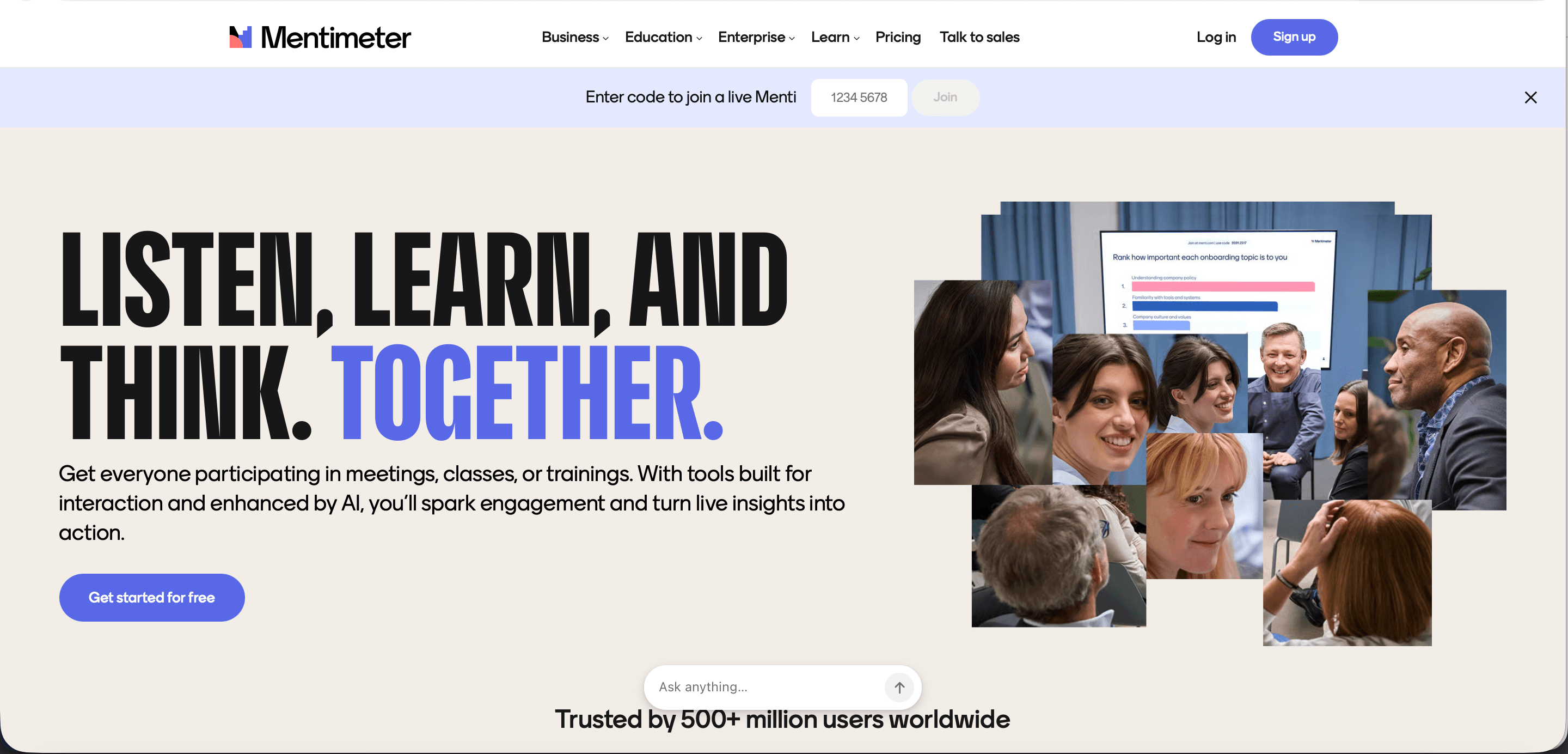
Live audience engagement. Mentimeter is purpose-built for real-time polling during presentations, town halls, webinars, and workshops. It's not a feedback collection tool — it's a live participation platform. If you run regular all-hands meetings or external presentations, it's the best tool in this category.
What I Like
Real-time response visualization is outstanding. Audience participation via phone or browser with no app download required. Word clouds, live vote counts, and Q&A management are all well-executed.
What I Don't Like
Not suitable for async survey distribution. Free plan limits are tight for regular use. Analytics are session-focused, not longitudinal — you can't track sentiment over time the way CX platforms can.
Paid Plans
Basic: $11.99/mo, Pro: $24.99/mo, Enterprise: custom (billed annually).
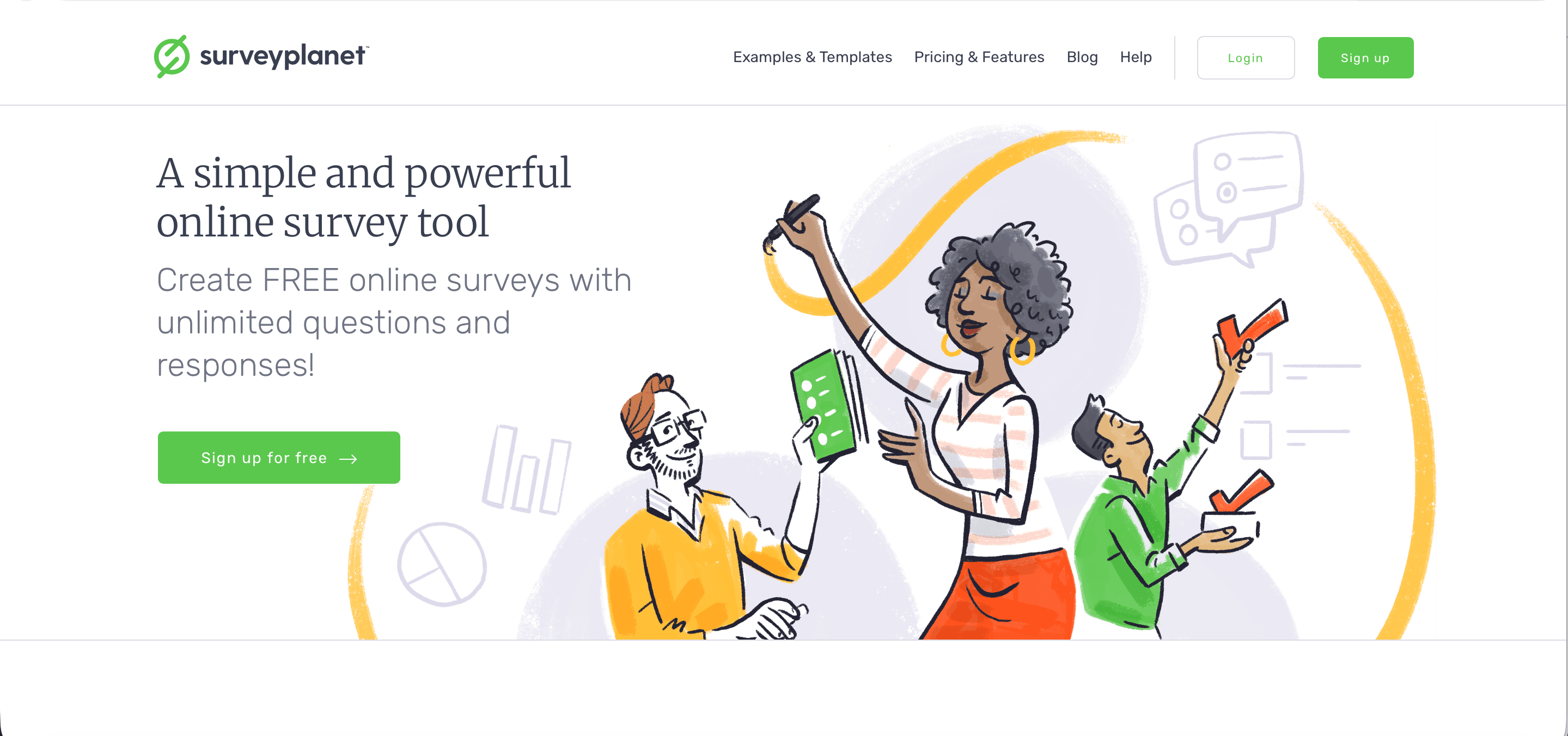
13. SurveyPlanet
G2 Rating: 4.1 / 5 (25 reviews)
Capterra Rating: 4.6 / 5 (50+ reviews)
What the Free Plan Gives You
Unlimited surveys and unlimited responses on the free plan. The most generous free tier on this list for response volume.
What It's Best For
Budget-conscious teams and individuals who need to collect a high volume of responses without paying. Good for student researchers, nonprofits, and small businesses that have outgrown Google Forms but aren't ready to invest in a paid platform.
What I Like
Unlimited free responses is genuinely rare. Clean interface. Pre-built survey themes reduce setup time.
What I Don't Like
AI features and advanced logic branching are locked to paid plans. Analytics are basic on the free tier. Less well-known, so respondents may be less familiar with the interface.
Paid Plans
Pro: $20/mo (billed annually). Unlocks AI, advanced logic, themes, and data exports.
14. Tally
G2 Rating: 4.8 / 5 (100+ reviews)
Capterra Rating: 4.9 / 5 (30+ reviews)
What the Free Plan Gives You
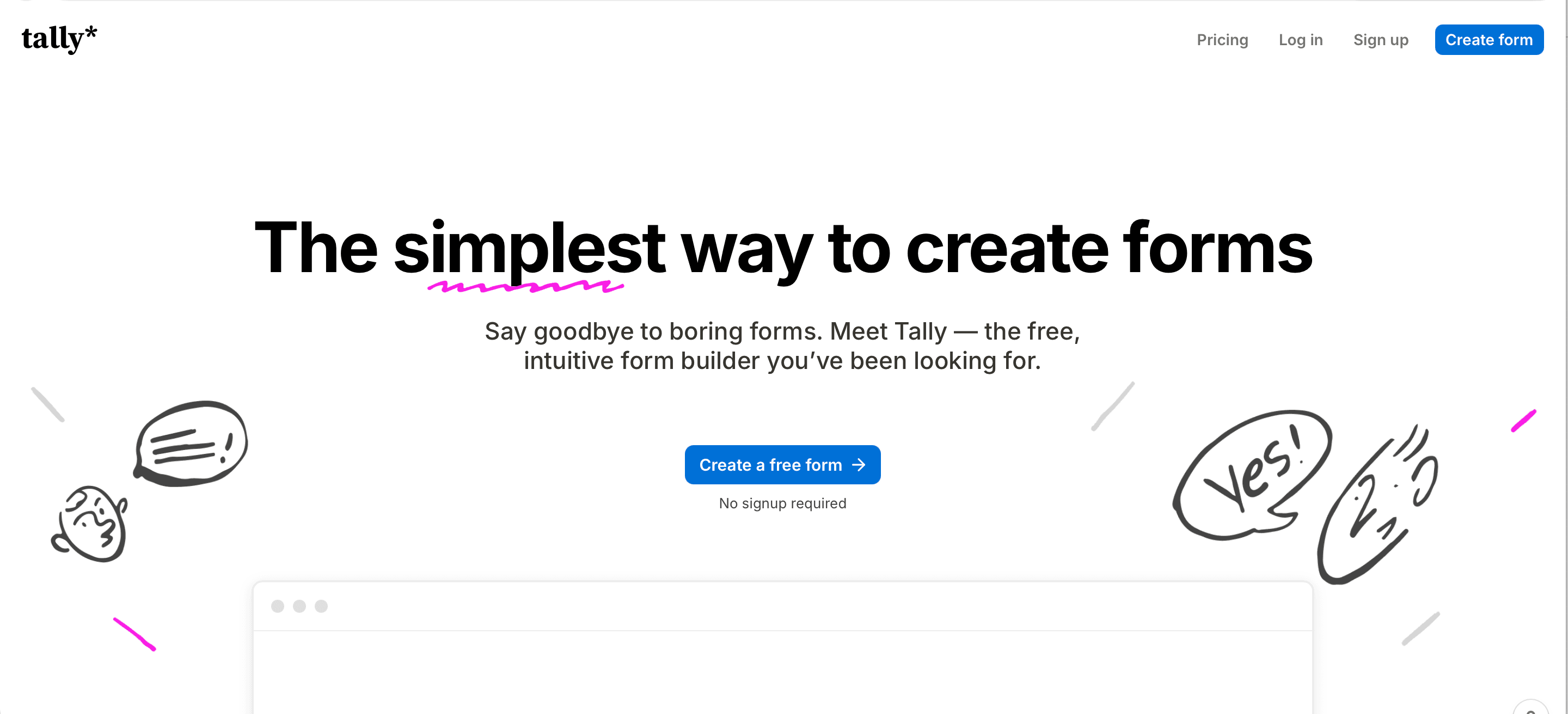
Unlimited forms, unlimited responses, no question limits. One of the most capable free plans on this list.
What It's Best For
Developers and no-code builders who want clean, embed-friendly forms with advanced logic. Tally's Notion-like editor is the most developer-friendly interface on this list. Strong for internal tools, lead capture, and product feedback loops.
What I Like
Genuinely unlimited on the free plan. Block-based editor is flexible and fast. Native Notion, Airtable, and Google Sheets integrations. No SurveySparrow-like conversational interface, but logic and routing are excellent.
What I Don't Like
No native AI survey generation. Analytics are simpler than most CX-focused tools. Brand removal requires a paid plan.
Paid Plans
Pro: $29/mo (removes branding, adds custom domains, team collaboration).
What users actually say. On r/Entrepreneurs, one CX-industry commenter called Tally "the best free starting point" with "unlimited responses, Google Sheets integration, clean UI," adding that "if your needs stay relatively simple it might just be enough and you never have to pay for anything" — a sentiment echoed by another user who said "Tally [dot] so is great." But the same thread flagged Tally's ceiling, noting it really fits only when "needs stay relatively simple," with heavier users gravitating to Typeform or SurveySparrow for logic, analytics, and scale.
15. Slido
G2 Rating: 4.8 / 5 (750+ reviews) Capterra Rating: 4.8 / 5 (250+ reviews)
What the Free Plan Gives You
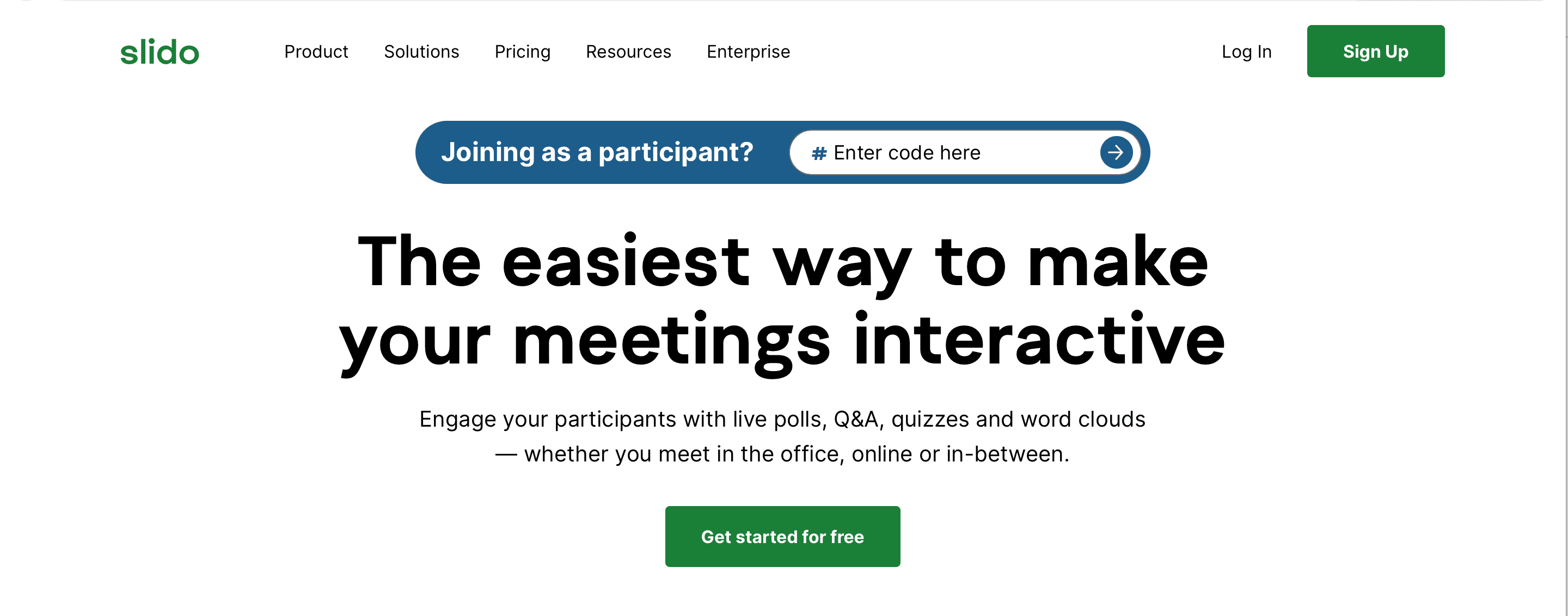
3 polls/event, basic Q&A, audience reactions. Cisco Webex integration included.
What It's Best For
Live event polling and Q&A management. Like Mentimeter, Slido is purpose-built for real-time audience interaction — it's particularly strong in professional conference and corporate event settings. The Webex and Teams integration makes it the natural choice for enterprise video meeting polls.
What I Like
Q&A management is the best on this list for live events — upvoting, moderation, and anonymous submissions work well. Enterprise integrations are well-supported.
What I Don't Like
Like Mentimeter, it's not a feedback collection tool. Free plan is very limited for regular use. Pricing is event-based, which can feel opaque for recurring users.
Paid Plans
Basic: $13.50/mo · Engage: $17/mo · Professional: $34/mo (billed annually).
So, Which Free Survey Tool Is Best?
This is one tough nut to crack. Needs and requirements vary with people, and with that the right tool as well. There's no single best answer — the right tool depends on what you're trying to do. Here's how I'd break it down:
- For customer experience and closing the feedback loop: SurveySparrow. The conversational format and CogniVue analytics make it the strongest choice for teams where response rate and insight depth both matter.
- For simplicity and zero budget: Google Forms or SurveyPlanet. Both are genuinely unlimited on free plans.
- For enterprise research: Qualtrics or QuestionPro.
- For live events and presentations: Mentimeter or Slido.
- For developers and no-code builders: Tally.
- For academic research: LimeSurvey (free for students)
Want to see how conversational surveys work?
Build your first survey & test the experience yourself.
TRUSTED BY BEST-IN-CLASS BRANDS
Prefer a walkthrough? Book a demo →
The honest test: pick two finalists, build the same five-question survey in each, and send it to 20 colleagues. The completion-rate gap reveals more than any feature comparison.
For most teams running CX, feedback, or research surveys at scale, SurveySparrow's free tier is enough to validate fit. The Basic plan at $19/month is a reasonable upgrade when volume grows — and the platform scales without forcing a migration later. For teams that need only a basic design with fewer survey question types but want more surveys on the free tier itself, Google Forms remains the safe default.