Managing event registrations over email threads, spreadsheets, and paper sign-up sheets creates problems that grow with your attendee list. Details get missed, payments get delayed, dietary restrictions go unrecorded, and by the time the event arrives, the organizer is still chasing confirmations instead of focusing on the event itself.
A structured event registration form fixes that from the start. It captures every attendee detail in one place, automates confirmation emails, and gives organizers a live view of registrations as they come in, without the administrative overhead.
What is an Event Registration Form?
An event registration form is a digital form used to collect information from individuals who want to attend an event. It captures attendee details, session preferences, payment information, and any special requirements, giving organizers everything they need to plan, manage, and run the event efficiently.
Unlike a basic RSVP form, which simply confirms attendance, an event registration form collects a fuller picture of each attendee. It can handle ticket purchases, session selections, dietary restrictions, and accessibility needs in a single submission, making it the primary data collection tool for events of any size or complexity.
For organizers, a well-built registration form means no manual data entry, no chasing confirmations, and no last-minute surprises about attendee numbers or requirements. For attendees, it means a fast, clear sign-up process they can complete from any device.
Who Can Use this Event Registration Form?
1. Conference and Seminar Organizers
Streamline the registration process for your next conference or seminar with this easy-to-use form. Google’s survey says that 94% of respondents prefer mobiles to complete surveys. Guess what? You can create mobile friendly surveys as well. It lets you capture attendee information, dietary restrictions, session preferences and any other relevant details. You can also customize fields for different themes and topics. The result is an organized and efficient registration process, personalized for every event.
2. Workshop and Training Coordinators
Effectively manage workshop and training registrations with a form that can gather requirements, skill levels, and preferred training materials. This lets you create a personalized learning approach for every class, and ensures that every learner is well-engaged and interested in what you have to share.
3. Community Event Planners
Create inclusive and accessible registration for community events – festivals, fundraisers, volunteer activities, etc. Use this template to gauge interest in different activities or workshops, pledge donations and encourage active participation from the community. The offline feature lets you share the form with participants who don’t have net access.
4. Cultural and Arts Event Organizers
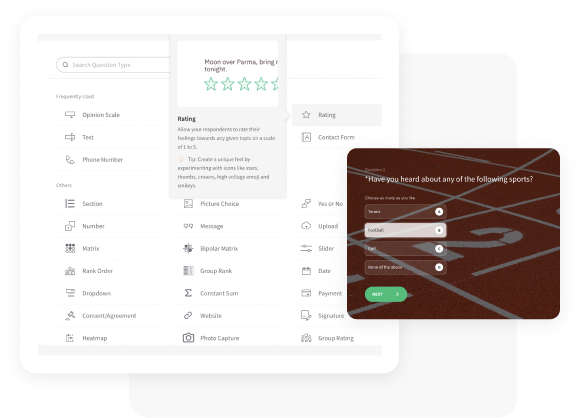
Make registering for art shows, concerts, or theatrical performances a breeze. You can enable attendees to select seating options or express interest in special programs via the Picture Choice question. You can also integrate it with over 1,000+ applications via Zapier, and nurture a dedicated audience for future events.
5. Corporate Event Managers
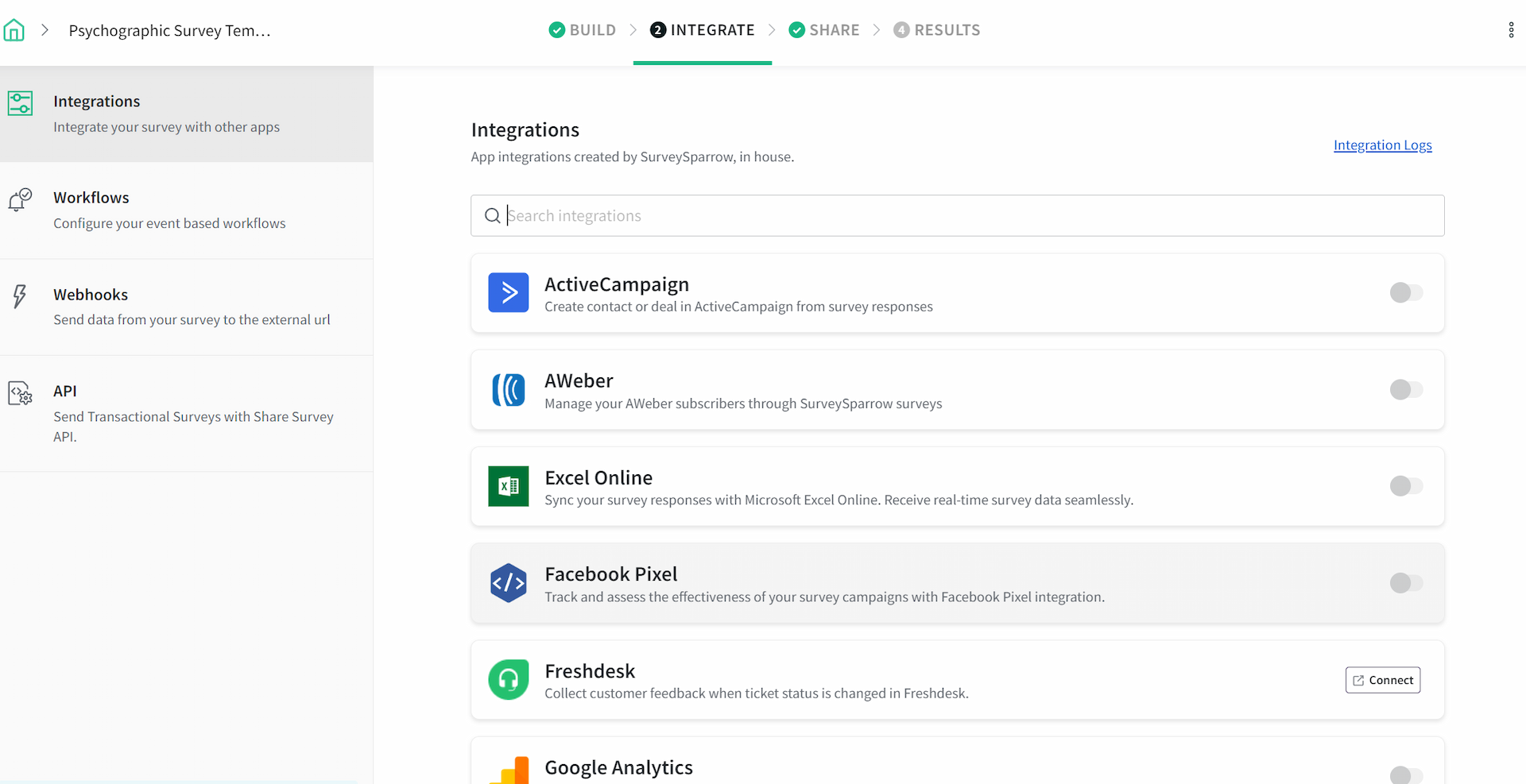
Simplify the RSVP process for corporate events, galas, or team-building activities. Create a professional-looking event registration form by customizing it to match your brand identity. Integrate it with Slack, Calendly, Zoom, Teams or your preferred corporate communication tool to maximize reach and participation.
6. Sports Event Coordinators
Effectively manage registrations for races, tournaments, or fitness workshops with a form that can collect information on team participation, age groups, and emergency contacts. You can use this form template for any sporting event at your school, college, club, sports program, and more.
7. Educational Institutions
Use this template to create user-friendly registration forms for classes, workshops, alumni meets or guest speaker events on campus. Collect crucial details from students like year of study, degree, activities they are interested in, and whether they will be need accommodation. You can also include an open-ended question to let them share ideas on specific topics.
8. Non-Profit Organizations
This template is a great resource for non-profits during fundraising events, volunteer opportunities, or awareness campaigns. With the in-built audience management feature, your organization can create targeted contact lists for future opportunities, such as donation drives or a marketing campaign.
Benefits of Using this Event Registration Form Template
Customization
The beauty of this template is its flexibility. You can add, remove, or rearrange fields to perfectly suit the specific needs of your event. Moreover, you can use your event logo and colors to establish your identity. Depending on the type and tone of the event, you can also add emojis and GIFs to make the registration process feel less like a chore.
Eventbrite Integration
Create, organize, host and promote your event efficiently through SurveySparrow’s integration with Eventbrite. Trigger email communications to the registrant immediately after completing registrations. Send event details like a brochure, poster, or web link for online events. Send reminders, and then collect post-event feedback.
Stripe Integration
Collect payments for your events with the Payment question type. We have integrated the platform with Stripe, one of the most trusted payment platforms. The payment type question is designed to look like a debit card, creating an intuitive experience for entering card details.
Multiple-Sharing Options
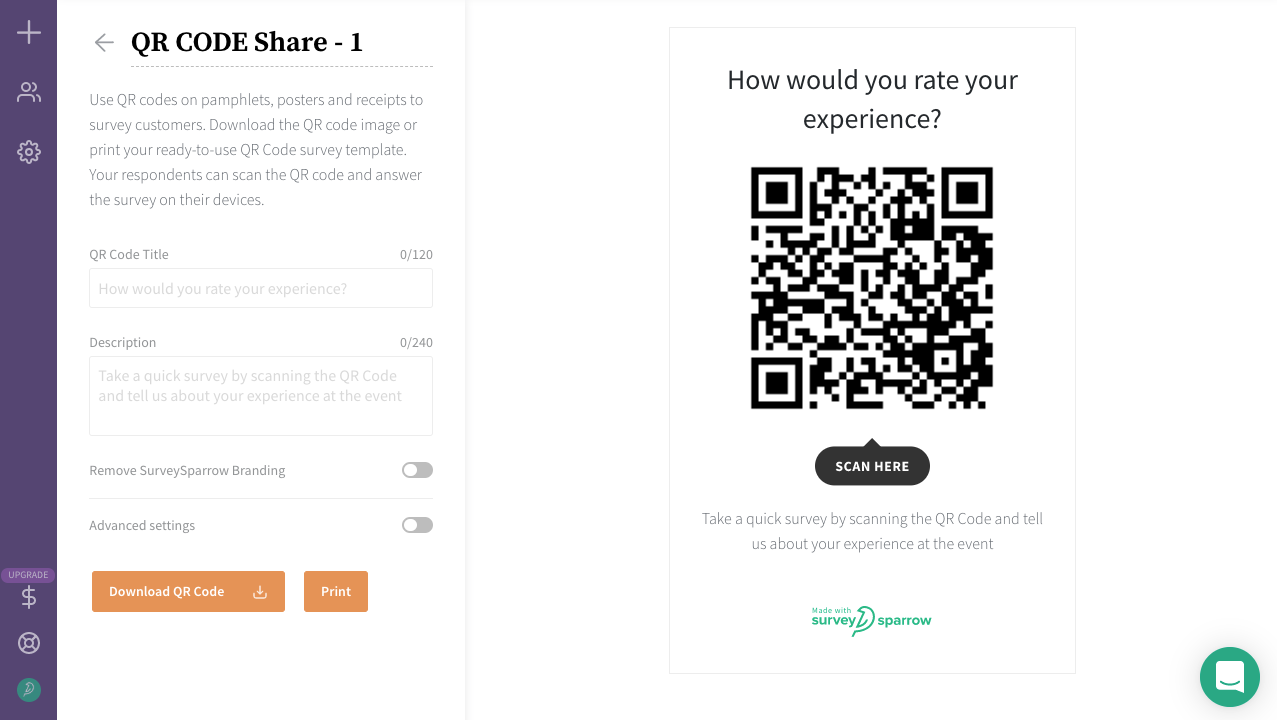
The form provides various sharing options, including email, direct links, and QR code generation. This flexibility allows organizers to distribute the registration form across multiple platforms, ensuring a wider reach and attracting more attendees.
Custom Lists
Build and maintain a well-organized database of contacts for all of your future events. Segment your audience list as you want and create custom lists. This helps you craft different communication strategies for each segment. Update the lists by adding or removing contacts with no hassles.
What to Include in an Event Registration Form?
The fields you include determine how prepared you are on the day of the event. Too few fields and you're chasing information last minute. Too many and attendees abandon the form halfway through. Here's what a well-structured event registration form should cover:
Event details at the top. Include the event name, date, time, and location before any questions. Attendees should be able to confirm they're registering for the right event before they fill out a single field.
Attendee name and contact information. Full name, email address, and phone number at minimum. Email is essential for sending confirmation emails, reminders, and event updates. For corporate events, add company name and job title.
Session or activity selection. For events with multiple tracks, workshops, or breakout sessions, let attendees choose their preferences at registration. This gives organizers accurate numbers for each session and helps with room allocation and resource planning.
Payment and ticketing information. For paid events, integrate a payment field directly into the form so attendees can complete registration and payment in a single step. Include ticket type selection if different pricing tiers apply.
Dietary restrictions and accessibility needs. A simple checklist for dietary requirements (vegetarian, vegan, gluten-free, nut allergy), and an open-ended field for accessibility needs. These details are easy to collect upfront and difficult to accommodate last minute.
Emergency contact information. Relevant for sports events, outdoor activities, and physical workshops where participant safety is a consideration. Collect a name and phone number for each attendee.
Special requests or additional notes. An optional open-ended field for anything the registration form doesn't explicitly cover. Keeps the form structured while giving attendees a way to flag specific requirements.
Terms and conditions acknowledgment. A checkbox confirming the attendee has read and agreed to the event's terms, cancellation policy, and data privacy statement. Essential for paid events and any event collecting personal data.
How to Create a Registration Form for an Event?
- Start with the template. Browse SurveySparrow's template library and select the event registration form template as your base instead of building from scratch.
- Add your event details. Include the event name, date, time, and location at the top of the form so attendees can confirm they're registering for the right event.
- Customize fields for your event type. Add, remove, or reorder fields based on what your specific event needs -- session selections for conferences, emergency contacts for sports events, or ticket types for paid events.
- Set up payment integration. For paid events, connect Stripe to collect ticket payments directly within the form. Attendees complete registration and payment in a single step.
- Enable conditional logic. Show or hide fields based on previous answers -- for example, displaying dietary preference options only for attendees who select a meal package.
- Configure confirmation emails and reminders. Set up automated confirmation emails on submission and schedule reminders closer to the event date with all the details attendees need.
- Brand the form. Upload your event logo, adjust colors and fonts, and add emojis or GIFs to match the tone of your event.
- Test before publishing. Submit a test entry, verify that confirmation emails land in the right inbox, and check that the form renders correctly on mobile.
- Publish and share. Distribute via email, social media, QR code, or embed the form directly on your event website or landing page.
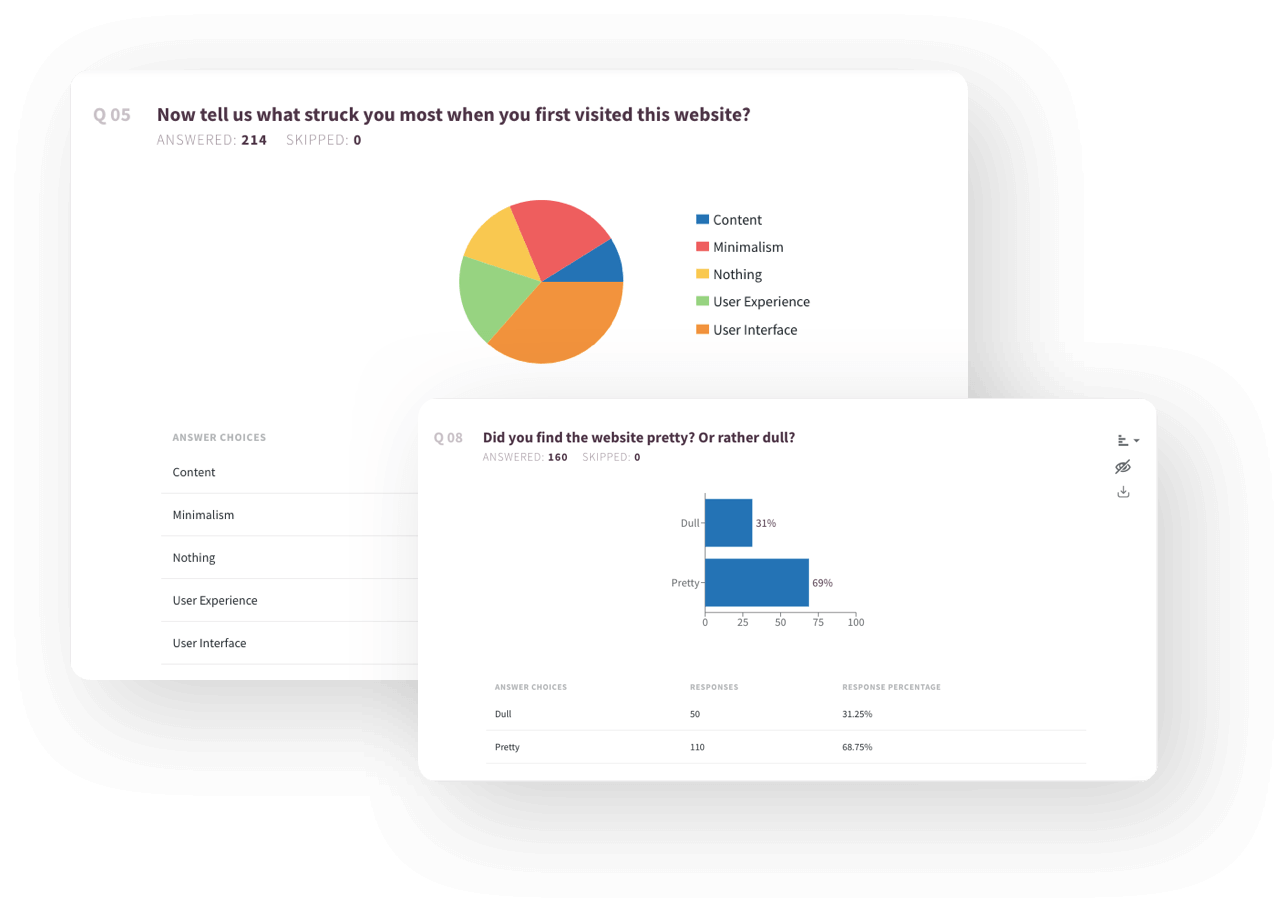
- Monitor registrations from the dashboard. Track sign-ups in real time, manage attendee lists, and export registration data as CSV or PDF for event day logistics.
How to Create a Google Form for Event Registration?
Google Forms is a free and accessible option for basic event registration. Here's how to set one up:
- Go to Google Forms. Visit forms.google.com and sign in with your Google account.
- Start a new form. Click the plus icon to create a blank form or browse Google's template gallery for an event registration option.
- Add your event details. Use the form title and description fields to include your event name, date, time, and location.
- Add registration fields. Use the question builder to add fields for attendee name, email address, session preferences, dietary restrictions, and any other details you need.
- Set response validation. Use Google Forms' validation settings to make key fields required and ensure email addresses are entered in the correct format.
- Enable email notifications. Turn on response notifications so you receive an alert each time someone registers.
- Share the form. Copy the form link and distribute it via email or social media, or embed it on your event website.
Where Google Forms falls short for event registration. Google Forms works well for simple, free events with basic data collection needs. However, it has limitations that become apparent as your event grows:
- No built-in payment integration for paid events or ticket sales
- No automated confirmation emails to attendees after registration
- No conditional logic to show or hide fields based on previous answers
- No branded form design beyond basic color changes
- No real-time attendee management dashboard
- Limited sharing options compared to dedicated event registration tools
SurveySparrow's event registration form template covers all of these gaps out of the box. You can explore key features like payment integration, automated confirmations, conditional logic, full branding control, and a live registration dashboard without requiring additional tools or workarounds.
Event Registration Form Questions to Ask
The questions you include in your event registration form determine the quality of information you have going into the event. Here are the key questions to include, organized by category.
Attendee information
- What is your full name?
- What is your email address?
- What is your phone number?
- What is the name of your organization or company?
- What is your job title or role?
Session and activity preferences
- Which sessions or workshops would you like to attend?
- Do you have any topic preferences or areas of interest?
- Will you be attending the full event or specific sessions only?
- Are you interested in any networking or social activities outside of the main program?
Ticketing and payment
- Which ticket type would you like to purchase? (General admission, VIP, early bird)
- How many tickets do you need?
- Do you have a discount or promo code?
- Would you like to make a donation in addition to your registration fee?
Dietary restrictions and accessibility
- Do you have any dietary restrictions or food allergies we should know about?
- Do you have any accessibility requirements we should plan for?
- Will you require any special accommodations during the event?
Travel and logistics
- Will you require accommodation for the event?
- How are you planning to travel to the event: driving, flying, or public transport?
- Would you like to be added to a carpooling or accommodation coordination group?
Virtual event specific
- Which time zone are you joining from?
- What is your preferred platform for virtual attendance?
- Would you like to receive a recording of the sessions after the event?
Corporate and professional events
- What is your level of experience with the event topic?
- Are you attending as an individual or representing your organization?
- Would you like to be listed in the event directory or attendee list?
- Are you interested in speaking, sponsorship, or exhibition opportunities?
Post-event
- Would you like to receive updates about future events?
- How did you hear about this event?
- Is there anything specific you are hoping to get out of attending?
In Conclusion
Managing event registrations manually is one of those problems that feels manageable until it isn't. A structured event registration form removes the administrative overhead from the start, capturing every attendee detail, processing payments, and sending confirmations automatically so organizers can focus on the event itself.
SurveySparrow's event registration form template gives you a customizable, mobile-friendly starting point that works for any event type, from a free community workshop to a large-scale paid conference. No building from scratch, no chasing registrations across email threads.
Beyond the registration form, SurveySparrow supports the full event management workflow:
- Real-time dashboard. Track registrations as they come in and manage your attendee list from one place.
- Payment integration. Collect ticket payments directly within the form via Stripe.
- Automated confirmations and reminders. Send confirmation emails on submission and event reminders closer to the date.
- Conditional logic. Show only relevant fields based on previous answers, keeping the form clean for every attendee type.
- Multi-channel sharing. Distribute via email, social media, QR code, or embed the form on your event page.
- Eventbrite integration. Connect with Eventbrite to manage, promote, and track your event in one workflow.
- Exportable attendee lists. Download registration data as CSV or PDF for event day logistics.
Browse SurveySparrow's full template library to find ready-to-use forms for every event and occasion.
Ready to simplify your event registration process? Use the template to get started, or book a demo to see the full platform in action.
FAQs
1. What is an event registration form?
An event registration form is a digital form used to collect information from individuals who want to attend an event. It captures attendee details, session preferences, payment information, and any special requirements in a single, structured submission.
2. What should an event registration form include?
A well-structured event registration form should include event details at the top, attendee name and contact information, session or activity selection, payment and ticketing information, dietary restrictions, accessibility needs, and a terms and conditions acknowledgment.
3. How do I create a free event registration form online?
SurveySparrow's event registration form template is free to get started with. Select the template, customize the fields for your event, brand the form, and share it via link, email, or QR code, no coding required.
4. How do I create a Google Form for event registration?
Go to forms.google.com, start a new form, add your event details and registration fields, enable email notifications, and share the link with attendees. For more advanced needs like payment integration, automated confirmations, and branded forms, SurveySparrow's event registration template is a more capable alternative.
5. Can I collect payments through an event registration form?
Yes. SurveySparrow integrates with Stripe, allowing you to collect ticket payments directly within the registration form. Attendees complete registration and payment in a single step without being redirected to a separate payment page.
6. What is the difference between an event registration form and an RSVP form?
An RSVP form confirms attendance for an event the guest has already been invited to. An event registration form is used for open or public events where attendees are actively signing up, and typically collects more detailed information including payment, session preferences, and accessibility needs.
7. How do I share an event registration form with attendees?
SurveySparrow's event registration form can be shared via email, direct link, QR code, or embedded directly on your event website or landing page. It is fully mobile-friendly, so attendees can register from any device.
8. Is the template mobile-friendly?
This template is designed to be responsive and function seamlessly on all devices, from desktops to smartphones.
9. Does the template integrate with other tools?
SurveySparrow forms allow integration with popular email marketing tools and analytics software. Depending on the platform you choose, you might be able to connect your form for automated communication and data tracking.
10. I need help setting up the form. Is there any support available?
SurveySparrow provides a knowledge base and customer support to help you through the process. Sign up to give it a try.