What is a helpdesk chabot?
A helpdesk chatbot is a customized website widget that gives customers a quick way to find answers, report problems, and request support without waiting for an agent.
Through a chatbot, companies having multiple customer interactions can set up workflows for repetitive tasks or inquiries, and get back to assist their customers for complex ones.
Using a helpdesk chatbot, a company can handle common customer queries, collect information their support team needs, and direct customers to the right support option.
With this template, you can customize the questions and conversation flow based on the products, services, and issues your customers deal with most often.
The chatbot can also turn customer interactions into actionable tickets, helping your team organize and follow up on support requests.
Embedding a helpdesk chatbot on your website
The purpose of a good CX program is to make support available where customers need it.
For a website, SurveySparrow offers multiple ways to embed a chatbot. A few of them are:
Pop-up embed: Show one question at a time without taking over the page.
Chat-type embed: Give customers a more conversational support experience.
Inline embed: Place the chatbot directly within a page for quick access to support.
You can also share the chatbot through links, email, SMS, QR codes, WhatsApp, or social media.
How to Use This Template?
Step 1: Customize To Your Choice
Start by clicking on the ‘Use this Template’ button, and sign up to create a free account. Choose the appropriate question type from the builder and customize the chatbot by changing button colors, fonts and even adding a video background. Use AI to instantly generate questions by adding a simple prompt.
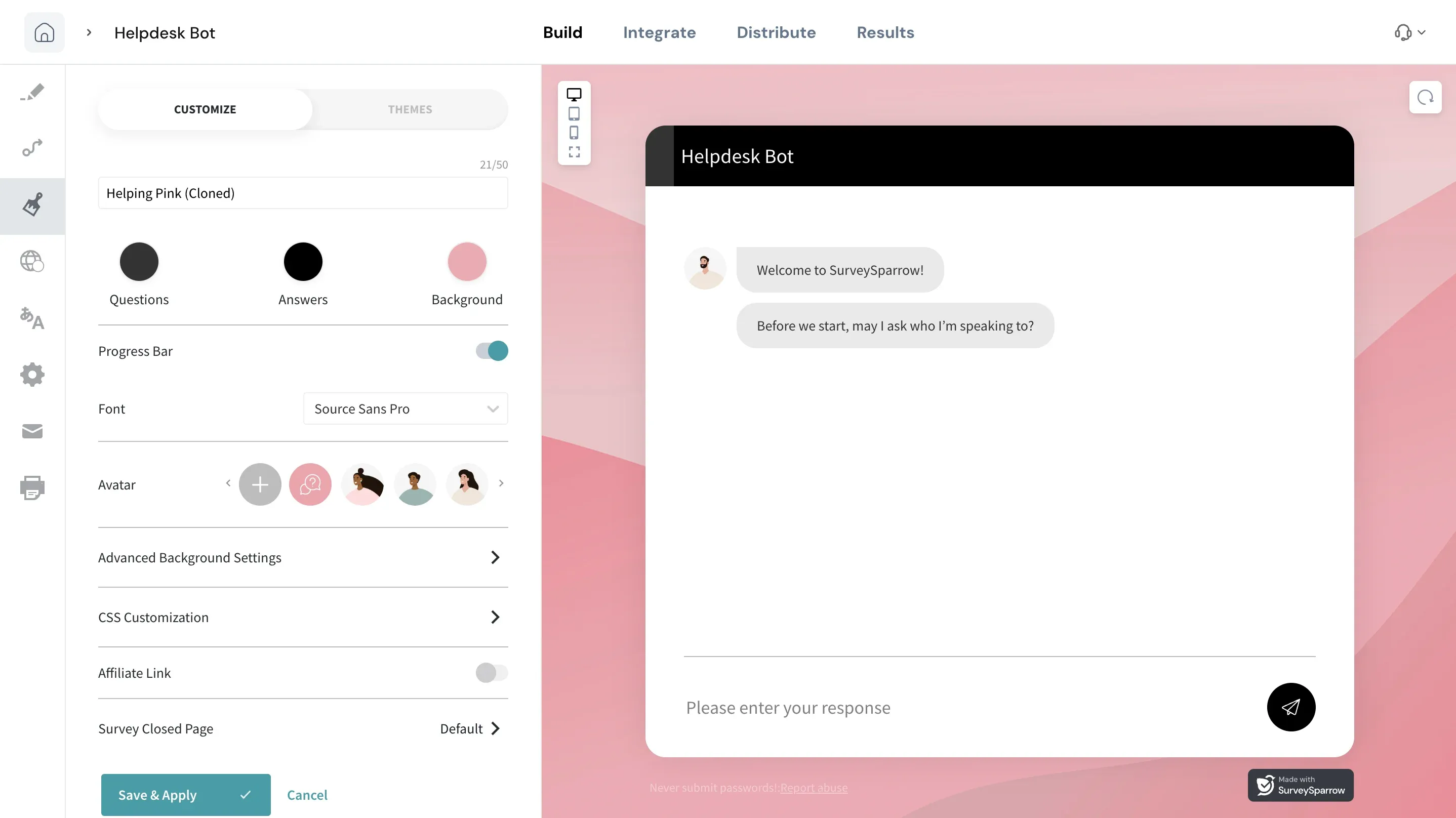
Step 2: Integrate With Essential Apps
Sync the template with Google Sheets for data analysis, manage follow-up emails with Mailchimp, and use Hubspot to enhance the workflow. Surveysparrow also provides 25+ native integrations and 1500+ integration options via Zapier for better task management.
Step 3: Share to Collect Customer Queries
Share the chatbot using the website embed feature. Other options like QR code embed, SMS, WhatsApp, or social media are also available. Increase the response rate and refine your services.
Step 4: Analyze and Follow Up
Export your customer concerns to CSV for offline analysis. Use SurveySparrow’s executive dashboard to visualize the data and collaborate with your team members.
What can a helpdesk chatbot do?
A helpdesk chatbot can take care of repetitive support interactions while giving customers a faster way to get help.
Answer common questions
Provide quick answers to frequently asked questions about your products, services, policies, accounts, and processes.
Collect support requests
Ask customers for the information your team needs to understand and resolve an issue, such as the type of problem, account details, or a description of what happened.
Route issues to the right team
Use logic to identify the type of request and direct it to the appropriate department or support option.
Manage support tickets
Turn customer interactions into actionable tickets and route them to the relevant team for follow-up.
Reduce repetitive support work
Automate common questions and requests so your support team can spend more time handling complex customer issues.
Provide support across devices
Create a mobile-friendly chatbot that customers can access from different devices and screen sizes.
Helpdesk chatbot use cases
A helpdesk chatbot can support different teams and customer journeys.
Customer service
Handle common questions about your products or services, collect customer concerns, and provide quick solutions.
IT helpdesk
Automate recurring IT support requests and provide instant troubleshooting assistance for common problems.
Healthcare
Help patients with common questions, appointment-related requests, and other routine support needs.
Education
Answer questions about admissions, courses, programs, and other common student or applicant requests.
Banking
Help customers find information about transactions, account opening, loans, and other routine banking queries.
SurveySparrow's current helpdesk chatbot template supports these use cases across IT support, customer service, healthcare, education, and banking.
Questions a Helpdesk Chatbot Can Handle
The questions you include will depend on your business, but a good starting point is to cover the issues your support team receives most often.
Product and service questions
- What does your product do?
- How do I get started?
- How does this feature work?
- Is this feature available on my plan?
- Where can I find the user guide?
Account and billing questions
- How do I reset my password?
- How can I update my account details?
- How do I change my subscription?
- Where can I find my invoice?
- How do I cancel my account?
Troubleshooting questions
- Why isn't this feature working?
- How do I fix this issue?
- Where can I find troubleshooting instructions?
- What should I do if I can't access my account?
Support requests
- I need help with a problem.
- How can I contact support?
- Can I speak with a support agent?
- Can someone follow up with me?
You don't need to automate every possible question. Start with the requests your team receives repeatedly and expand the chatbot's capabilities as you learn from customer conversations.
How to Create a Helpdesk Chatbot?
1. Identify common support questions
Look at your existing support tickets, FAQs, and customer conversations. Start with the questions your team answers most often.
2. Add your questions and answers
Customize the template with clear answers and relevant support options.
3. Build conversation paths
Use skip and display logic to guide customers based on their responses. This keeps the experience relevant without asking every customer the same questions.
4. Add a human support option
Give customers a clear path to contact an agent when the chatbot can't resolve their issue.
5. Connect your support tools
Connect the chatbot to the tools your team already uses. SurveySparrow supports integrations with platforms such as HubSpot and offers additional integrations through its integration ecosystem.
6. Launch and analyze
Embed the chatbot on your website, start collecting customer queries, and review the responses to identify common problems and opportunities to improve your support process.
Helpdesk Chatbot Best Practices
1. Start with your most common questions
Don't try to automate everything at once. Focus on the questions that take up the most support-team time.
2. Keep responses clear and concise
Give customers the information they need without unnecessary explanation. Link to detailed documentation when appropriate.
3. Use conversation logic
Ask relevant follow-up questions based on what the customer selects instead of sending everyone through the same flow.
4. Always provide a path to human support
Some issues need an agent. Make it easy for customers to escalate when the chatbot can't resolve their problem.
5 Review chatbot conversations regularly
Use customer interactions to find unanswered questions, confusing responses, and new topics that should be added to the chatbot.
6. Keep your answers updated
Outdated support information can create more problems than it solves. Review your chatbot content whenever your product, policies, or processes change.
Benefits of Using this Template
Ticket Management
Turn customer complaints into trackable support tickets. Assign each ticket to the right team based on the issue, set priorities, and track its status until resolution.
For example, route a billing issue to the finance team and a login problem to technical support. This gives each issue a clear owner and helps your team follow up instead of letting requests get lost in a shared inbox.
Website Embed
Embed this chatbot easily to your website. Our platform provides three embed options to collect your customer’s concerns. Use a pop-up embed to show one question at a time. The chat-type embed gives your customers a conversational experience. The inline embed helps you to collect responses crisp and fast.
Skip/Display Logic
Show customers only the questions relevant to their issue. Based on their answers, the chatbot can display specific follow-up questions and skip those that don't apply.
For example, someone reporting a payment issue can answer billing-related questions without going through troubleshooting steps for login problems. You can also configure the flow to direct customers to a contact option when they need help from a support agent.
This keeps the conversation relevant and helps your team collect the information it needs to handle each request.
Conversational Interface
Collect support requests through a chat-style interface that asks one question at a time. This gives customers a guided way to explain their issue without facing a long form.
Use the drag-and-drop builder to create the conversation with question types such as multiple choice, rating scales, and open-ended questions. You can also add visual elements, such as images or emojis, to suit your brand.
CRM integrations
Connect your chatbot with your CRM to bring customer support responses and customer information into your existing workflows. This helps your team access relevant context when reviewing a request and reduces the need to switch between tools.
For example, if a returning customer reports a recurring issue, your support team can use the available CRM records to review previous interactions and provide more relevant follow-up.
The exact capabilities depend on the CRM and integration you use, so confirm which data syncs and whether the integration supports ticket creation, contact updates, or both.
Try this Customer Support Chatbot Template
Start customizing your helpdesk chatbot
Use this template as a starting point and adapt it to your support team's workflow. Add the questions you need, personalize the design, and guide customers to the right support option based on their responses.
With SurveySparrow, you can:
- Add, edit, or remove questions
- Choose from 20+ question types
- Customize fonts, colors, and other design elements
- Add images, GIFs, and videos
- Build personalized conversation flows
- Use skip and display logic to show relevant questions
- Route customers based on their answers
- Connect the chatbot with other tools and workflows
For example, you can create separate conversation paths for billing issues and technical problems, so customers answer only the questions relevant to their requests.
Need a more advanced conversational chatbot?
Explore Echo, SurveySparrow's customer experience agent. Echo can ask follow-up questions based on customer intent and sentiment, helping it understand requests in more detail. With defined guardrails, it can also handle more complex conversations and take action within the limits you set.