Guest feedback can tell you what is working, where guests are facing problems, and what needs to change. But collecting that feedback can get difficult when your guests are in places with poor receptions.
Remote locations, outdoor events and attractions, cruises, and flights may all have areas where guests cannot access the internet. That does not mean feedback collection has to stop.
You can collect guest feedback offline using tablets, kiosks, mobile devices, paper forms, staff-assisted feedback, and offline survey apps. The right method depends on where you collect feedback, how many responses you need, and how quickly you need to analyze them.
Here's how to collect guest feedback without WiFi and turn those responses into useful insights.
Can you collect guest feedback without WiFi?
Yes. You can collect guest feedback without an active internet connection.
The simplest approach is to use an offline survey that stores responses on a device. The guest completes the survey without WiFi, the response is saved locally, and the data is synced to your feedback platform when the device reconnects.
For example, a hotel could place a tablet or a kiosk at the checkout desk. A guest could rate their stay and leave a comment even if the tablet has no internet connection. When the device reconnects later, the responses can be uploaded for analysis.
There are also offline methods that don't require a digital device, such as paper feedback forms or staff-recorded responses.
The important distinction is between collecting feedback offline and submitting it immediately. Without an internet connection, the response may be stored locally and uploaded later.
7 ways to collect guest feedback without WiFi
The best moment to capture your guest's feedback is the moment when the experience ends, and not anytime later.
During these times, its possible that your guests are having a conversation with someone, or they're going back to their rooms after an activity or sport. They would have their hands full, and they wouldn't have time to take a survey. That's when you'll need to make it short and easily accessible.
Here are 7 ways to collect feedback when internet access isn't available.
1. Use offline surveys on tablets or mobile devices
Tablets are useful for collecting feedback at physical guest touchpoints.
You can place a device at:
- Hotel receptions
- Checkout counters
- Restaurant exits
- Resort facilities
- Event registration desks
- Visitor centers
- Spas
- Tourist attractions
Guests can complete a short survey directly on the device.
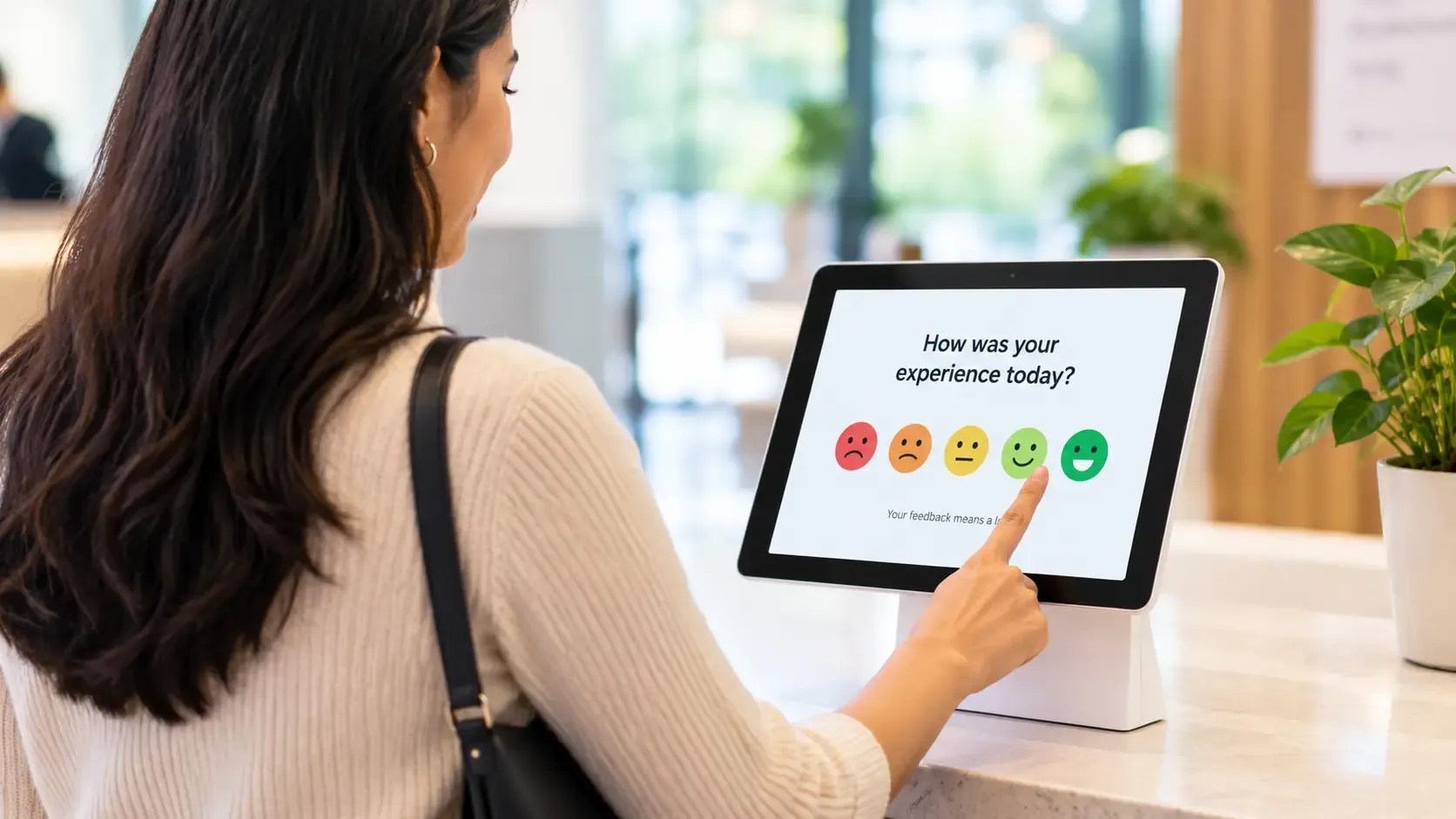
If the survey platform supports offline collection, responses can be stored until the device reconnects.
This approach works well when you want structured responses that can later be analyzed alongside feedback collected through other channels.
For example, a resort could ask three questions at checkout:
- How satisfied were you with your stay?
- How would you rate the service?
- What could we have done better?
The survey takes less than a minute, but it gives the team useful information about the guest experience.
Take a sneak peek below at our satisfaction survey for guests.


2. Use QR codes with an offline fallback
QR codes are a convenient way to direct guests to an online survey, but they are not an offline feedback method by themselves.
Scanning a QR code normally takes the guest to a web page, which requires an internet connection.
However, QR codes can still be part of a broader feedback strategy.
For guests with connectivity, a QR code on a room card, receipt, table tent, or checkout counter can take them directly to the survey.
For guests without connectivity, you can provide an offline option such as a tablet or paper form at the same touchpoint.
This gives guests a choice based on their connectivity.
3. Collect feedback on a shared device
A shared tablet or kiosk can work well when guests pass through a specific physical location.
Instead of asking every guest to use their own phone, provide a device they can use to submit feedback.
Common locations include:
- Hotel lobbies
- Reception desks
- Restaurant exits
- Event entrances
- Airport lounges
- Visitor centers
- Tourist attractions
Keep the survey short. A guest who is leaving a restaurant is unlikely to spend several minutes filling out a long questionnaire.
Use simple rating scales, multiple-choice questions, and one or two open-ended questions.
A shared device also gives businesses more control over the collection process because the survey remains available even when individual guests don't have internet access.
4. Use paper feedback forms
Paper forms are still an option when digital collection isn't practical.
You can place a short feedback form in a hotel room, provide it at checkout, or hand it to guests after an event or dining experience.
The main advantage is that paper doesn't depend on:
- WiFi
- Mobile data
- Battery life
- Apps
- Devices
But paper feedback comes with trade-offs.
Someone has to collect the forms, enter the responses into a digital system, organize the data, and analyze it. Handwritten responses can also be difficult to categorize consistently.
For small volumes of feedback, this may be manageable. For hundreds or thousands of responses, digital offline collection is usually easier to scale.
5. Collect feedback through staff
Employees can also record guest feedback when guests share it verbally.
For example, a hotel employee might hear a guest say:
"The room was great, but it took too long to get checked in."
This sort of feedback is great, but chances are that an employee may not remember to convey it to his manager later on.
Instead of relying on the employee to remember the comment later, the business can give staff a simple form to record feedback.
This can be particularly useful for complaints, suggestions, and comments that guests make during normal conversations.
However, staff-recorded feedback should follow a consistent format. Otherwise, different employees may record similar comments in very different ways.
A structured form can capture information such as:
- Guest concerns
- The location of the service/event
- Services involved
- Date and time
- Resolution
- Additional comments
This makes qualitative feedback easier to organize later.
6. Collect feedback after connectivity returns
Not every piece of feedback has to be collected at the exact moment an interaction happens.
If a guest doesn't have internet access during their visit, you can collect feedback later through email, SMS, or another digital channel.
For example, a hotel could send a post-stay survey after the guest leaves.
This works particularly well for questions about the overall experience:
- How satisfied were you with your stay?
- How likely are you to recommend us?
- What did you enjoy most?
- What could we improve?
The downside is that delayed feedback may not capture small details as accurately as feedback collected closer to the interaction.
For this reason, businesses can combine offline and post-visit feedback rather than choosing only one method.
7. Use a capable offline survey app
An offline survey app is one of the more scalable ways to collect guest feedback without WiFi.
The basic process is simple:
Prepare the survey → collect responses offline → store responses on the device → reconnect to the internet → sync responses → analyze feedback
This allows teams to collect structured feedback even when there is no connection at the point of collection.
It is especially useful for businesses operating across multiple locations or in areas where connectivity is inconsistent.
For example, an event company could use tablets to collect session feedback throughout a venue. Staff wouldn't need to worry about whether every area of the venue has reliable WiFi. Responses could be synchronized once the devices reconnect.
Check out SurveySparrow's offline feedback app for Android and iOS.
What questions should you ask in an offline guest feedback survey?
Offline surveys should usually be short and focused on the experience you want to measure.
How satisfied were you with your experience?
How would you rate the service you received?
How satisfied were you with the facilities?
Customer Effort
If you're measuring a specific process, ask how easy it was for the guest.
How easy was it to get the help you needed?
This can help identify friction in processes such as check-in, reservations, or customer support.
Open-Ended Feedback
Include one question that gives guests space to explain their experience.
For example:
What could we have done better?
Or:
What did you enjoy most about your experience?
Open-ended questions can provide context that a rating alone cannot.
Loyalty
If you want to measure overall perception, you can ask:
How likely are you to recommend us to a friend or colleague?
This is commonly used to measure Net Promoter Score.
The key is to match the questions to the touchpoint. A checkout survey does not need to ask about every part of the guest journey.
Best practices for collecting guest feedback without WiFi
Offline feedback collection has a few practical considerations.
Keep Surveys Short
Guests are more likely to complete a survey when it takes little time.
Focus on the questions that will help you make a decision or identify an experience problem.
Collect Feedback at the Right Touchpoint
Timing matters.
Ask about check-in shortly after check-in. Ask about a restaurant experience after the meal. Ask about the overall stay at checkout or after departure.
The closer the survey is to the experience, the easier it is for guests to provide specific feedback.
Make the Survey Easy to Complete
Use:
- Rating scales
- Multiple-choice questions
- Simple language
- Large tap targets on mobile devices
- Minimal typing
The guest shouldn't have to work hard to provide feedback.
Protect Offline Data
Offline responses may remain stored on a device until they can be synchronized.
Businesses should consider how those responses are protected while they are stored and who can access the device.
Devices used for feedback collection should also be secured when they're not in use.
Sync Responses Regularly
If responses are stored offline, make sure there is a process for reconnecting the device and syncing the data.
Teams should also check that responses have been successfully uploaded before clearing or resetting a device.
Train Staff
Employees should know:
- When to offer the survey
- How to start the survey
- What to do if a guest needs help
- How to reconnect the device
- What to do if responses haven't synced
A simple process can prevent many operational problems.
Offline vs. online guest feedback: Which should you use?
Offline and online feedback serve different situations.
| Factor | Offline feedback | Online feedback |
|---|---|---|
| Internet required | No | Usually |
| Works in remote locations | Yes | Limited |
| Immediate synchronization | Usually no | Usually yes |
| Can use a shared device | Yes | Yes |
| Useful for physical touchpoints | Yes | Yes |
| Useful for post-visit surveys | Less common | Yes |
| Paper option available | Yes | No |
You don't necessarily have to choose between the two.
A hotel, for example, could use offline surveys on tablets at checkout while also sending an online post-stay survey.
The important thing is to choose the collection method based on the guest journey.
How to turn offline guest feedback into action
Collecting responses is only the first step.
The next step is understanding what guests are saying and deciding what to do about it.
A useful feedback process looks like this:
Collect → Analyze → Identify → Act → Measure → Repeat
Suppose a hotel collects 500 checkout surveys and finds that guests frequently mention long wait times during check-in.
The team can then:
- Identify check-in as a recurring problem.
- Review when delays occur.
- Investigate staffing or process issues.
- Make changes to the check-in process.
- Collect feedback again.
- Compare the new results with previous responses.
This turns feedback into an improvement process rather than a collection exercise.
Example: A hotel checkout survey
Imagine a resort where WiFi is unreliable in the lobby.
The resort places tablets at checkout with a short offline survey.
Guests answer:
- How satisfied were you with your stay?
- How would you rate the service?
- What did you enjoy most?
- What could we improve?
- How likely are you to recommend us?
The responses are stored on the tablets.
Later, the devices reconnect to the internet and synchronize the responses.
The management team reviews the results and notices recurring complaints about housekeeping response times.
The hotel investigates the issue, changes its process, and continues measuring feedback.
The next round of responses can show whether the change improved the guest experience.
Collect Guest Feedback Wherever Your Guests Are
A lack of WiFi shouldn't prevent you from understanding the guest experience.
Hotels, restaurants, resorts, events, and other businesses can use offline surveys, shared devices, paper forms, and staff-assisted feedback to collect responses when guests don't have internet access.
The most effective approach is to meet guests where they are. Collect short, relevant feedback at the right touchpoints, make sure responses are stored securely, and connect those responses to a process for analyzing and acting on them.
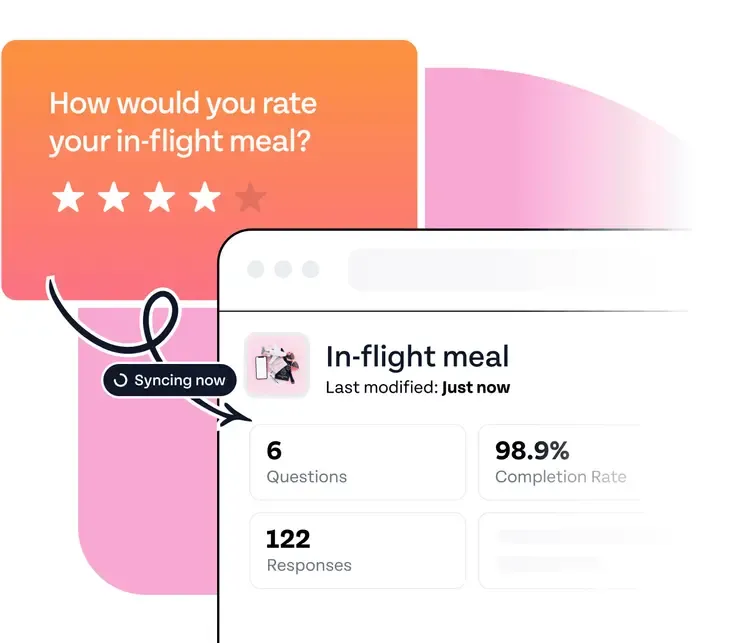
With an offline-capable survey platform such as SurveySparrow, you can extend your feedback collection beyond places with reliable internet and keep guest feedback connected to the rest of your experience management strategy.
Brands like Pechanga Resort and Landscape Golf Management trust SurveySparrow to run their feedback programs at scale. The SurveySparrow Go app is available free on iOS and Android.
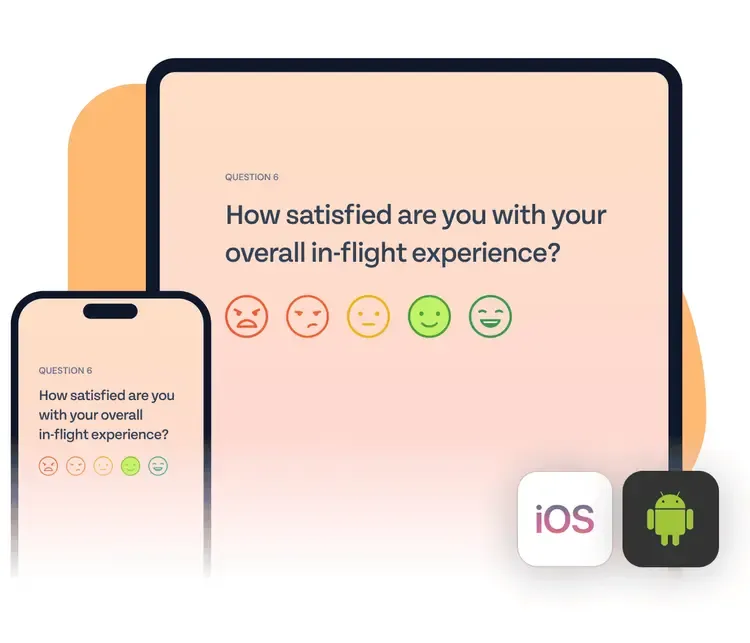
Leave your WiFi worries in the corner and start collecting your guests' feedback with SurveySparrow.

Explore how SurveySparrow can transform feedback for your hospitality business
TRUSTED BY BEST-IN-CLASS BRANDS





![Great Customer Service: 7 Proven Strategies & 5 Email Templates [2025 Guide]](/_next/image/?url=https%3A%2F%2Fsurveysparrow.com%2Fwp-content%2Fuploads%2F2021%2F01%2Fgood-customer-service.jpg&w=3840&q=75 "Great Customer Service: 7 Proven Strategies & 5 Email Templates [2025 Guide]")