Large companies rarely lack feedback. They lack one place to see it. Each team sees its own slice, and no one sees the full picture.
Enterprise feedback management fixes that. It gives every team one system to collect feedback, understand it, and act on it.
This guide explains what enterprise feedback management covers, how it differs from related programs, and how to roll it out in phases. You'll also learn which metrics show whether your program is working.
What is enterprise feedback management?
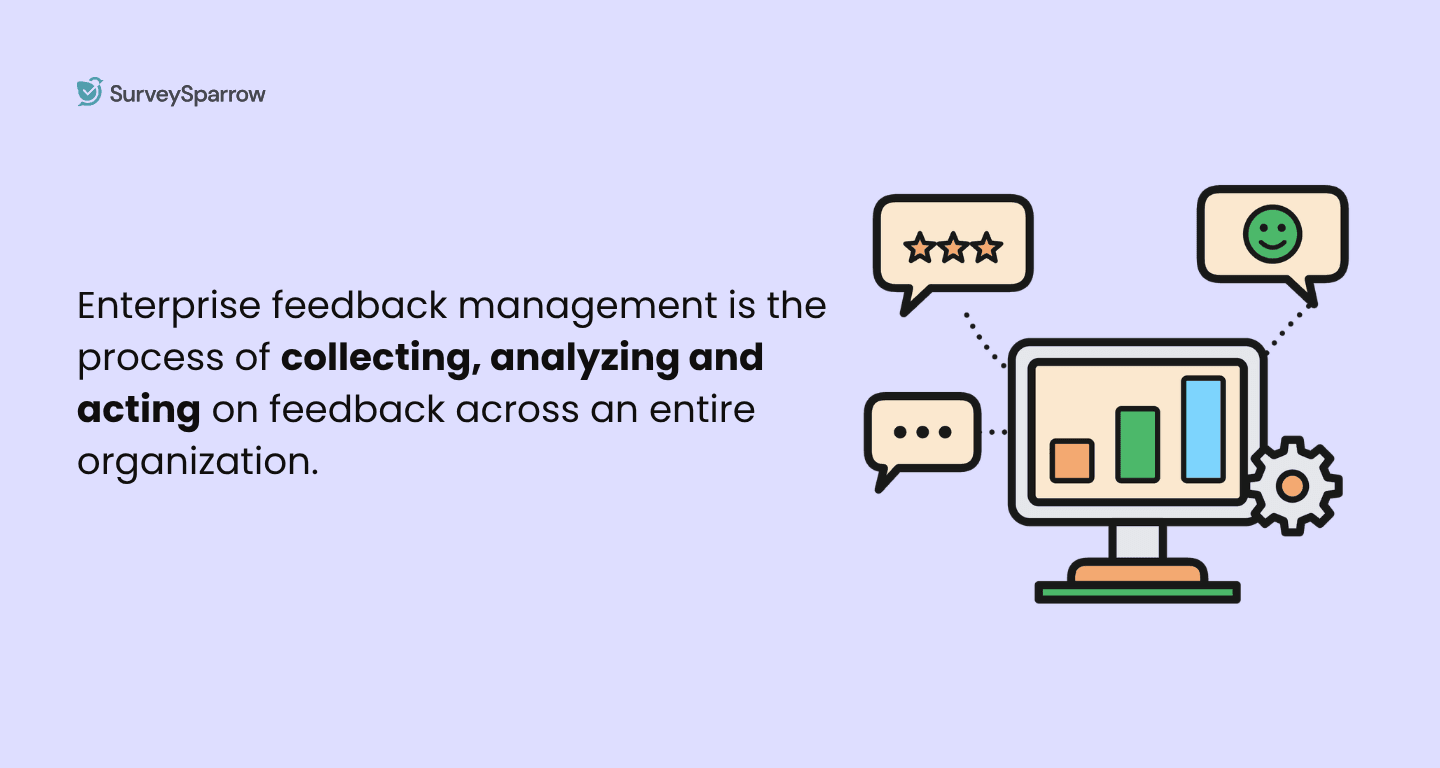
Enterprise feedback management (EFM) is the set of processes and software a large organization uses to collect, analyze, route, and act on feedback across all its teams.
EFM usually covers three groups:
- Customers: surveys, reviews, support conversations, and comments from frontline staff.
- Employees: engagement surveys, pulse checks, and exit interviews.
- Partners: feedback from resellers, suppliers, and vendors.
A small business can run feedback from one survey tool, but a company with thousands of employees, many locations, and dozens of teams needs shared rules, shared data, and a way to send each insight to the person who can act on it.
The idea isn't new. The term was coined by Perseus Development, a survey software company. Early EFM focused on survey design and data collection. Modern EFM adds text analysis, case management, and AI.
How EFM compares with VoC, CXM, and survey tools
These terms overlap, so it helps to define each one first.
- Voice of the customer (VoC) is a program that captures what customers say about their needs and experiences.
- Customer experience management (CXM) is the wider practice of managing every part of the customer's experience. CXM draws on more than feedback, including transactional data and retention rates.
- A survey tool creates and sends surveys and reports the results.
- EFM is the operating system for feedback. It connects collection, analysis, routing, and follow-up across the whole organization.
| Survey tool | VoC program | EFM | CXM | |
|---|---|---|---|---|
| Scope | Individual surveys | Customer feedback | All feedback across the company | The full customer experience |
| Main users | One team | CX or insights team | Every team, by role | Leadership and CX teams |
| Data sources | Survey responses | Surveys, reviews, interviews | Surveys, reviews, support, employee and partner input | Feedback plus behavioral and transactional data |
| Main output | Reports | Customer insights | Routed insights, cases, and actions | Experience strategy and design |
Signs that you need to invest in an EFM program
The need for EFM usually becomes visible through operational problems rather than a sudden increase in survey responses.
Here are some common warning signs.
1. Different teams use different feedback tools
Fragmentation is one of the clearest signs that a feedback program has become difficult to manage.
When teams choose their own tools, they can end up using different survey formats, rating scales, reporting methods, and data structures. Consolidating that information later becomes a manual process.
For example, a support team might measure CSAT in one platform while the customer success team measures relationship satisfaction in another. Both metrics may be useful, but leadership has to combine separate systems to understand the broader customer experience.
2. Customers receive duplicate surveys
Survey fatigue can become an enterprise-wide problem when individual departments plan their outreach independently.
A customer doesn't experience the organization as separate departments. They experience one company. If several teams ask for feedback without coordinating their campaigns, the customer may see the requests as repetitive.
For example, a hotel guest could receive a property satisfaction survey shortly after checkout and then receive a separate brand-level survey from corporate. Both teams may need the information, but a shared contact policy could help avoid unnecessary overlap.
3. Different teams see different numbers
Different dashboards don't necessarily mean the data is wrong. The problem occurs when teams don't share consistent definitions, populations, or reporting rules.
An executive may see an overall CSAT score while a regional manager sees a score calculated from a different set of responses. Without context, teams can end up debating which number is correct instead of investigating what the feedback means.
4. Negative feedback has no clear owner
Collecting a low score or negative comment is only the beginning. Someone needs to determine whether action is required, who should take it, and when the issue should be resolved.
Without that process, important feedback can sit inside a dashboard without reaching the team responsible for fixing the problem.
For example, a customer might give a low rating and explain that they were charged twice. An EFM workflow could route that feedback to the appropriate support or billing team instead of leaving someone to discover it during a manual report review.
How an EFM program works
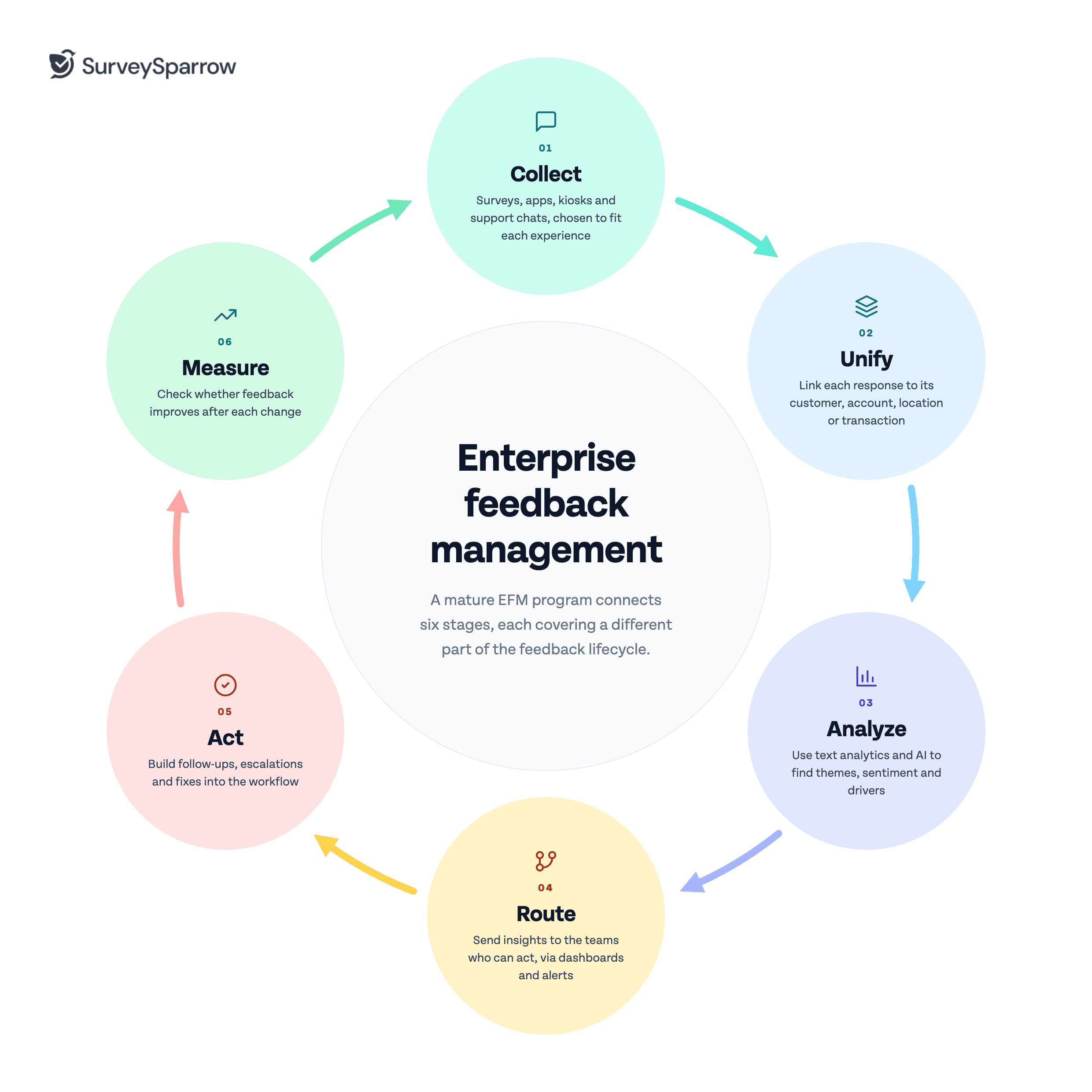
A mature EFM program connects six stages:
Collect → Unify → Analyze → Route → Act → Measure
Each stage addresses a different part of the feedback lifecycle.
1. Collect feedback from relevant channels
The first step is collecting feedback from the places where customers and employees already interact with the organization.
This can include surveys, websites, apps, email, messaging channels, kiosks, reviews, support interactions, and other feedback sources. The goal isn't to collect feedback from every possible channel. It's to choose channels that match the experience you're trying to understand.
For example, a retail company might use a post-purchase survey to measure the shopping experience while using an in-store kiosk to collect immediate feedback from customers.
Engage your customers through their preferred channels →
2. Unify the feedback
Feedback becomes more useful when it can be connected to the context around it.
That context might include a customer, account, location, product, transaction, journey, or interaction. A shared data model allows teams to analyze feedback across those dimensions.
For example, a hotel group could connect a guest's survey response with the property they stayed at, allowing regional teams to compare feedback across locations.
3. Analyze the feedback
At enterprise scale, manually reading every open-ended response can become impractical. Text analytics and AI can help identify themes, sentiment, recurring issues, and potential drivers across large volumes of comments.
For example, a company might discover that its CSAT score has fallen and use text analysis to identify an increase in comments about longer support wait times.
4. Route insights to the right teams
Not every person in the organization needs to see every piece of feedback.
Role-based dashboards, alerts, and workflows help distribute relevant information to the people who can act on it. This also makes enterprise feedback easier to manage because teams don't have to search through a centralized database for issues that concern them.
5. Act on feedback
The value of feedback comes from what happens after it is collected.
Depending on the issue, action could involve following up with a customer, escalating a complaint, changing a process, or sending an insight to a product team. An EFM program should make these actions part of the feedback workflow rather than leaving them to individual teams.
For example, a low customer rating combined with a complaint about a billing error could automatically create a follow-up task for the appropriate team.
6. Measure what changed
The final stage closes the loop between feedback and business outcomes.
After an organization makes a change, it should monitor whether the feedback improves. This helps distinguish actions that actually address customer problems from changes that simply create more activity.
For example, if customers repeatedly complain about a difficult cancellation process, the company could simplify that process and then monitor subsequent feedback to see whether related complaints decrease.
Core capabilities to look for in EFM software
EFM software needs to support more than survey creation. The platform should help an organization manage the entire feedback lifecycle while maintaining control as the program grows.
Multichannel feedback collection
Enterprise organizations interact with customers across many channels, so feedback collection needs to work across the experiences that matter to the business.
Look for support for channels such as web, email, mobile, messaging, kiosks, and offline collection where relevant.
For example, a healthcare organization with limited connectivity at some locations may need offline feedback collection alongside its online surveys.
Centralized survey management
A shared survey library helps organizations maintain consistency across departments and regions.
Teams can reuse approved templates, questions, and rating scales instead of creating separate versions of the same survey. This also makes it easier to maintain common measurement standards.
For example, a global company could maintain one approved CSAT question and allow regional teams to add relevant local questions without changing the core measurement.
Role-based access and dashboards
Enterprise feedback contains information that isn't relevant to everyone.
Role-based access lets organizations control what different users can view and manage. Dashboards can then present the metrics and feedback relevant to each role.
For example, a store manager might see feedback for one location while a regional director sees aggregated results across all stores.
Text analytics and AI
Large volumes of open-ended feedback can contain valuable information that is difficult to identify manually.
AI and text analytics can classify comments, identify themes, analyze sentiment, and surface patterns across thousands of responses. These capabilities can help teams spend less time sorting feedback and more time investigating what it means.
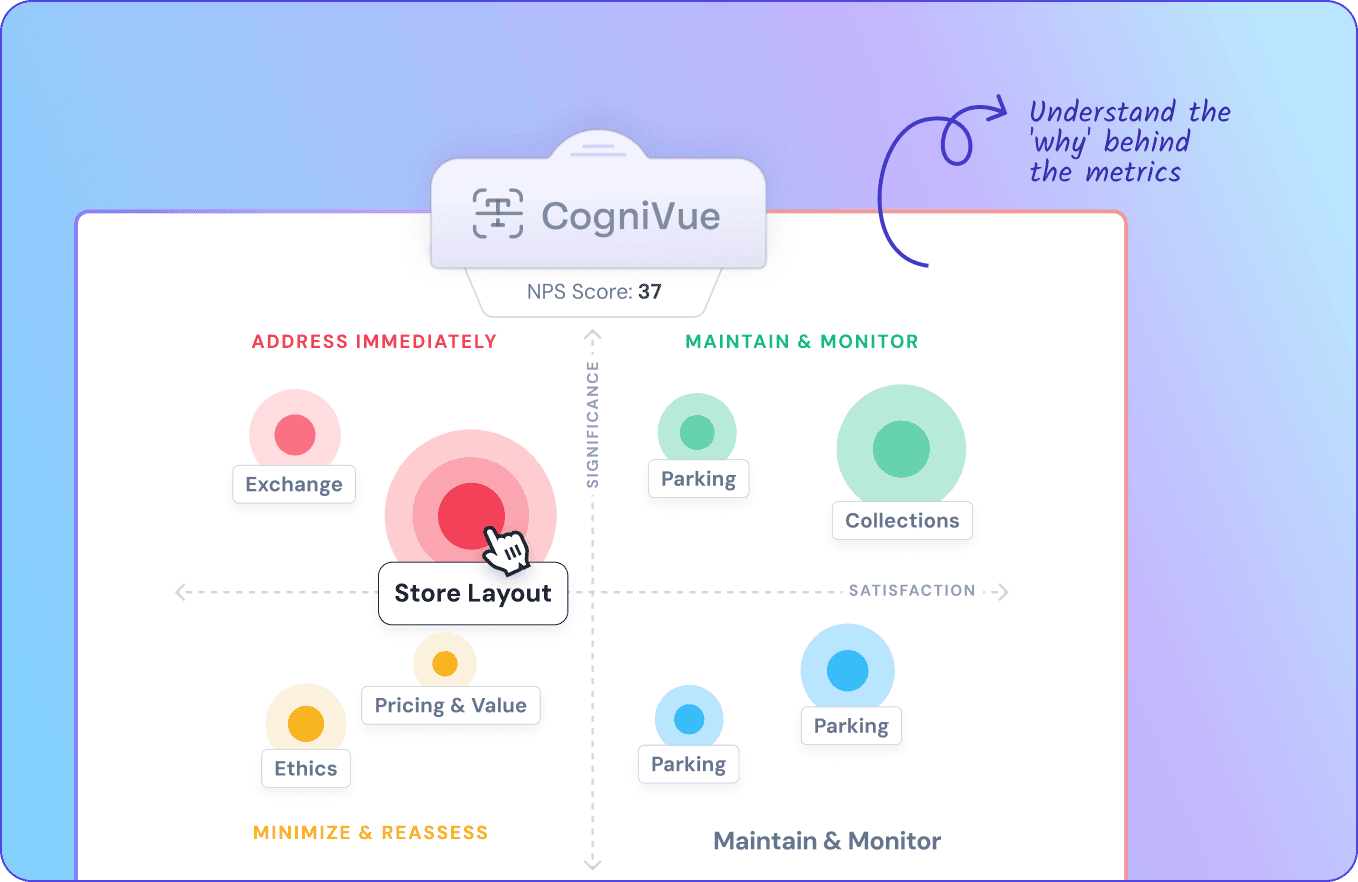
For example, an airline could analyze thousands of comments after a service disruption and identify recurring themes around delays, communication, and baggage handling.
Workflows and alerts
Feedback that requires action should reach the appropriate team without relying entirely on manual monitoring.
Workflows can use survey responses or other feedback signals to trigger notifications, tasks, or follow-up actions.
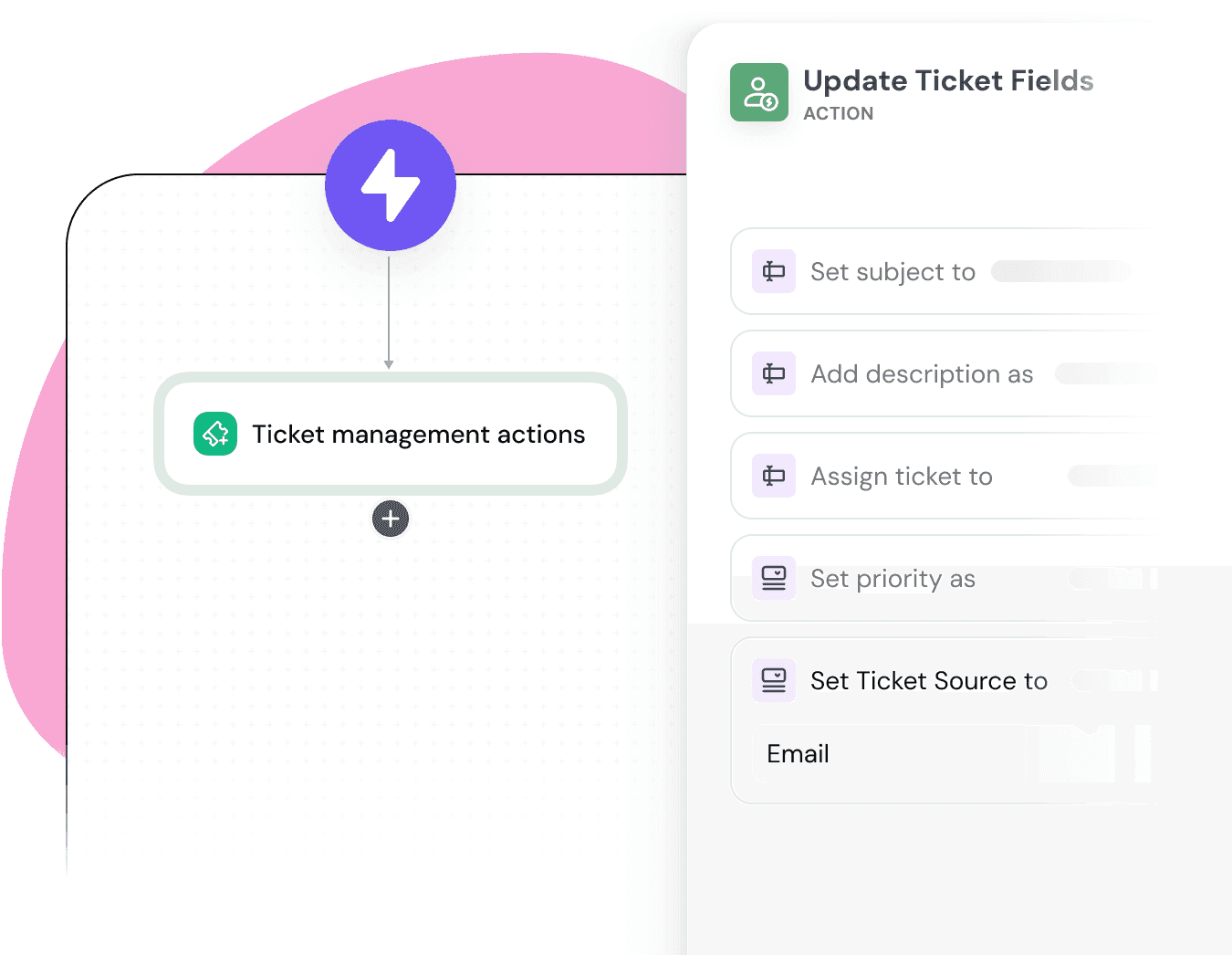
For example, a low satisfaction score accompanied by a serious complaint could trigger an alert for a customer success manager.
Integrations
Feedback becomes more useful when it connects with the systems teams already use.
Integrations with CRM, help desk, HR, communication, and other business systems can add context to feedback and make it easier to act on insights.
For example, connecting feedback with a CRM can help a customer success team see recent survey responses alongside the customer's account information.
Security and governance controls
Enterprise feedback can contain sensitive customer, employee, and business information, so organizations need appropriate controls around access and data management.
When evaluating vendors, look beyond general security claims and review the specific controls, documentation, certifications, and compliance requirements that apply to your organization and chosen plan.
For example, a multinational company may need to verify how feedback data is stored, who can access it, and whether the platform meets its internal security requirements before rolling it out globally.
Governance guidelines for enterprise feedback management
A centralized feedback system only works when teams follow the same rules.
Your EFM program should clearly define who owns feedback, which questions teams use, how often customers can receive surveys, and who can access the data. Without these rules, different teams can keep working in different ways even when they use the same platform.
Define ownership
Give one team responsibility for the overall feedback program. This team can set standards and make sure different departments follow them.
Other teams can still manage feedback for their own areas. The central team provides the structure, while regional and functional teams handle their day-to-day feedback programs.
For example, a global hotel group could have its central CX team manage the NPS program while individual properties collect feedback about their day-to-day guest experience.
Standardize surveys and questions
Use a shared question bank for metrics that different teams measure across the organization. This keeps teams from asking different versions of the same question and makes results easier to compare.
Teams can still add questions that fit their specific needs. The key is to keep the core questions and rating scales consistent.
For example, every region could use the same CSAT question while adding a question about a local service issue.
Control survey frequency
Different teams should not contact the same customer whenever they need feedback. Without a shared rule, customers can receive too many surveys and stop responding.
Set a limit on how often customers can receive surveys, while allowing exceptions when the feedback is tied to an important interaction.
For example, a customer might be excluded from a general relationship survey for a month after receiving one, but still receive a short survey immediately after contacting support.
Manage data permissions
Not every employee needs access to every piece of feedback. Set permissions based on each team's role and responsibilities.
This protects sensitive information while giving managers the data they need to act on feedback.
For example, a hotel property manager could see feedback from their own property, while a regional leader could compare feedback across all properties in that region.
Setting up EFM: A phased roll-out plan
You don't need to centralize every feedback program at once. A phased rollout lets teams test the process, fix problems, and expand once it works.
Phase 1: Audit
Start by documenting the feedback programs already running across the organization.
List the surveys, platforms, owners, audiences, metrics, dashboards, and workflows each team uses. This helps you find duplicate surveys, disconnected tools, and gaps before you decide what to consolidate.
For example, a company might find that three departments measure customer satisfaction with slightly different questions.
Phase 2: Pilot
Choose one business unit, customer journey, or feedback program for the first rollout.
Keep the pilot small enough to manage and measure. Define the main metric, ownership, feedback workflow, and reporting requirements before you start.
For example, a hotel group could start with post-stay feedback at five properties instead of moving every feedback program at once.
Phase 3: Expand
Once the pilot works, extend the program to more teams, customer journeys, or regions.
Use what you learned from the pilot to improve integrations, routing rules, dashboards, and survey templates before you expand further.
For example, the hotel group could extend its post-stay feedback process to pre-arrival and in-stay feedback.
Phase 4: Optimize
Review the EFM program regularly and remove anything that no longer adds value.
Look at which surveys produce useful insights, which dashboards teams use, and which tasks you can automate. Remove duplicate surveys and retire tools that no longer have a clear purpose.
For example, a company might find that two older surveys measure almost the same experience and replace them with one standardized survey.
The timeline for each phase depends on the size of the organization, number of business units, existing tools, integrations, and data requirements.
Metrics that show your EFM program is working
You need more than survey scores to measure an EFM program. Track whether the feedback process works, whether teams act on what they learn, and whether feedback connects to business outcomes.
Four groups of metrics can help: program health, action and follow-up, business outcomes, and adoption.
Program health
Program health metrics show whether your feedback operation is working as expected.
Track metrics such as response rate, survey completion rate, survey volume, time to collect responses, and signs of survey fatigue. These metrics can help you spot problems with survey design, timing, or contact frequency.
For example, if response rates drop after several departments launch new surveys, the organization may need to review its survey frequency and contact rules.
Action and follow-up
Feedback only creates value when teams act on it. Track how quickly teams respond to important feedback and how often they close the loop with customers or employees.
Useful metrics can include time to follow up, percentage of cases resolved, percentage of feedback assigned to an owner, and the number of actions created from feedback.
For example, if customers report the same billing problem repeatedly, the team should be able to assign the issue to the right owner, follow up with affected customers, and track whether the problem decreases after a fix.
Business outcomes
Business metrics show whether changes based on feedback are improving customer or operational results.
Depending on the program, these might include NPS, CSAT, CES, retention, churn, repeat complaints, support contacts, or customer lifetime value. Compare these metrics with other business data instead of assuming that every change came directly from the EFM program.
For example, if complaints about onboarding fall after the company redesigns the process, teams can compare the feedback trend with support contacts and customer retention to see whether the change had a broader effect.
Adoption
An EFM program is difficult to sustain if teams don't use the insights it produces.
Track dashboard usage, active managers, actions created from feedback, and adoption across business units. These metrics show whether teams have made feedback part of their regular decision-making.
For example, if managers rarely review their feedback dashboards, the solution may be to simplify the dashboards or change the reporting workflow rather than collect more feedback.
How to choose the right metrics
Don't try to track every possible metric. Choose a small set that matches the goals of your EFM program.
Start with a few measures from each category and define how often teams will review them. Also decide who owns each metric and what action the team should take when performance changes.
For example, a customer support feedback program might track response rate, time to close the loop, CSAT, repeat contacts, and manager adoption. This gives the team a view of how well the program runs, whether employees use it, and whether customer outcomes improve.
Where AI helps in EFM and where it adds risk
AI can make enterprise feedback management easier to scale because large organizations often have more qualitative feedback than teams can reasonably review manually.
Where AI helps
AI can process large volumes of comments and help teams identify patterns, themes, sentiment, and potential issues. It can also summarize feedback and support contextual follow-up questions that gather more detail from respondents.
For example, a company receiving tens of thousands of open-ended responses after a product launch could use AI to identify the most common themes before analysts investigate the underlying comments.
Where AI adds risk
AI-generated analysis can contain errors or miss important context.
Sentiment models may misinterpret language. Summaries can leave out details. Automated categorization can reinforce biases in the underlying data. Privacy also needs to be considered when feedback contains sensitive information.
For example, an AI system might classify a sarcastic customer comment as positive sentiment, which could distort the reported results if nobody reviews the underlying responses.
Build human oversight into AI workflows
AI should support feedback analysis rather than become an unquestioned source of truth.
Organizations should define where human review is required, particularly when AI-generated insights could lead to significant customer, employee, or business decisions. Data policies should also specify what information can be processed and how it can be used.
For example, a team might allow AI to categorize thousands of customer comments automatically but require a human analyst to review the themes before they are used in an executive report.
Common EFM mistakes
Buying software before defining the operating model
Technology can't resolve unclear ownership or inconsistent processes.
Define who owns the program, what teams are responsible for, and how feedback moves from collection to action before expanding the technology.
For example, buying a centralized platform won't stop duplicate surveys if every department can still launch campaigns without coordinating with other teams.
Measuring everything and acting on nothing
More feedback doesn't necessarily create more insight.
Every survey should have a purpose, an audience for the results, and a defined path to action. Otherwise, organizations spend resources collecting information that nobody uses.
For example, a company may collect thousands of product comments each month but have no process for deciding which themes should reach the product team.
Keeping old tools indefinitely
An EFM platform can't eliminate fragmentation if teams continue running separate legacy systems without a transition plan.
After migration, review which tools still serve a legitimate purpose and establish clear criteria for introducing new feedback systems.
For example, a regional team might continue using a spreadsheet simply because it has always done so, even though the same workflow now exists in the organization's central platform.
Leaving frontline teams out
Frontline employees are often closest to customer problems, so excluding them from the feedback process creates a gap between insight and action.
Give teams access to the feedback relevant to their work and make it clear how they should respond.
For example, a support manager could use recurring customer feedback themes to coach agents or identify gaps in support documentation.
How SurveySparrow supports enterprise feedback management
SurveySparrow brings feedback collection, analysis, and action into one platform, helping organizations manage feedback across different channels and use cases.
For analysis, CogniVue can help teams identify themes, sentiment, key drivers, and emerging trends in customer feedback. Echo, SurveySparrow's conversational AI agent, can use contextual follow-up questions to gather more detail and help teams uncover the reasons behind customer responses.
For example, if a customer gives a low satisfaction score but provides little explanation, a conversational follow-up can help uncover what caused the poor experience instead of leaving the team with a score alone.
SurveySparrow also integrates with business systems such as Salesforce, Zendesk, HubSpot, and Slack, allowing feedback to connect with the workflows teams already use.
The broader value of an enterprise feedback platform is therefore less about running more surveys and more about creating a repeatable system for turning feedback into insight and action.
Explore Enterprise Feedback Management →