If you’ve noticed that chatbots are becoming common and popular, it’s not just you. The chatbot industry is booming. Not only are fewer customer service interactions handled by humans, more is automated with AI. The conversational AI market was valued at USD 14.79 billion in 2025 and is projected to grow from USD 17.97 billion in 2026 to USD 82.46 billion by 2034, exhibiting a CAGR of 21.00% during the forecast period.
Chatbots are one of the most cost-effective ways to deliver customer service quickly and impactfully.
If you’re currently using or thinking about setting up a chatbot as part of your business contact center, the good news is, there are a ton of KPIs to help you determine its effectiveness. We’ve outlined the key metrics you need to track to ensure your chatbot is performing optimally.
What is a Chatbot KPI?
KPIs of a chatbot are the quantifiable measures that define the performance of a chatbot over time for specific objectives involving it.
Chatbot KPIs allows a business to understand whether their processes involving their chatbot are going on the right track and at the right time.
Why Chatbot KPIs Matter?
Chatbot KPIs provide a wealth of data about the bot's performance and its success metrics regarding customers inquiries and resolutions. With KPIs, you can monitor how customers are interacting with your chatbot and use it to continuously improve their experience. Setting up a KPI dashboard can help with track the relevant metrics for your business.
Essential Chatbot KPIs to Track in 2026
With the following KPI metrics, businesses can continuously refine their chatbot's performance and ensure a good support experience for their customers.
1. User metrics
- Total no of users
- Engaged users
- No of new users
- Returning users
- Chat volume or sessions
- Goal completion rate
- No of bot sessions limited
- Average daily sessions
2. Conversation metrics
- Total conversations
- Human vs chatbot interaction
- Conversation duration
- Interaction rate
- Avg chat time
- Response time
- Non-response rate (fallback rate)
3. Customer satisfaction metrics
- Retention rate
- User satisfaction rate
- User sentiment
4. Quantitative KPIs
- Activation rate
- Use rate by open sessions
- Usage distribution by hours
- Questions per conversation
5. Qualitative KPIs
- Ticket deflection rate
- User feedback
- Bounce rate
- Self-service rate
- Most frequently asked questions
- FCR (first-contact resolution)
1. User Metrics
Metrics about the interactions and conversations between users and the chatbot widget.
Total Number of Users - Active User Rate
Total users tells you the raw reach of your chatbot. To make it more actionable, calculate the active user rate — the percentage of your total site visitors or customer base who are actually engaging with the chatbot.
Formula:
Active User Rate (%) = (Total number of chatbot users / Total number of website visitors or customers) x 100
If this rate is consistently low, the chatbot is either not visible enough, not positioned at the right point in the customer journey, or not compelling enough to initiate.
Engaged Users
They are regular users of your chatbot, whether that’s daily, weekly, or monthly. If you’ve built your chatbot with the intention of capturing repeated user interaction, this is especially important to measure.
Number of New Users
Is your chatbot gaining or losing popularity? Find out by looking at the number of new users your chatbot gets over a specific period of time. If the number of new users are going down, you might need to reconfigure your chatbot to be more helpful.
Returning Users
Returning users are neither new nor “engaged.” These are users who came back to your chatbot after using it, but are not yet using it at regular intervals.
Chat Volume or Sessions
Chat sessions are the total number of times your chatbot was used over a period of time (sessions started, completed, or abandoned). If this number seems low for a specific time you’re looking at, that’s a sign that you may need to tweak it so that more people engage with it.
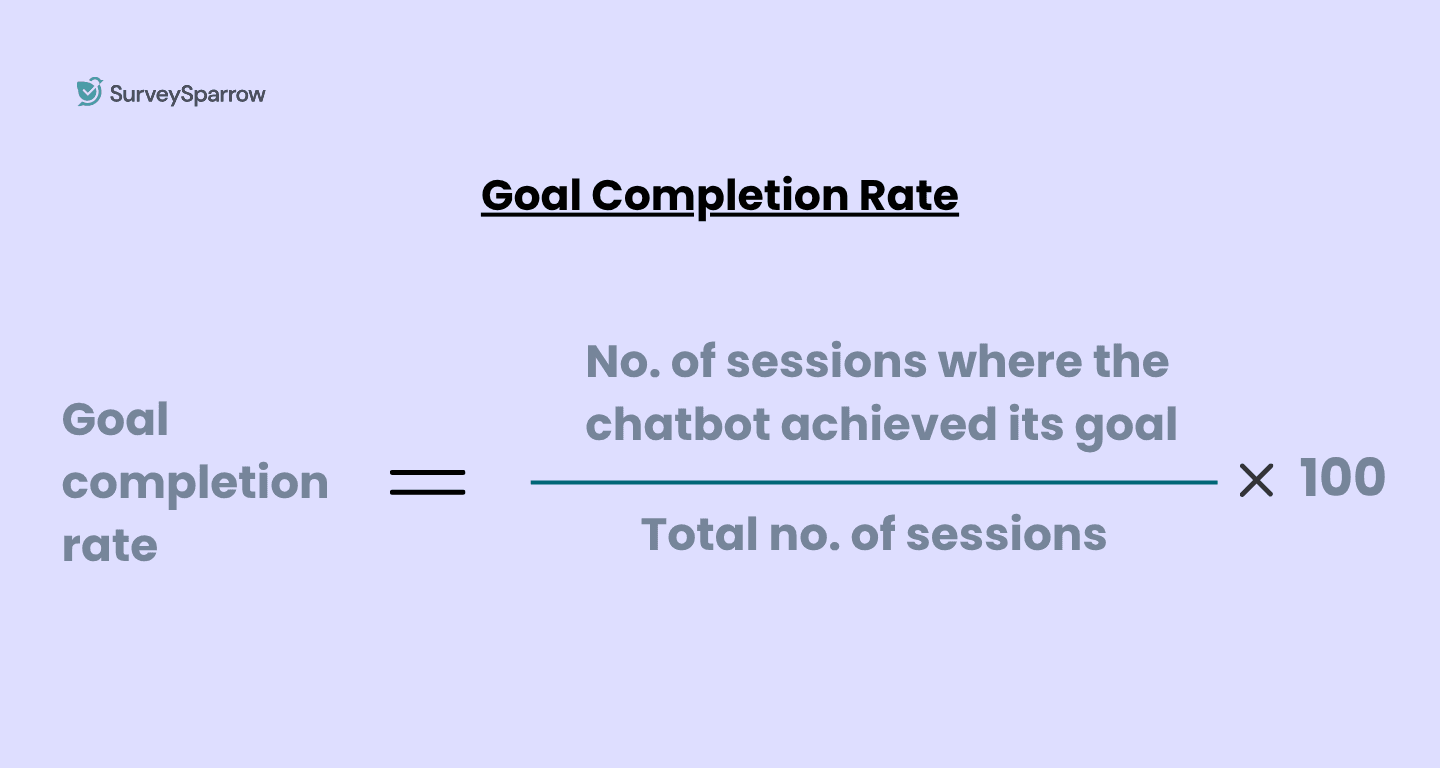
Goal Completion Rate
Goal completion rate measures how often your chatbot successfully achieves the outcome it was designed for. For example, if your chatbot’s goal is to reduce your customer service team’s time spent answering certain questions, the goal completion rate would reflect how well your chatbot performs.
The success of a goal completion rate could vary entirely on the chatbot's purpose. For a support chatbot, success might be resolving an issue without human escalation. For a lead-gen chatbot, it might be capturing a qualified contact. And for a feedback chatbot, it might be completing a survey response.
This is the single most important KPI for evaluating whether your chatbot is delivering business value. A chatbot can have high engagement, long conversation durations, and strong user numbers — and still fail if it is not completing its defined goal.
The formula is simple,
Goal Completion Rate (%) = (Number of sessions where the goal was achieved / Total number of sessions) x 100
Number of Bot Sessions Initiated
Sessions initiated tells you how many customers started a conversation. The more actionable calculation is abandonment rate — the percentage of initiated sessions that were not completed.
Formula:
Abandonment Rate (%) = (Number of sessions abandoned / Number of sessions initiated) x 100
A high abandonment rate signals that something in the early conversation is breaking down — either the opening message is not relevant, the chatbot is too slow to respond, or the first question is poorly framed.
Average Daily Sessions
This metric shows your chatbot’s average amount of sessions per day. Comparing this to other daily metrics, like average daily traffic to your site, provides a gist on what percentage of users are using your chatbot on any given day.
2. Conversation Metrics
Conversation metrics related to the performance and capabilities of chatbots in customer support.
Total Conversations
This refers to how many conversations your chatbot handles in a day. As your business grows, this number will also need to increase accordingly to ensure your customer satisfaction rate is high.
Human vs Chatbot Interaction
Some customer queries would need human intervention, and you need to take that into account as well. Ensure to keep a tab on the amount of human interactions vs. chatbot interactions to gauge if your chatbot has managed to reduce the number of human interactions or not.
Conversation Duration
Track how long a conversation with your chatbot lasted for. If this number is high, it could mean that your chatbot is not fast enough at answering questions, or that your customers are asking multiple questions.
Interaction Rate
The interaction rate is the average number of messages exchanged during each conversation with your chatbot. This is a key metric for understanding overall engagement.
Interaction rate reflects engagement depth — how much back-and-forth is happening before the conversation ends, either through resolution, escalation, or abandonment.
Interaction rate is a directional metric rather than an absolute one. A high interaction rate is positive if it indicates an engaged, productive conversation — a customer asking multiple questions and receiving useful answers. It is negative if it indicates a chatbot that requires many exchanges to understand a simple query, or a user who is struggling to get the help they need.
For example, for a support chatbot handling straightforward queries, an average of 4 to 6 messages per session is typical. Rates consistently above 10 messages per session may indicate that the chatbot is not understanding queries on the first attempt, or that its responses are incomplete and prompting follow-up questions. Rates below 3 may indicate that users are abandoning early rather than completing the interaction.
How to improve it:
Segment high-interaction sessions and review the transcripts. Identify whether the extended exchanges are productive (customers asking multiple related questions), or unproductive (the chatbot misunderstanding and the customer rephrasing repeatedly). The pattern determines whether the fix is content, NLP training, or conversation flow redesign.
Average Chat Time
This measures the average duration of a chatbot session. It’s not necessarily a bad thing if this metric is high—it actually may indicate that your chatbot is very engaging, rather than inefficient.
Response Time
It’s the time taken for your chatbot to respond to a question or comment. Ideally, you want this number to be on the lower end since your customers are using your chatbot with the expectation that they’ll receive a quick response.
Non-Response Rate (Fallback Rate)
There are some chances your chatbot won’t be able to interpret or answer certain questions. The non-response rate measures this.
Fallback rate measures how often your chatbot fails to understand a user's input and falls back to a default response — typically something like "I'm sorry, I didn't understand that. Can you rephrase?" Every fallback is a signal that the chatbot encountered a query it was not equipped to handle.
A low fallback rate indicates that your chatbot's NLP capability and content coverage are well-matched to what users are actually asking. A high fallback rate indicates a gap — either in training data, intent recognition, or content. Bots that have low engagement see 60-65% non-response rates. On the higher end, better bots may see 10-20% non-response rates.
Formula: Fallback Rate (%) = (Number of fallback responses triggered / Total number of messages received) x 100
How to prevent fallback rates from climbing?
Export the queries that triggered fallback responses and group them by theme. These represent gaps in your chatbot's training data or content coverage. Add the most frequent ones to your chatbot's knowledge base or intent library and retrain accordingly.
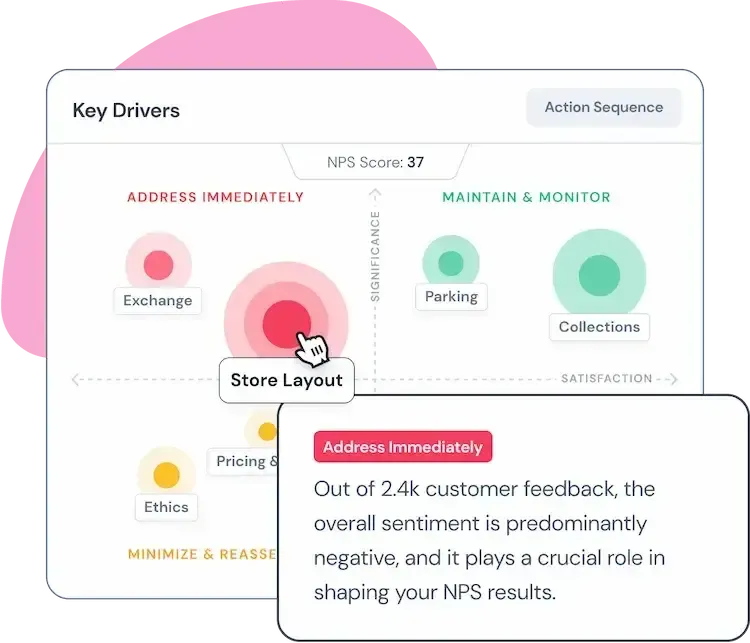
You can group these responses by themes using CogniVue text analytics. It'll help identify key themes and provide priority-level notifications on which areas to focus on first. For example, CogniVue can detect negative sentiment from a bunch of support interactions, group them by various themes, letting users know which areas need to addressed immediately, and which ones can be queued for later.
Connect Echo with your existing systems to follow-up automatically on customer inquiries and resolve them automatically. Set guidelines and governance for Echo pre-setup to reduce fallback rates, thereby improving customer satisfaction for your support conversations.
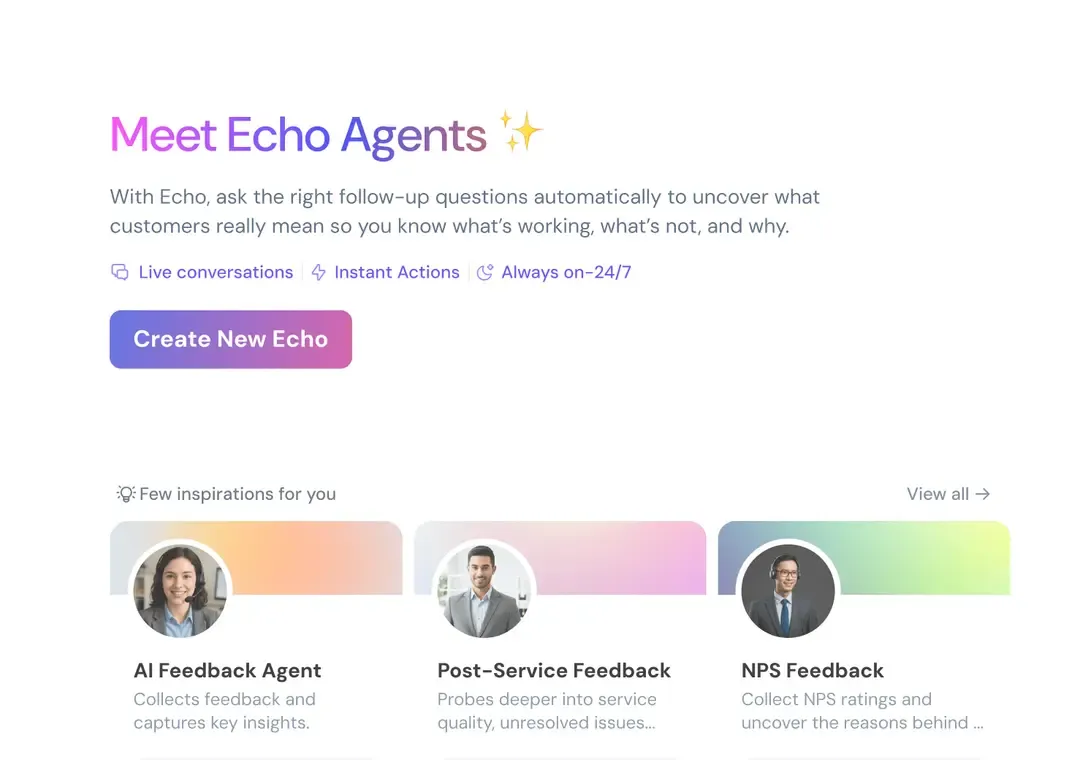

Hear back from Echo in seconds.. Less fallback, more FCRs
TRUSTED BY BEST-IN-CLASS BRANDS


3. Customer Satisfaction Metrics
Retention Rate
Retention rate measures the percentage of users who return to use your chatbot more than once over a defined period. It is a signal of perceived value — customers who found the chatbot helpful the first time are more likely to use it again rather than defaulting to a human agent or abandoning the support channel entirely.
Retention rate is the percentage of users that have used your chatbot multiple times over a given period of time. Try comparing this to how often your customers in your industry tend to contact you to see how your chatbot is fitting into the equation.
Retention rate is particularly important for chatbots designed to handle recurring interactions, such as account management, subscription queries, or ongoing customer support. A low retention rate in these contexts suggests that the chatbot is not delivering enough value to become the customer's preferred channel.
How to improve it:
Survey users who did not return after their first chatbot interaction. Identify whether the experience was poor, the resolution was incomplete, or they simply preferred a different channel. Retention improvements are typically driven by improving the first interaction quality rather than re-engagement tactics.
User Satisfaction Rate
Your chatbot might ask something along the lines of, “how satisfied were you with your service today?” once your customers are done using it. This metric needs special attention for improving your retention rate. A study by Dimensional Research found that 39% of customers will avoid a company for two years after a bad customer service experience.
User Sentiment
Thanks to artificial intelligence, your chatbot may be able to measure user sentiment whenever people interact with it. This helps you understand if your chatbot is hurting or improving the customer experience.
4. Quantitative KPIs
Activation Rate
Activation rate refers to how many customers engaged with more than one question. For example, a customer might use your chatbot to view their statement, and then pay their bill after being prompted to. That means two different actions were activated within the same session by the same customer.
Use Rate by Open Sessions
This one is the number of chatbot sessions that are happening simultaneously at any given time. However, in order to capture this accurately, you’ll also need to look at it in conjunction with the average number of open sessions in a given time period.
Usage Distribution by Hours
This measures how many times your chatbot is being used during each hour of the day. You can use this metric to schedule more staff during peak usage hours.
Questions per Conversation
Ideally, your chatbot helps answer customer questions as quickly and efficiently as possible. The questions per conversation metric refers to how many questions a customer needs to ask in order to get the answer they’re looking for. The lower this number, the more efficient your chatbot is at addressing the questions it’s given.
5. Qualitative KPIs
Ticket Deflection Rate
Ticket deflection rate measures the percentage of customer queries your chatbot resolves without requiring human agent involvement. It is the primary ROI metric for support chatbots — every deflected ticket represents time and cost saved for your support team.
Ticket Deflection Rate (%) = (Number of conversations resolved by chatbot without human handoff / Total number of conversations) x 100
If your deflection rate is high, you may need to better equip your chatbot to answer customer questions.
High deflection is not automatically good. A chatbot that deflects tickets by giving incorrect or incomplete answers is worse than one that escalates appropriately. Deflection rate should always be read alongside user satisfaction rate and fallback rate to confirm that deflected conversations were actually resolved well.
How to improve deflection rate:
Identify the query types most frequently escalating to human agents. For each one, determine whether the escalation is appropriate, or whether the chatbot could be trained to handle them. Prioritize the high-volume, low-complexity escalations first.
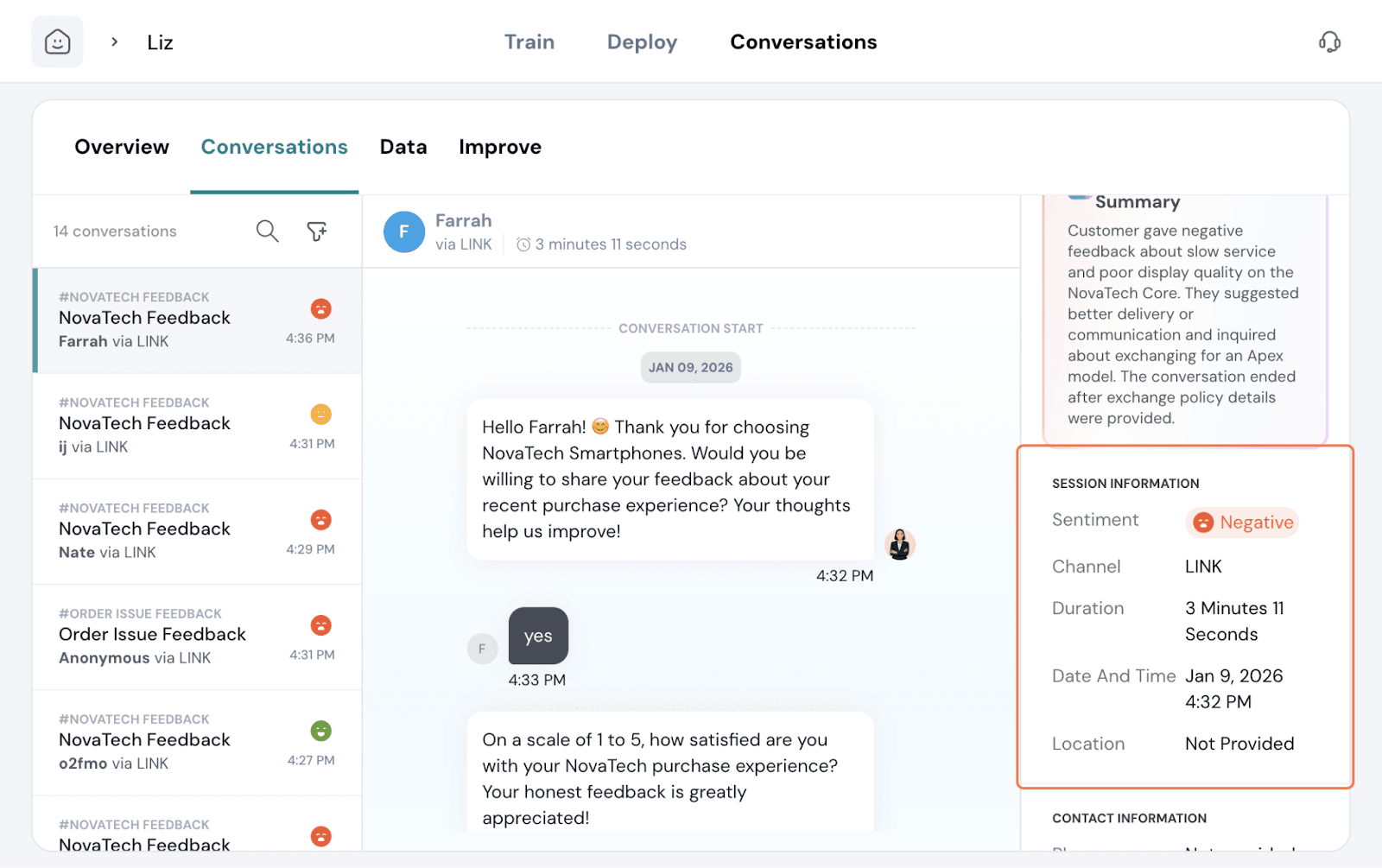
SurveySparrow's Echo tracks deflection rate automatically across every conversation, giving your team a real-time view of which query types are being resolved and which are consistently reaching human agents.
User Feedback
This KPI is directly tied to user satisfaction rate. The feedback that your users provide will help you calculate a satisfaction rate or score, which will show you how to improve your service.
Bounce Rate
Bounce rate measures the percentage of conversations that failed to progress past the opening exchange because the chatbot could not handle the query.
Formula:
Bounce Rate (%) = (Number of conversations that ended at the first exchange without resolution / Total number of conversations initiated) x 100
A high bounce rate is distinct from a high abandonment rate. Abandonment happens mid-conversation. Bounce happens at the start — the customer asked something, the chatbot could not respond meaningfully, and the conversation ended immediately.
For example, someone may ask your chatbot for a specific product tutorial that your chatbot isn’t programmed to provide or recognize. If you see that your bounce rate is high, you should reevaluate its content.
Self-Service Rate
The self-service rate is the number of customers who were able to get the assistance they needed through your chatbot without having to speak to a live customer support representative. This is another way to measure your chatbot’s effectiveness at reducing your customer care reps’ volume and the overall ROI for whichever chatbot provider you’re using.
To help contextualize this further, this is very similar to a call center’s first call resolution rate (FCR).
Self-service rate vs ticket deflection rate
They are closely related but measure slightly different things.
Ticket deflection rate measures whether the chatbot prevented a support ticket from being created or a human agent from being involved — it is session-level. The chatbot deflected the ticket if the conversation ended without escalation.
Self-service rate measures whether the customer resolved their issue entirely on their own without any human contact — it is journey-level. It is a stricter measure because it accounts for what happens after the chatbot session ends.
Most Frequently Asked Questions
Look at customer journeys closely to identify the questions asked most often and how your chatbot is addressing them. That way, you can make improvements that are relevant to what your customers are looking to do.
First contact resolution (FCR)
First contact resolution measures the percentage of customer issues resolved in a single interaction without requiring a follow-up contact. For chatbots, it is one of the clearest indicators of whether the bot is genuinely solving problems or simply buying time before the customer reaches a human.
FCR is closely related to self-service rate but focuses specifically on the first interaction rather than the full support journey. A chatbot with strong FCR reduces repeat contacts, lowers support costs, and produces higher customer satisfaction scores — because customers who get their issue resolved on the first try are significantly more satisfied than those who have to come back.
FCR Rate (%) = (Number of issues resolved on first contact / Total number of issues initiated) x 100
How to improve it:
Audit the conversations where customers returned after a completed session. Identify whether the root cause was an incomplete resolution, a misunderstood query, or a knowledge gap in the chatbot's content. FCR improvements are almost always content and workflow fixes, not technology fixes.
Which chatbot KPIs should you prioritize?
28 metrics is too many to track simultaneously, especially when you are first setting up measurement. The right starting point depends on what your chatbot is primarily designed to do. Here are the five metrics to focus on first, by use case.
If your chatbot is primarily for customer support
Start with these five:
- Ticket deflection rate — the primary ROI metric. Tells you whether the chatbot is reducing human agent workload.
- First contact resolution — tells you whether the issues being deflected are actually being resolved.
- Fallback rate — tells you where the chatbot's content and NLP are falling short.
- User satisfaction rate (CSAT) — tells you whether the experience is landing well with customers.
- Response time — tells you whether the chatbot is meeting the speed expectation that drove customers to use it in the first place.
If your chatbot is primarily for lead generation
Start with these five:
- Goal completion rate — the primary metric. Did the chatbot capture a qualified lead?
- Activation rate — are users completing multiple steps in the qualification flow?
- Abandonment rate — where in the qualification flow are users dropping off?
- Number of new users — is the chatbot reaching enough of your site traffic to generate meaningful lead volume?
- Interaction rate — are users engaging deeply enough with the conversation to provide the information needed for qualification?
If your chatbot is primarily for feedback collection
Start with these five:
- Goal completion rate — did the user complete the feedback survey?
- Abandonment rate — at which question are users dropping off?
- Total conversations — is the chatbot reaching enough users to generate statistically meaningful feedback volume?
- User satisfaction rate — are users satisfied with the feedback experience itself?
- Questions per conversation — is the survey short enough to sustain completion without fatigue?
Conclusion
There are a lot of different metrics you can look at to see how your chatbot is doing. Even if you don’t have the bandwidth to track every chatbot analytics metric, identifying the most relevant ones for your business will ensure you’re making smarter decisions.
Remember as your business evolves, so should your chatbot. As an extension of your customer engagement strategy, your chatbot should be updated any time your business launches new features or goes through a brand revamp.
Echo can update itself at real-time with knowledge bases, and automate support workflows with plenty of context, reducing the need to escalate to a human.
Resolve at the speed of an Echo. Less fallback, more FCRs
TRUSTED BY BEST-IN-CLASS BRANDS