

AI can do so much for us, and the integration of AI in customer service operations is a boon for many companies.
If you're looking to assess a platform and implement it for your support processes, then you're in the right place.
In this comparison article, we'll go over 7 such customer support AI agents that can help any business get rid of repetitive tasks, and intelligently hand over complex queries to human agents.
What is an AI agent for customer support?
AI agents for customer support are LLMs that use AI and ML capabilities to carry out tasks and support humans in customer service.
AI agents can interact with your customers and assist with repetitive tasks and queries. They also use ML and NLP technologies that enable them to continuously learn from interactions and improve, all on their own.
On what basis did I shortlist these platforms?
I looked at G2 ratings and went through reviews to see which has the best UI and ease of use. I didn't take the pricing into consideration, but have noted the pricing of the platforms below for your reference. I tested platforms hands-on where possible (particularly free-trial ones).
What factors did I consider:
The ease of use: I looked at the various configurations and how quickly it was to set up and get started. I also checked how much of a learning curve was present.
Implementation support: How long it took for this phase? And the quality and level of support existing customers got from the vendor.
Integration options: Can they connect with your existing apps? How many integrations can they support?
Industry coverage: Can they cater to different industries?
Compliance: Are they SOC, ISO 27001, and HIPAA compliant?
Handover context: Do their AI agents provide relevant context once the conversation is handed off to a human.
Again, price is a factor I did not take into consideration, as every business has different requirements.
Best AI agents for customer support
| Platform | Starting price | G2 rating |
|---|---|---|
Echo by SurveySparrow | Contact for the best pricing offers for early-stage businesses | 4.4/5 |
Zoona AI by SparrowDesk | $19/month (5 seats) | 4.6/5 |
| Fin (By Intercom) | $19/month | 4.5/5 |
| HappyRobot | Custom enterprise pricing | Early-stage listing |
Freddy AI – Freshdesk Omni | $19/user/month | 4.4/5 |
Gumloop | $37/month | 4.8/5 |
Zendesk | $19/agent/month | 4.3/5 |
1. Echo by SurveySparrow
Echo is SurveySparrow's native AI customer support agent, built to integrate seamlessly with its broader CX platform. What immediately stands out is the ability to test agents using AI simulations before going live — a feature that lets you fine-tune responses and catch gaps without exposing your customers to a half-baked experience.
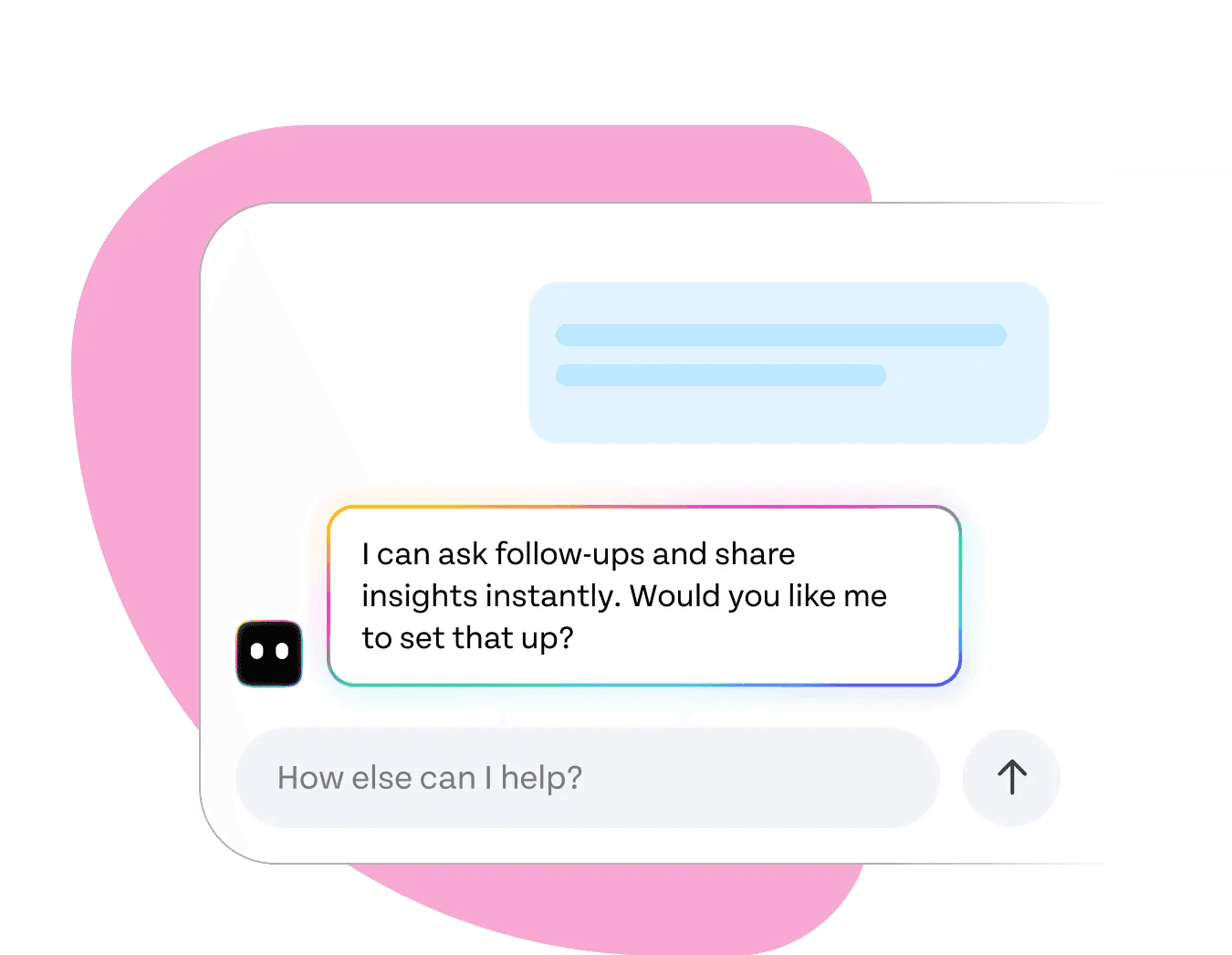
The setup process is smooth. SurveySparrow's familiar interface carries over into Echo, so if your team already uses SurveySparrow for surveys or feedback, the transition is near frictionless. Training the agent on your knowledge base is straightforward, and you can have a functional agent running in minimal time.
A feature that makes Echo genuinely powerful is its smart action system — using @ for actions and $ for variables. This lets you build personalized, dynamic responses that pull in real customer data, making interactions feel tailored rather than generic. You can chain these smart actions to build multi-step workflows, and the depth of personalization available out of the box is impressive.
Where Echo truly shines is in the handover experience. When a conversation needs to be escalated, the human agent receives full context — conversation history, customer details, and intent — so the customer never has to repeat themselves. This makes a tangible difference in escalation quality.
Since Echo lives within the SurveySparrow ecosystem, it connects naturally with SurveySparrow's survey and feedback tools. You can trigger post-interaction surveys automatically, close the feedback loop, and use that data to refine the agent — all within one platform.
Pros
- AI simulation testing before deployment builds confidence and reduces live errors
- Smart @ and $ variable system enables deep personalization at scale
- Seamless handover to human agents with full conversation context
- Native integration with SurveySparrow's survey and feedback tools
- Low learning curve for teams already in the SurveySparrow ecosystem
Cons
- Fewer standalone third-party integrations compared to some alternatives
G2 Rating: 4.4/5
Pricing: Available as part of SurveySparrow plans. Contact sales for Echo-specific pricing.
2. Zoona AI by SparrowDesk
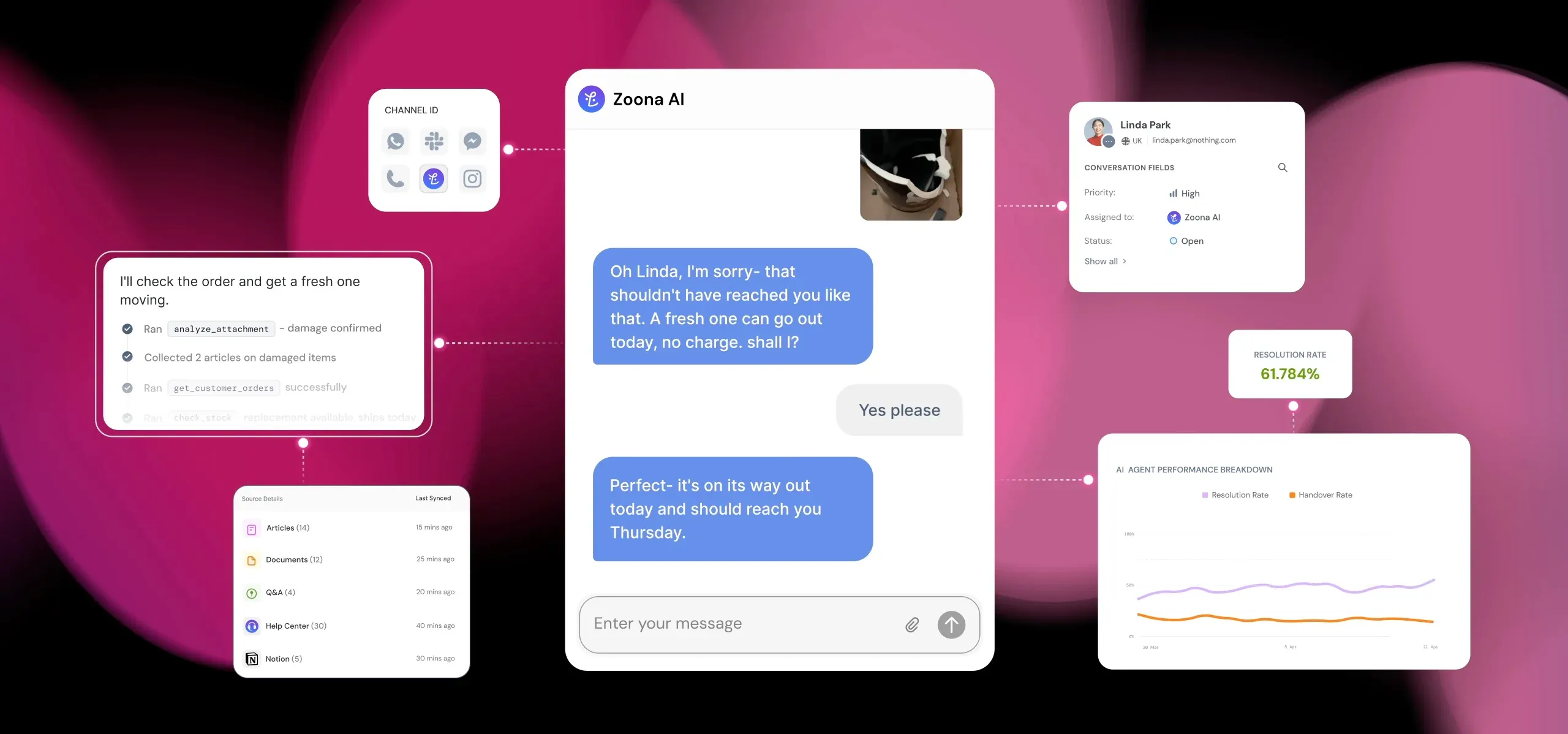
Zoona AI by SparrowDesk is capable of bringing visibility into every interaction. It has one of the most minimalistic user interfaces I've come across — which is what matters! There is absolutely no learning curve and I was able to navigate through the platform and find what I needed without having to look for a help article.
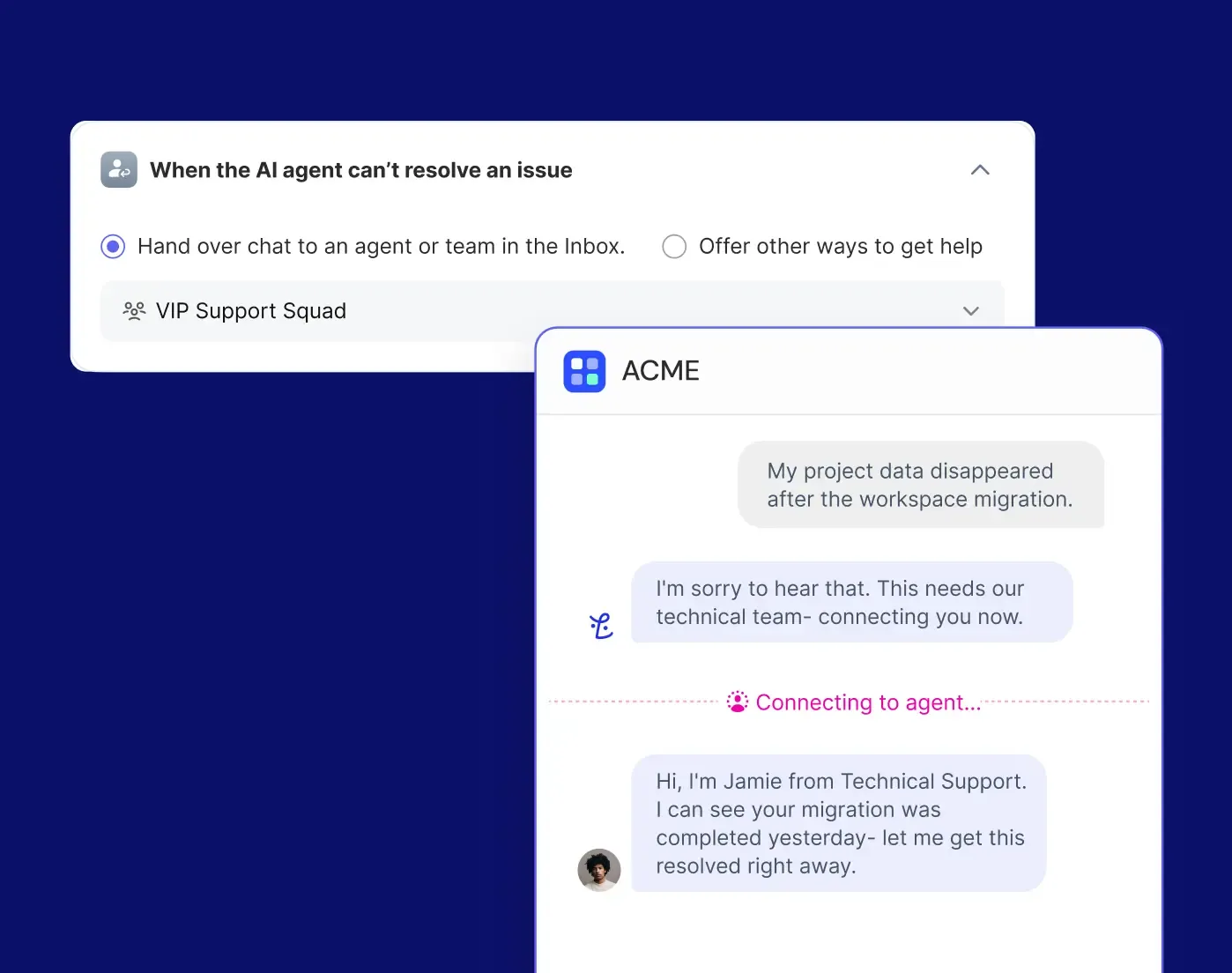
With AI Co-pilot, get assistance on resolving tickets, responding with accuracy, and making smarter decisions. Set up customer triggers and workflows the way you want. Zoona flags scenarios it couldn't resolve, and continuously learns from that to improve. Zoona is capable of multilingual support; it translates the thread both ways, which makes it useful for support across countries.
Pros
- Most customers mention that the platform is clean and simple with a low learning curve.
- Earlier this year, they didn't have out of the box integrations with Slack and CRMs. They now do.
Cons
- Some customers wanted more integration options.
- The reporting can be more flexible.
G2 Rating: 4.6/5 (12 reviews)
Pricing: Starter plan is $19/month for 5 seats with unlimited conversations. Copilot and Zoona AI agents are included add-ons, except AI-assisted workflows require the Professional plan.
3. Fin
Like SparrowDesk, Fin has a simple and minimalistic user interface. The onboarding is helpful and easy to follow.
Fin allows you to test agents first using AI simulations.
You can use Fin for simple and complex processes. Training it for complex processes requires you to use 'procedures'. With 'procedures', you can train your agent with the knowledge bases and then use 'If' and 'else' condition paths to mold it for complex scenarios. Other than NLP instructions, Fin provides the option to write instructions in code, which gives accurate outputs — something that may not be possible with NLP instructions alone.
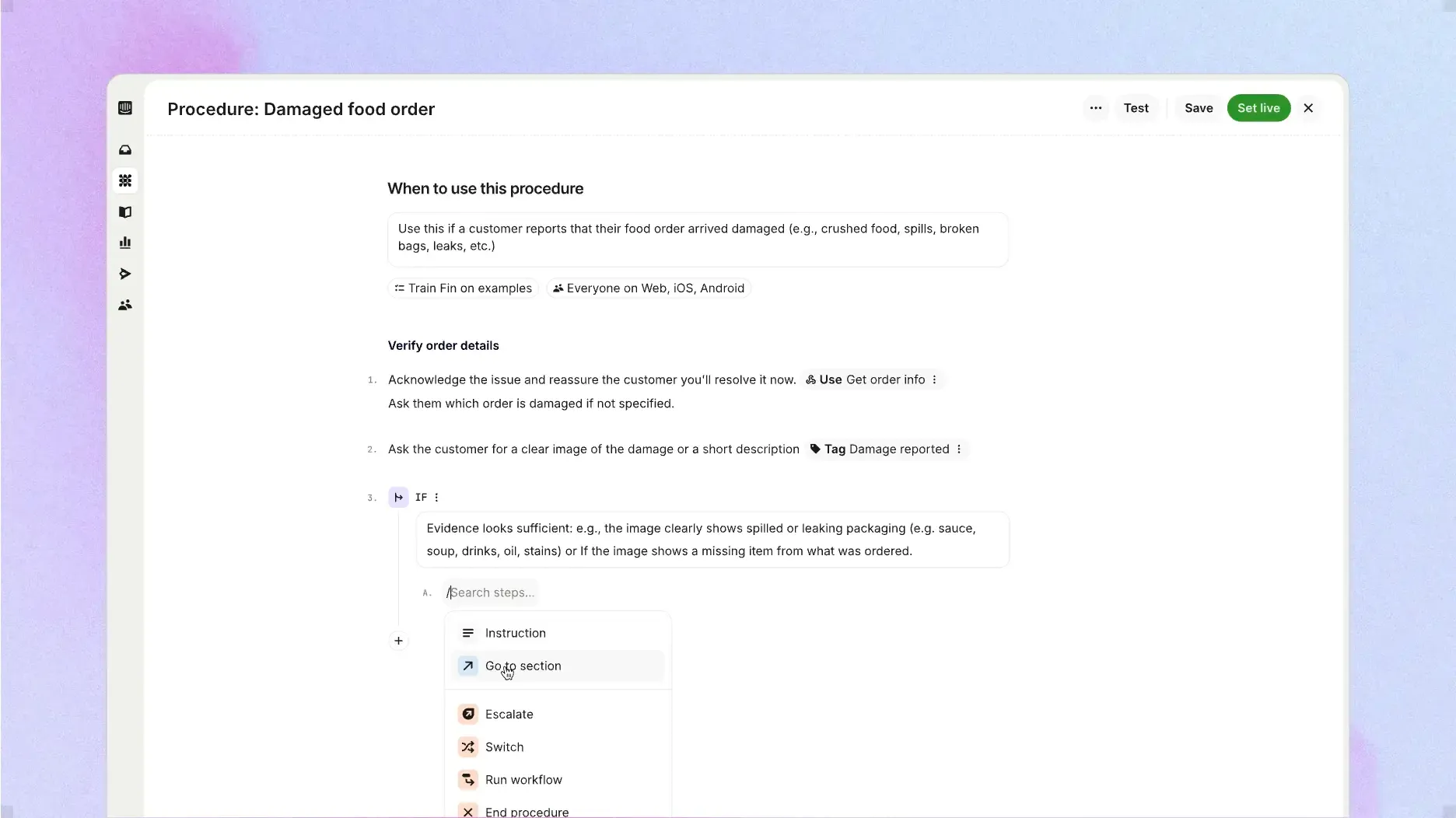
Regarding tools, there seems to be a bit of a learning curve. For example, if you'd like the agent to hand off a particular inquiry to a human, you'd have to type in '@handoff' along with other attributes to see it through. But the pro outweighs this con as these tools allow the agent to connect with other workflows and procedures as well.
For example, all the following tools help you build 'procedures' or workflows and connect to 'sub-procedures' or smaller workflows.
@Connect with system – fetch live data from connected apps (e.g. Shopify or Stripe).
@Read an attribute – look up customer data already stored in Intercom.
@Update an attribute – save information the customer shares during the conversation.
@Run Sub-procedure – run a reusable procedure inside another one.
The top of the cherry is Fin Operator. Operator is an agent, well… for your agents.
With Operator, you could ask it to improve Fin's answers, and other things — right from writing content and finding content gaps, to building procedures and testing them before deploying.
What I liked most about Fin is the comprehensiveness of the training and analysis modules. You can see the CX score, as well as the reasons for positive and negative sentiment, along with the trends and recommendations.
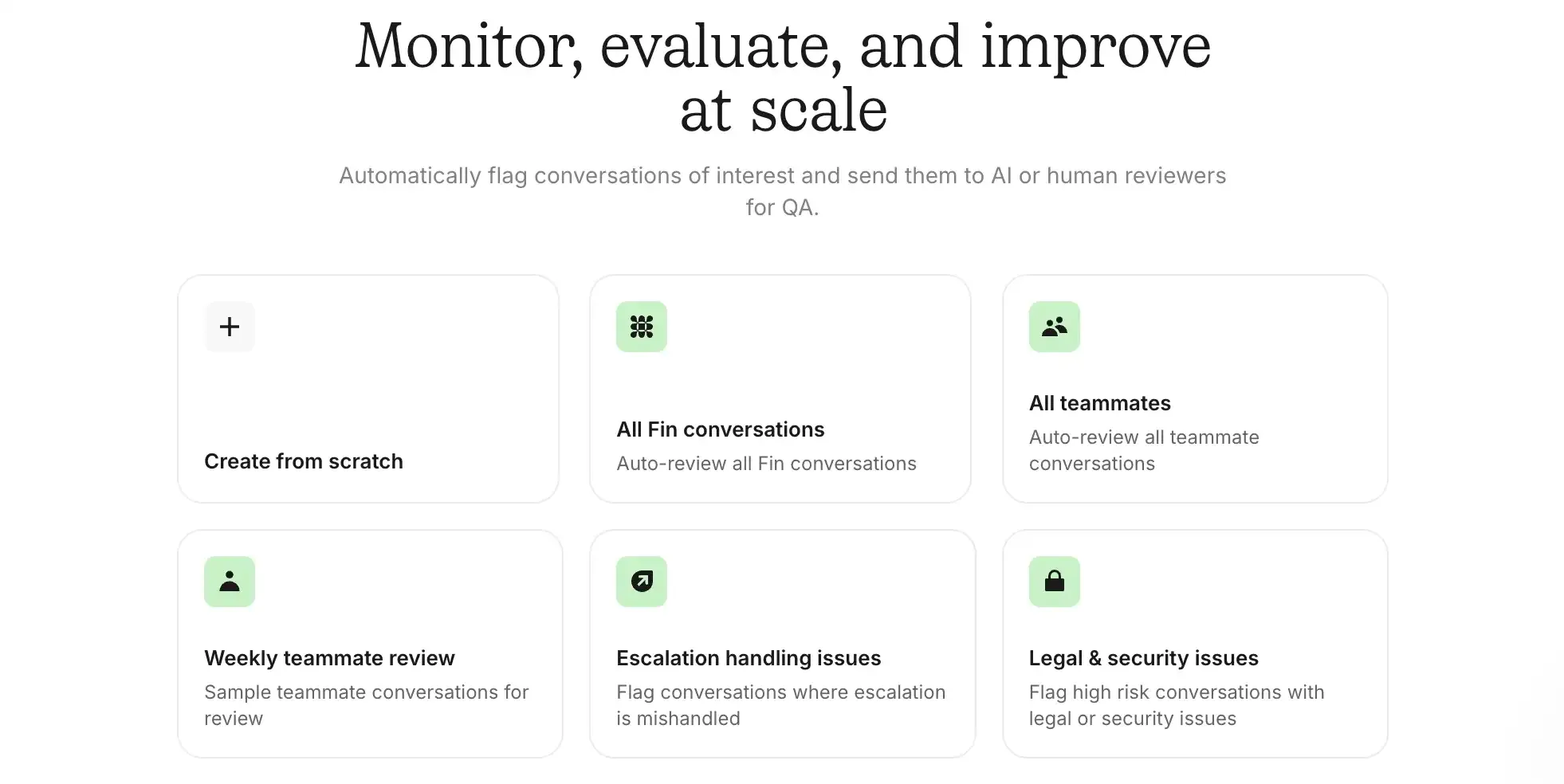
Incident detection is another cool feature of Fin, where all concerning conversations having a long duration time are noted in this module. The monitoring options are comprehensive as well, allowing you to review any conversation and flag escalations for QA.
The knowledge base makes it easy to import data directly from Notion, Confluence, Guru, Zendesk, etc. The options are put in front of you, so you don't need to look for them. It's also packed with video resources in each module, so you don't get confused and have a right foundation before using the platform.
Pros
- Good deflection rate
- Flexible and extensive, and also excels in terms of personalization
- Great customer support team
Cons
- Setting up workflows could get a bit tricky.
- Difficulty predicting costs with the pay-per-resolution pricing structure.
G2 Rating: 4.5/5 (3,904 reviews)
Pricing: $0.99 for every outcome. Fin with the helpdesk is $19/month + $0.99/outcome
4. HappyRobot
HappyRobot takes a different route to customer support. Its AI workers handle the conversation across voice, chat, email, and messaging, but they also act inside the systems behind it, creating the ticket, scheduling the technician, writing the outcome back to your CRM.
What stands out is what the platform actually measures. Most tools here report deflection and resolution. HappyRobot checks what the agent says it did against the actual system of record. If an agent says it booked an appointment, the audit checks that the booking is really there.
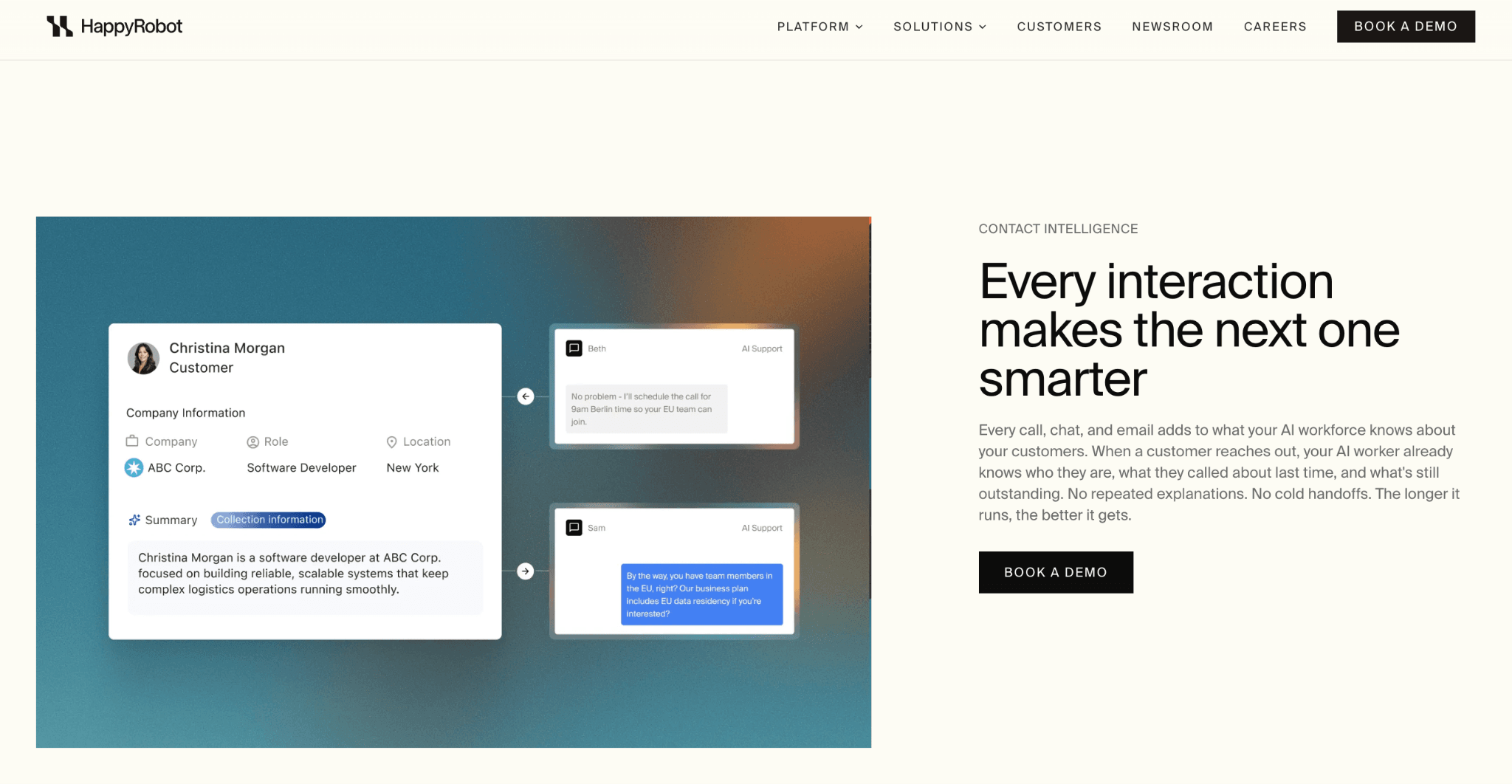
For integrations, HappyRobot connects with Zendesk, ServiceNow, Salesforce, and HubSpot. And when a system doesn’t have an API, the AI workers can operate it directly through the browser.
Pros
- Actually completes tasks, including ticket creation and follow-ups
- Verifies completed work against the system of record
- Works alongside your existing helpdesk
- Supports Zendesk and ServiceNow integrations
- Offers browser access for systems without an API
- Strong compliance and reporting options
Cons
- Built mainly for enterprise teams
- No self-serve plan or free trial
- Requires a conversation with the team before getting started
G2 Rating: Early stage. HappyRobot's G2 listing is recent, and reviews are still building
Pricing: Custom enterprise pricing. No public rate card, no free tier.
5. Freddy AI of Freshdesk Omni
Freddy AI is an agentic AI capable of learning continuously on its own from past conversations and improving based on that. The UI of Freshdesk Omni is clean and simple as well. All the modules are self-explanatory.
The onboarding resources were good as well.
Freshdesk categorizes tickets by priority based on the sentiment detected, allowing you to filter negative sentiment tickets and work on the positive ones later.
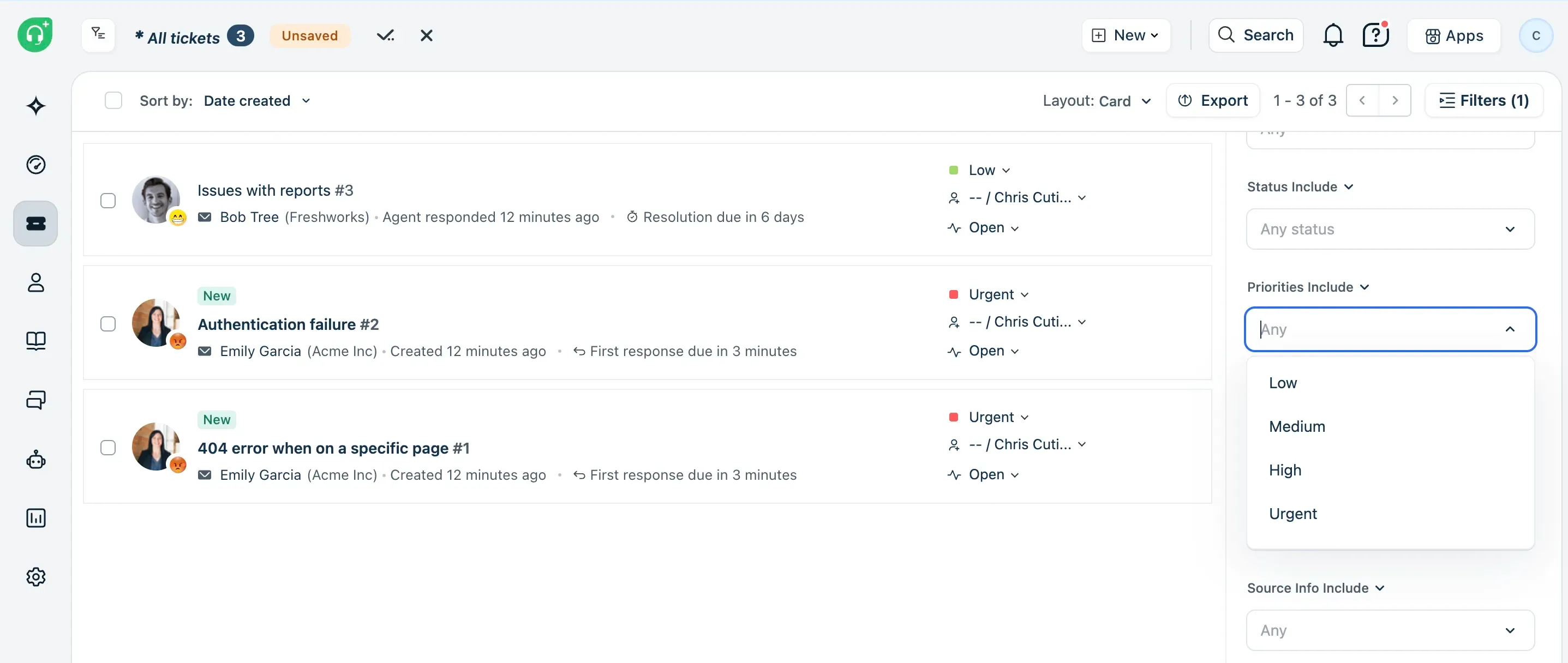
You can add to-do lists beside each conversation, and log the time you spend on the ticket.
From the tickets module, you can easily view each ticket.
The knowledge base has plenty of options to make your work easier when writing help articles. The experience is crisp and clean. It has sample templates to help you get started quickly, and you can also generate one instantly with AI copilot.
One thing I liked about Freshdesk is that it has a forum, where you can manage and approve comments. It's plain to view, making things easy to track.
Another thing I liked is that there were 54 pre-built workflows for the AI agent. That made things easier. Free integrations with Azure DevOps, Slack, Microsoft Teams, and Google Calendar make ticket logging easy, and this is a big win for small business owners who want to get started quickly.
Some of the reports in Analytics are already curated and kept ready for you based on available data. That helps you fast-forward your decision-making.
You can set up customer satisfaction survey workflows right from the main question to the follow-up question in any of the 47 languages provided.
Pros
- Easy to use
- Setting priority for issues
- Extensive automation options
Cons
- Some users reported poor intuitivity with reports and setting up automations
- Needs more clarity with escalations and resolution speed. Involves too many stakeholders for some tickets
- Gets a bit cluttered during high-ticket volumes
G2 Rating: 4.4/5 (3,767 reviews)
Pricing: Freshdesk pricing for the customer service platform starts at $19/user/month
6. Gumloop
Gumloop is a great ai agent builder that provides upto 160 connectors. One of its most amazing features is that you can tag an agent and ask it to perform a task.
Through its conversational interface, you can ask it to perform any task without opening the agent itself, and see it working in the background until that task is done.
For example, you can ask it to send you a report every Friday, and the agent will do everything for you.
Gumloop is just not for customer support, but for all kinds of roles, such as HR, marketing, sales, design, etc. The agents are powered by Claude Opus 5, where you can toggle between normal and fast mode.
There’s a dedicated module for encrypting sensitive data in your workflows.
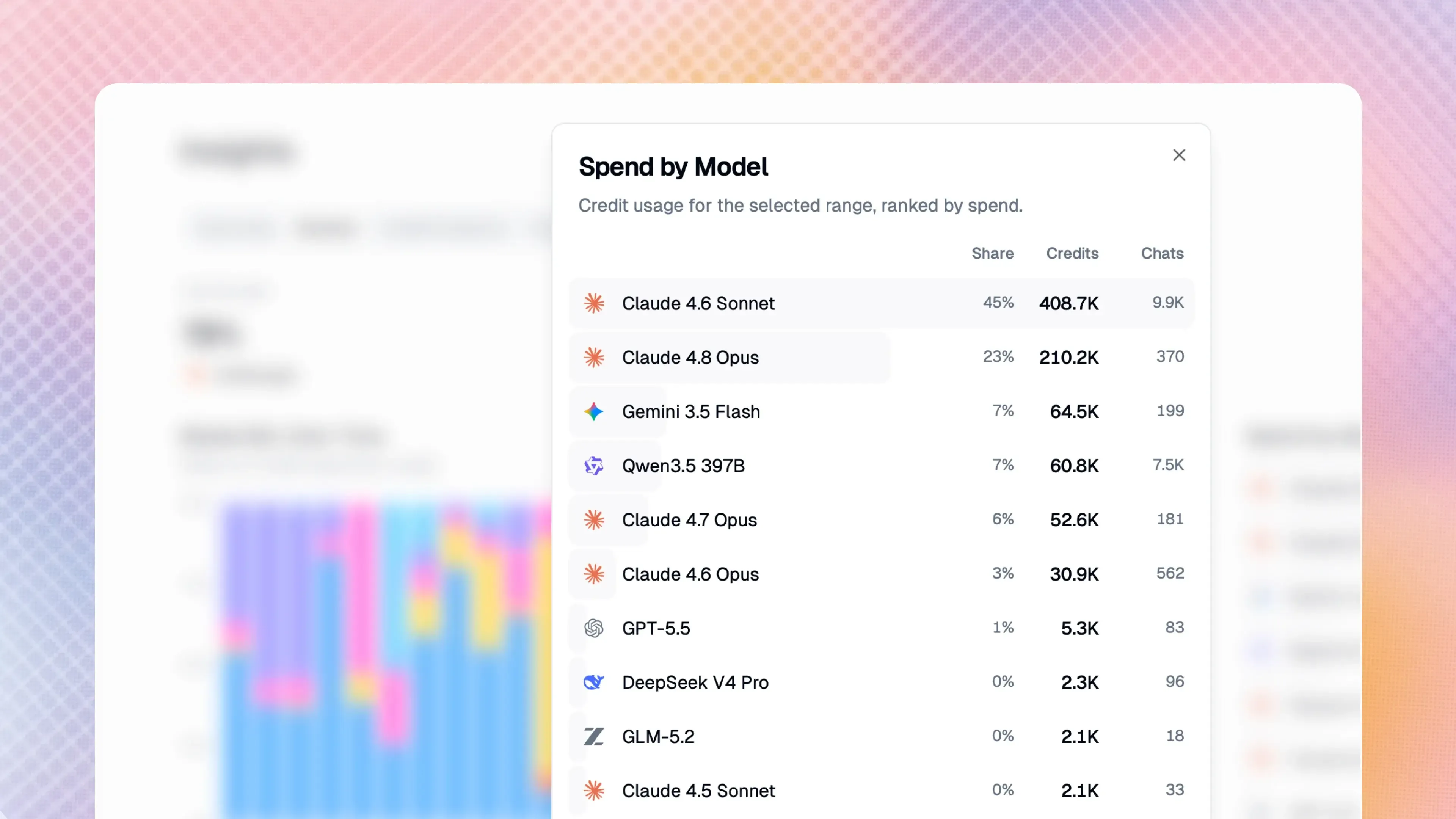
Since Gumloop provides comprehensive workflow automation features, it allows you to track your AI credit spend for all AI models and not just Claude.
In the skills module, you can the tone and formality of the agent, and even personalize design outputs.
Basically, Gumloop is an AI agent builder on steroids. Your imagination is what Gumloop helps make possible.
Pros
- Easy to setup and configure
- Coding knowledge not required
- Great and helpful support team
- The UI is more intuitive than Zapier - a user said
Cons
- A few users would like to have better agent feedback w.r.t workflows
G2 rating: 4.8/5 (early stage - 7 reviews)
Pricing: Starts at $37/month with access to over 35 AI models.
7. Zendesk
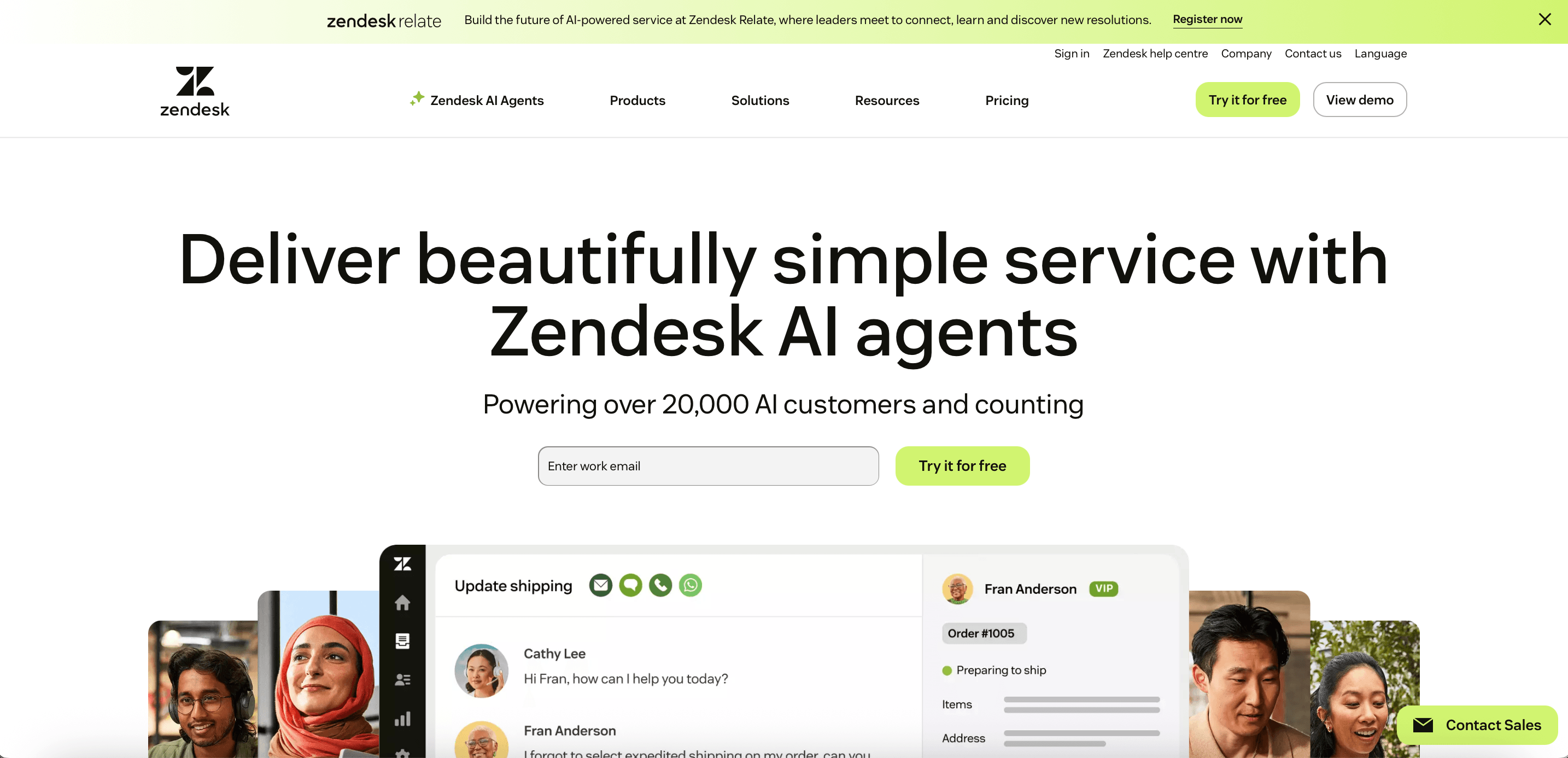
With Zendesk, it takes a while to find where the modules are, but once you spot the drop-down menu, navigation becomes much easier.
All the modules are neatly packed and organized into a single drop-down. As each module has its own set of options, this makes the product less cluttered and more organized. Another good thing is that some modules like chat or voice open as new tabs. Some may like it, some may not. But it is really quite useful once your business gets started.
Setting up the knowledge base is fairly straightforward. You can set up themes as well.
For those who want to use Zendesk Sell (CRM) alongside their current customer support operations, it may not be a good fit, as Zendesk Sell is discontinuing their product on August 31, 2027.
Zendesk also comes with an add-on module called workforce management where you can manage staffing needs and measure productivity.
It also includes a QA module to measure and improve the quality of service.
It is fairly simple to create a help centre. Type in a few sentences and AI does it for you. After this, you can start creating your agents, and training agents is made easier as it can scan a link and sync up from there.
With Zendesk, you can personalize your agent and give rules as to how to respond in certain scenarios.
It also has procedures, where you can set up workflows for repetitive and high-volume queries.
Personally, it took a while to get the hang of the processes as there were many settings you had to activate first before using the agent, but once you've done it, the second time is simple.
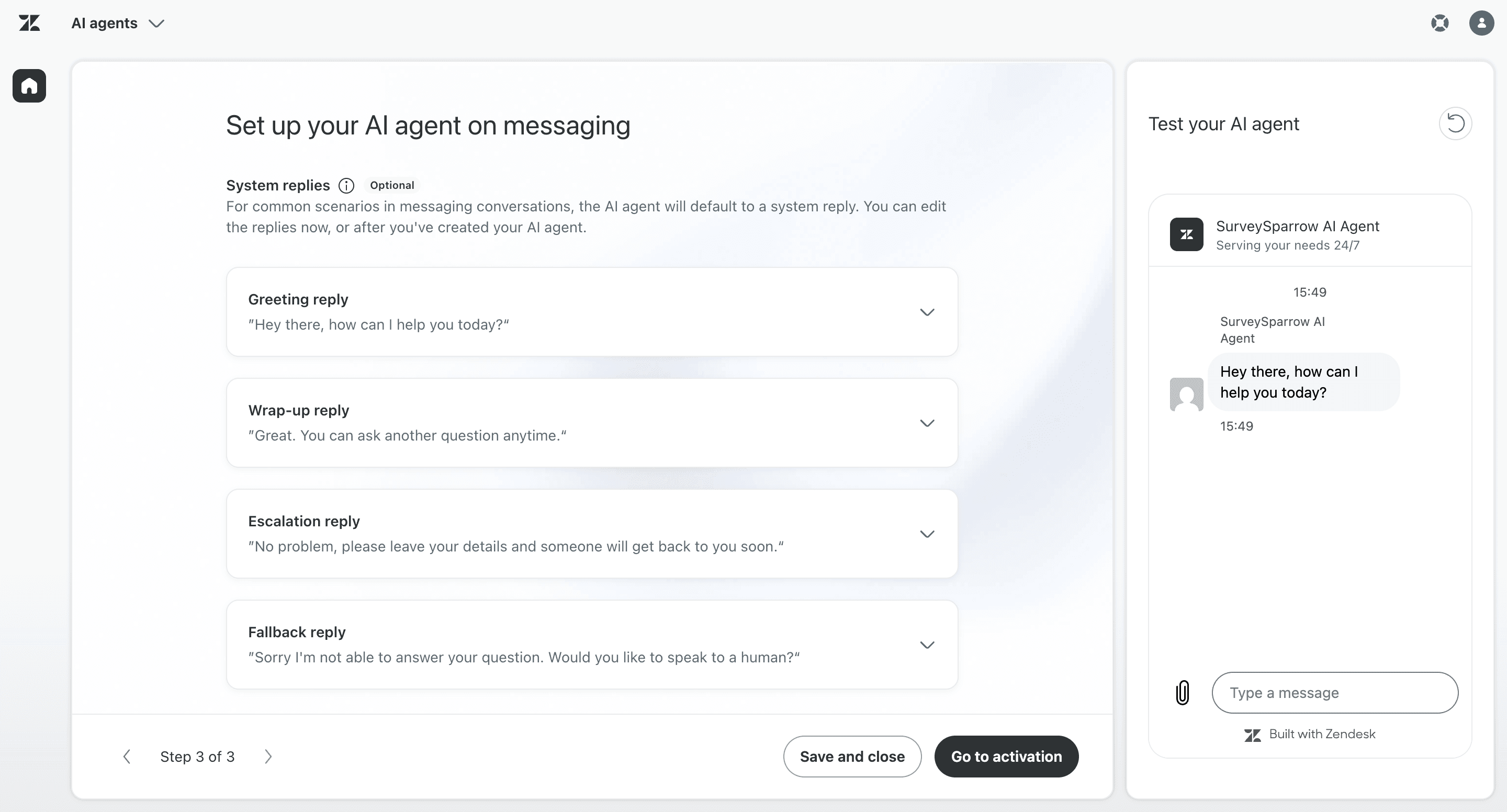
With Zendesk, you can personalize your agent and give rules as to how to respond in certain scenarios.
It also has procedures, where you can set up workflows for repetitive and high-volume queries.
Pros
- Highly customizable for workflows and automations
- Centralized customer communication
Cons
- Some users faced quite a bit of a learning curve as there are several different configurations and options.
- Collaboration is not so seamless, particularly with tagging co-workers for specific tickets.
G2 rating: 4.3/5 (7,044 reviews)
Pricing: Starts at $19/agent/month for the customer service solution
Resolve at the Speed of an Echo
Use Echo to automate and scale your customer service operations and deliver the kind of consistent, personalized support that keeps customers coming back. With AI-powered simulations, smart variable-driven personalization using @ and $ actions, and a seamless human handover experience, Echo is built not just to deflect tickets — but to genuinely resolve them.
Unlike platforms that bolt AI on top of a legacy system, Echo was designed from the ground up as part of SurveySparrow's CX ecosystem. That means your support data, survey feedback, and resolution insights all live in one place — giving you a 360° view of every customer interaction.

Suprisingly good deflection rates and contextual handovers, at a fraction of the cost
TRUSTED BY BEST-IN-CLASS BRANDS


Whether you're a growing team looking to reduce support load or an enterprise aiming for full-scale CX automation, Echo gives you the tools to get there without the steep learning curve. Start with a free trial and see the difference AI-powered support makes when it's built around the customer — not just the ticket.