
Excel Online
Excel Online is Microsoft's cloud-based version of Excel, available as part of Microsoft 365. It lets users create, edit, and share spreadsheets from any browser, with files stored in OneDrive or SharePoint.
The SurveySparrow and Excel Online integration syncs survey responses to an Excel spreadsheet in real time. Responses can be sent to a new sheet or an existing one, with the option to push all data or only selected fields.
SurveySparrow and Excel Online: key features
Sync survey responses to an Excel spreadsheet
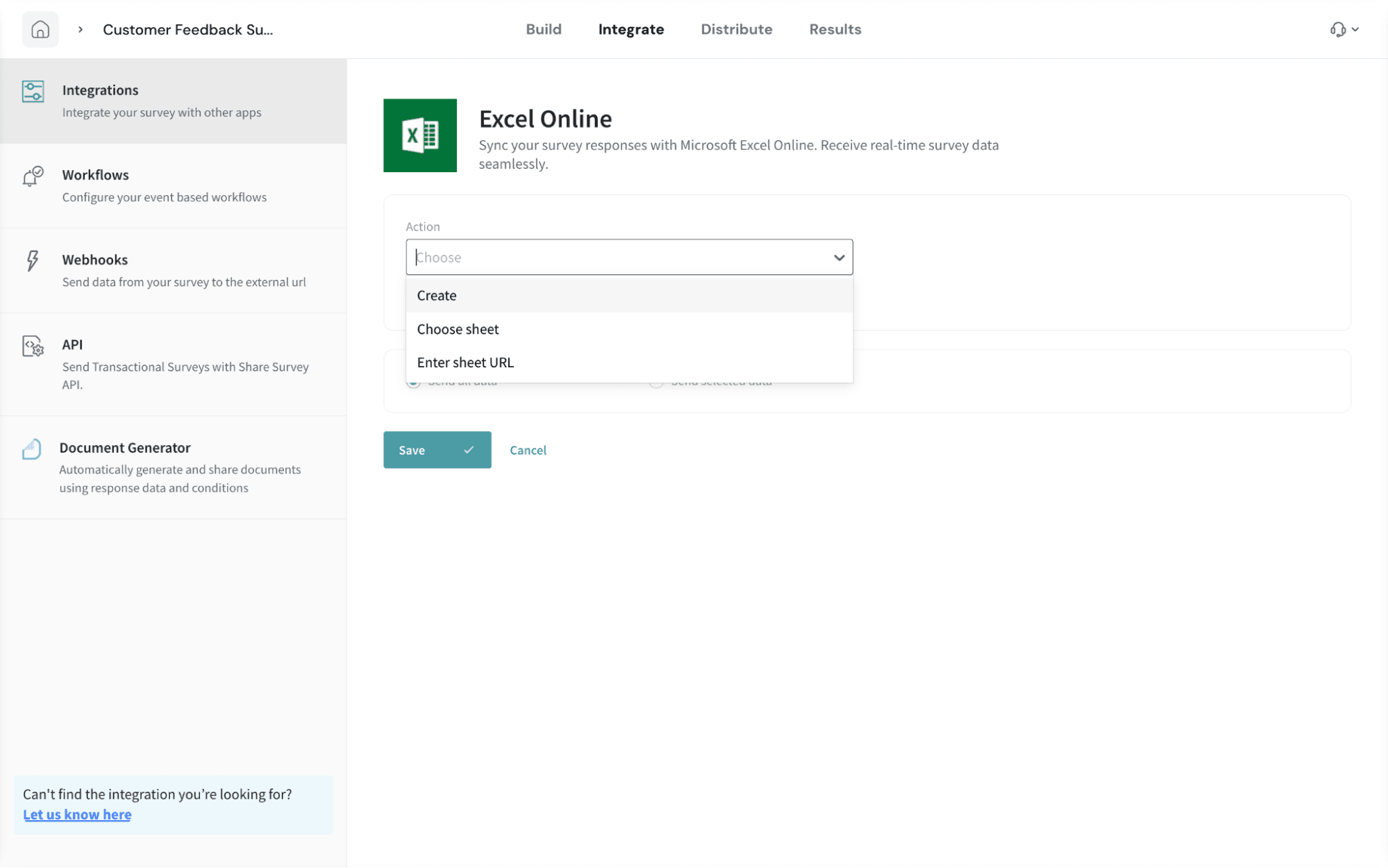
Update survey data in Excel with automatic syncing. Generate a fresh spreadsheet or select an existing spreadsheet to route responses, all from SurveySparrow. Keep your reports up to date with the latest data automatically.Send all or selected survey data
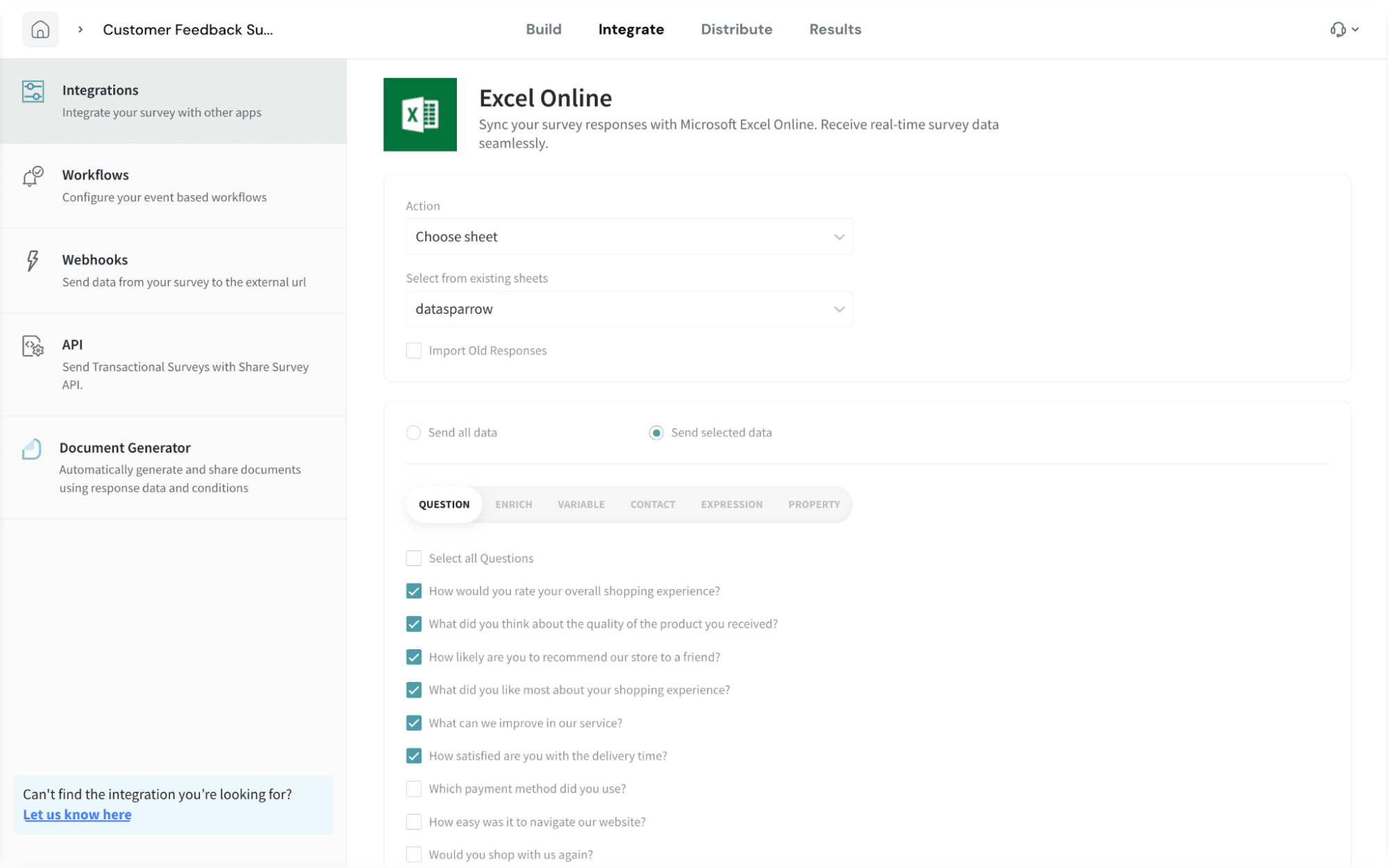 Only import the data matters to your reporting and analysis. Choose between syncing every response field or limiting the sync to specific questions, variables, contacts, expressions, or properties. You can also import historical responses to capture the complete context of data.
Excel Online: key features
- Cloud-based spreadsheet editor accessible from any browser, with no desktop install required.
- Real-time co-authoring that lets multiple users edit the same workbook simultaneously.
- Built-in functions, formulas, charts, and PivotTables for data analysis.
- Auto-save to OneDrive and SharePoint, with version history for every workbook.
- Cross-device access across desktop, web, and mobile through a single Microsoft account.
