

People pay more when things feel easy. Think of Amazon’s one-day delivery or how Netflix starts a show the moment you sit down. Convenience keeps people loyal. And this isn’t just true for big brands. It applies to small shops, online stores, coaching services, restaurants, and even software teams. When dealing with a brand feels simple, customers stay longer, buy more, and often bring friends.
But here’s the painful part.
Most SMEs want to give a good experience. They care about their customers. Oftentimes, the problem is their tools don’t talk to each other. For many small and medium enterprises, choosing the right customer experience software for SME integration can define how smoothly data and workflows connect across teams. With the right CX stack, SMEs can deliver convenience that feels effortless.
There are so many teams where:
Sales uses Salesforce
Marketing uses HubSpot
Support uses a Helpdesk
Feedback sits in another tool
Customer data is scattered like socks after laundry day.
Customers end up repeating the same details. Staff dig through emails and apps to find basic info. Teams guess instead of acting with clarity. And yes—money quietly leaks out.
This is the core issue behind many broken customer experiences: poor or missing customer experience software for SME integration. Without unified systems, even the best intentions fail.
But the good news here is that most of these problems disappear once your CX tools start sharing data. And no, this doesn’t require a huge tech team or a large budget. With modern CX software for SME integration, small teams can connect their CRM, helpdesk, CDP, and feedback tools faster than they expect.
Let’s walk through how to make that happen—step by step.
Why CX Integration Matters for SMEs (More Than Most People Think)
Customer expectations keep rising. People want ‘simple and seamless’. They want fast. They want support that feels personal.
When tools work together, the benefit is measurable. People want ‘simple and seamless’. They want fast. They want support that feels personal. And people often pay more for easier experiences. Research from established sources backs this up. PwC and industry reports show customers make buying choices based on experience. That matters for small teams trying to grow.
A study of more than 10,000 CX practitioners found that teams using unified data—and effective customer experience software for SME integration—recorded major gains: up to 91% higher NPS, 89% better retention, and 93% more profit. Those are big differences that change business outcomes.
Another respected analysis shows firms with tight alignment across customer-facing functions grow revenue about 2.4x faster. That means integrated customer experience platforms for SMEs is not optional for a business that wants to expand.
These studies show what many small teams feel: when data and tools are joined, customers notice and value the difference.
What “customer experience software for SME integration” really means
To put it simple, this phrase means connecting the tools that handle customer data and interactions. The key pieces are:
CRM (customer relationship manager) — stores contact, deal, and history.
Helpdesk — tracks support tickets and service work.
CDP (customer data platform) — combines data to build full profiles.
Feedback tools — collect NPS, CSAT, and open comments.
When these parts sync, every team sees the same story. Marketing knows who’s unhappy. Support sees purchase history. Sales sees recent survey feedback. That shared view prevents repetition and improves response.
Integration can be lightweight or deep. For most SMEs, start small and grow. You do not need a full data engineering project to get results.
How feedback fits into the stack
Feedback does more than collect praise or complaints. It tells the team what works and what does not. When feedback flows into your CRM and helpdesk, it becomes action, not just mere data.
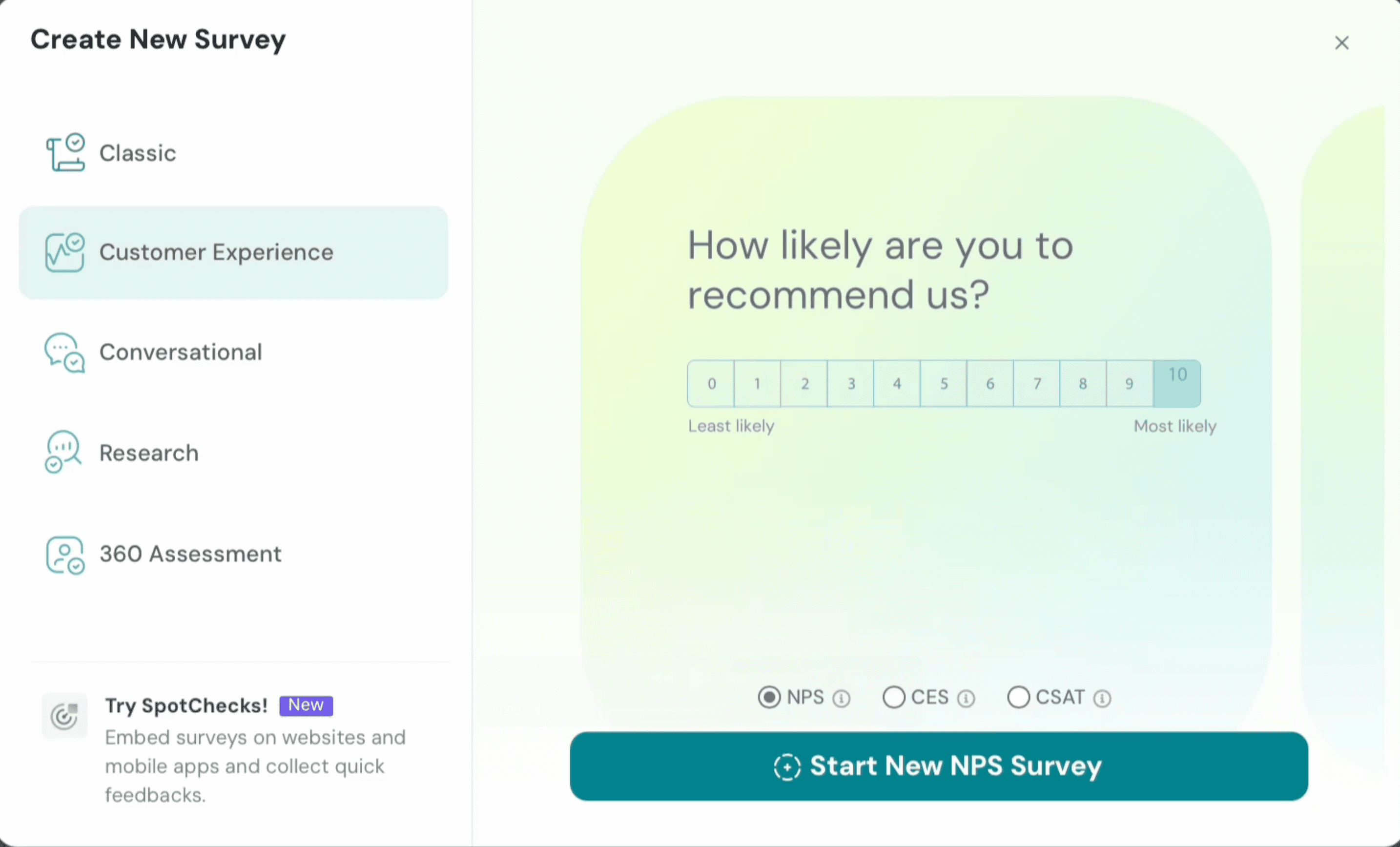
Consider how SurveySparrow fits in. It captures NPS, CSAT, CES, and short comments across email, chat, SMS, WhatsApp, and web. It then pushes those results into the CRM or helpdesk. That way, a low score can open a ticket, create a task, or flag a sales lead for recovery. That makes SurveySparrow a powerful part of customer experience software for SME integration because it turns customer signals into real steps for recovery, retention, or follow-up.
SurveySparrow supports native connections to HubSpot, Salesforce, Zendesk, Freshdesk, and many other tools. That helps small teams act without delay.
When feedback is active, not passive, the whole stack becomes smarter. Customers get better follow-up. Teams see problems early. The brand looks more reliable.
Picking your CRM: HubSpot or Salesforce?
Both platforms are leaders. They solve many of the same problems. But their fit changes with team size and skills.
HubSpot is simple and friendly. It bundles CRM with marketing and service tools. The interface is clear. Many SMEs find it easier to set up. It has a free CRM tier that helps smaller teams get started without big upfront costs. HubSpot also supports many pre-built connections, which lowers the integration work.
Salesforce is powerful and flexible. It is great when you need deep customization and complex processes. But it usually needs more setup and more technical support. For businesses with complex rules and large teams, Salesforce pays off. For a small team with limited IT time, it can feel heavy.
HubSpot’s native integrations make it a stronger choice for SMEs looking for easy CX software for SME integration. Salesforce offers depth but needs more setup—something smaller teams may struggle with.
Choose the CRM that matches how your team works, not the one with the most features.
Why helpdesk tools matter
A helpdesk organizes support in a predictable way. It turns emails and chats into tickets. It tracks response times and SLAs. Without a helpdesk, support requests slip through the cracks. Integrating it into your broader customer experience software for SME integration ensures agents always see context, from CRM history to survey sentiment.
Modern helpdesks do more than tracking. They include knowledge bases that reduce repeat contacts. They turn email into tickets and show performance reports. They make it possible for small teams to handle more volume without hiring more staff.
Connect your helpdesk to the CRM and feedback tools. When support sees the customer’s purchase history and recent survey comments, answers improve. When survey alerts send low scores to the helpdesk, teams can prioritize recovery. That is how a helpdesk becomes a service engine rather than a filing system.
CDPs: what they are and when to use them
A CDP collects first-party data across channels. It matches identities to form a single customer profile. A good CDP does four things: collect, match, unify, and activate data. It helps marketing personalize offers and helps support resolve issues faster.
For many SMEs, a full CDP can feel large. It often works best after you have some volume and a clear need for deep personalization. If you are early on, focus on connecting CRM, support, and feedback. A lightweight approach can act like a mini-CDP. Survey and behavior data combined inside your CRM will cover many needs while you scale. For firms with more data, a CDP provides the full view required for rich segmentation and activation.
Real-life patterns that hurt SMEs (and how integration fixes them)
Here are common scenarios that can cause friction. Each one has a practical and an effective fix.
1) Customers repeat basic details.
Why it happens: teams cannot see the same history.
Fix: sync CRM + helpdesk + feedback so staff see the whole record.
2) Marketing sends offers to unhappy customers.
Why it happens: no link between service and marketing systems.
Fix: push survey negative responses into your marketing lists to exclude those customers from promotion blasts.
3) Support lacks context.
Why it happens: ticket system lacks purchase or survey details.
Fix: enrich tickets with CRM fields and latest feedback score.
4) Decision making is slow.
Why it happens: data sits across dashboards and spreadsheets.
Fix: centralize key signals in one view that teams can use daily.
These fixes are practical. Use pre-built connectors or simple automation platforms. Avoid one-off spreadsheets that grow stale.
Common integration routes that actually work for SMEs
Here are realistic integration paths most small teams use.
Route A —
If you're wanting a quick start:
CRM + Helpdesk + Survey tool.
This covers the basics. Don't need to use any code connectors or built-in apps. You get context, tickets, and feedback in weeks, not months.
Route B —
You have the basis but are in the growth stage:
Route A + marketing automation + basic CDP features. Add rules that route customers based on behavior and survey results. Start simple segments and test messages.
Route C —
You want to scale:
Route B + full CDP + advanced analytics. At this point, you can personalize across channels with confidence.
Most SMEs should start with Route A. It captures the biggest gains for the least effort.
Practical integration tips that save time and money
Start with one goal. Pick a clear problem to solve. Faster replies or fewer repeat questions work well.
Map the customer journey. Note every touchpoint. Focus on the moments that matter most.
Use native connectors first. They cut effort and lower cost. SurveySparrow offers many ready integrations.
Automate simple actions. For example, low NPS creates a support task. High CSAT adds a referral campaign.
Clean data early. Fix duplicates and validate emails at capture. Good inputs make good outputs.
Protect privacy. Capture consent and follow local rules for data handling. Tools often offer built-in support.
Train the team. Show people how data flows and how to act on signals. Adoption depends on habit.
These steps work well for small teams. They avoid the “we have a big project” trap and deliver the wins quickly.
Where SurveySparrow helps
SurveySparrow is one of the easier feedback platforms to plug into a CX stack. It captures feedback across channels. It then sends that feedback to the systems you already use. That lets a small team close the loop quickly.
Here are practical ways SurveySparrow adds value:
It sends survey results to HubSpot and Salesforce so contact records show recent sentiment.
It can create or update helpdesk tickets when a survey flags a problem. That reduces missed callbacks.
It works with Zapier and other automation tools to push data into spreadsheets and chat channels. That helps teams act without code.
It collects feedback across WhatsApp, email, chat, and web embeds. This makes it easy to meet customers where they already are.
For many SMEs, SurveySparrow plays the role of feedback hub. It keeps customer voice in motion, not frozen in a report.

Automate your feedback workflows in minutes — sign up free.
A personalized walkthrough by our experts. No strings attached!
Security, privacy, and trust
Integration without good security is risky. Privacy rules like GDPR and CCPA matter. So do basic controls like access management and encryption.
Choose vendors that publish compliance details. Use consent capture on your surveys. Keep an audit of data flows. For an SME, these steps are manageable and essential.
Survey platforms and CRMs often include compliance tools. Use them. That reduces risk and builds customer trust.
Measuring success: what to watch
After integration, measure what matters:
Response time. Are tickets closed faster?
Repeat contacts. Do customers repeat less?
NPS and CSAT trends. Are scores rising?
Retention and repeat purchase. Are customers coming back more often?
Operational time saved. Is staff time freed for higher-value work?
Track a few of these and measure monthly. Integration should improve the customer experience and lighten team load. These improvements reflect whether your customer experience software for SME integration is actually working.
Integration is about people, not just tools
The tech makes the work possible. But the change comes from people. When teams see the benefit, they use the tools. When customers see care and speed, they stay.
Aim for clear goals, small wins, and reliable signals. Use CRMs that match your skill level. Use helpdesks that organize support. Use feedback tools that push results into the systems you use every day. And use connectors that let those tools talk.
SurveySparrow is a strong feedback partner for this approach. It keeps the customer voice in motion. That helps small teams act quickly and look more like a larger, organized business.
If your tools are not talking, the fix is simple. Start small, connect feedback to action, and let the improvements compound. That is how SMEs turn scattered data into a steady growth engine using the right customer experience software for SME integration.
14-day free trial • Cancel Anytime • No Credit Card Required • No Strings Attached