
Microsoft SharePoint
Microsoft SharePoint is an enterprise collaboration platform within the Microsoft 365 ecosystem. Teams across HR, operations, CX, and IT use it as a central hub to organize and share information through document libraries, structured lists, and internal workflows.
The SurveySparrow–SharePoint integration automatically exports survey responses to SharePoint, so feedback data flows directly into the tools your team already uses. Responses can be pushed to a SharePoint List for structured, queryable data, or to a Document Library as CSV or XLSX files.
SurveySparrow and Microsoft SharePoint: key features
Automated response export
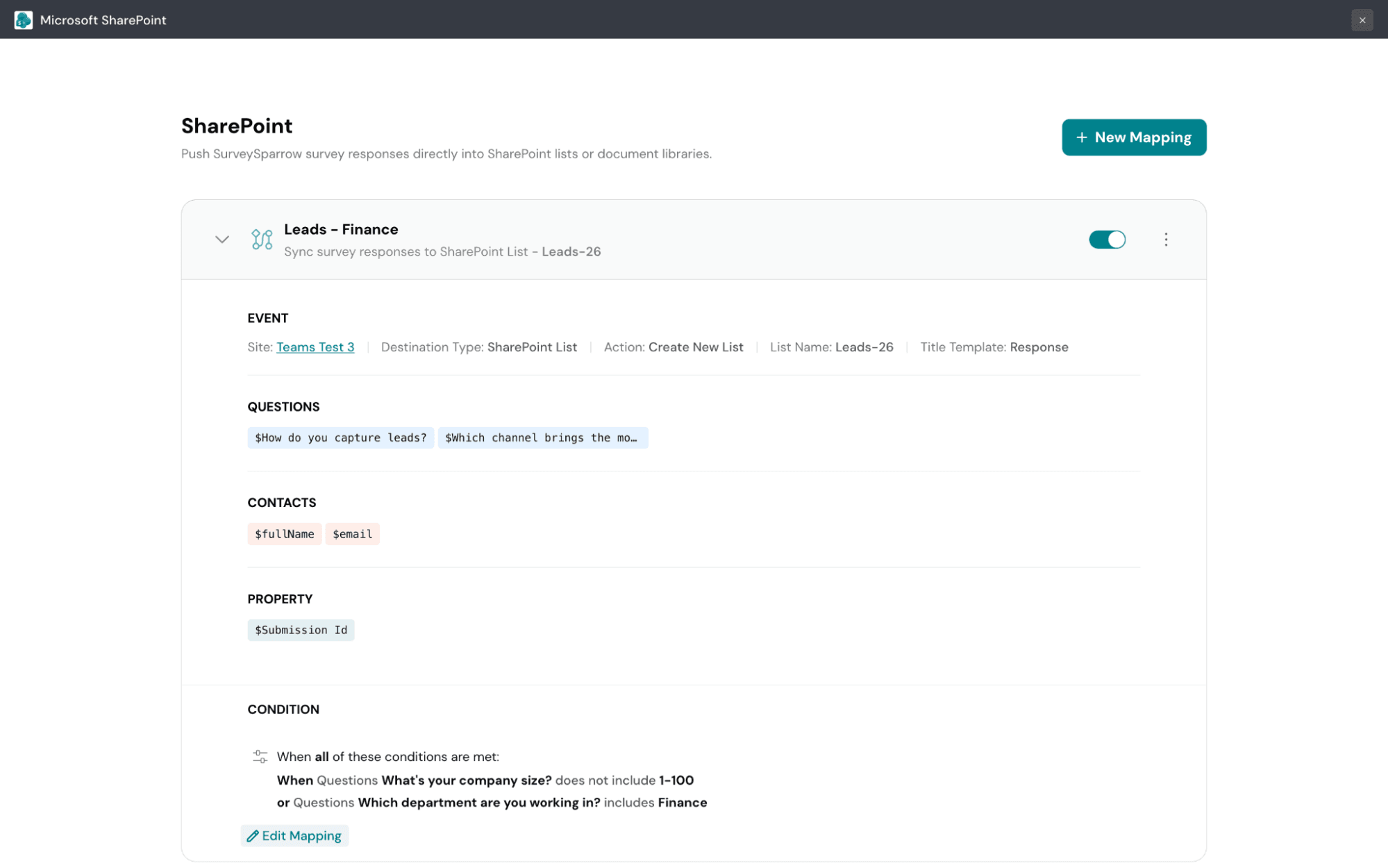
Survey responses are pushed to SharePoint automatically as they come in, with no manual downloads or copy-pasting. This keeps your feedback data current without adding steps to your workflow.
Two destination types
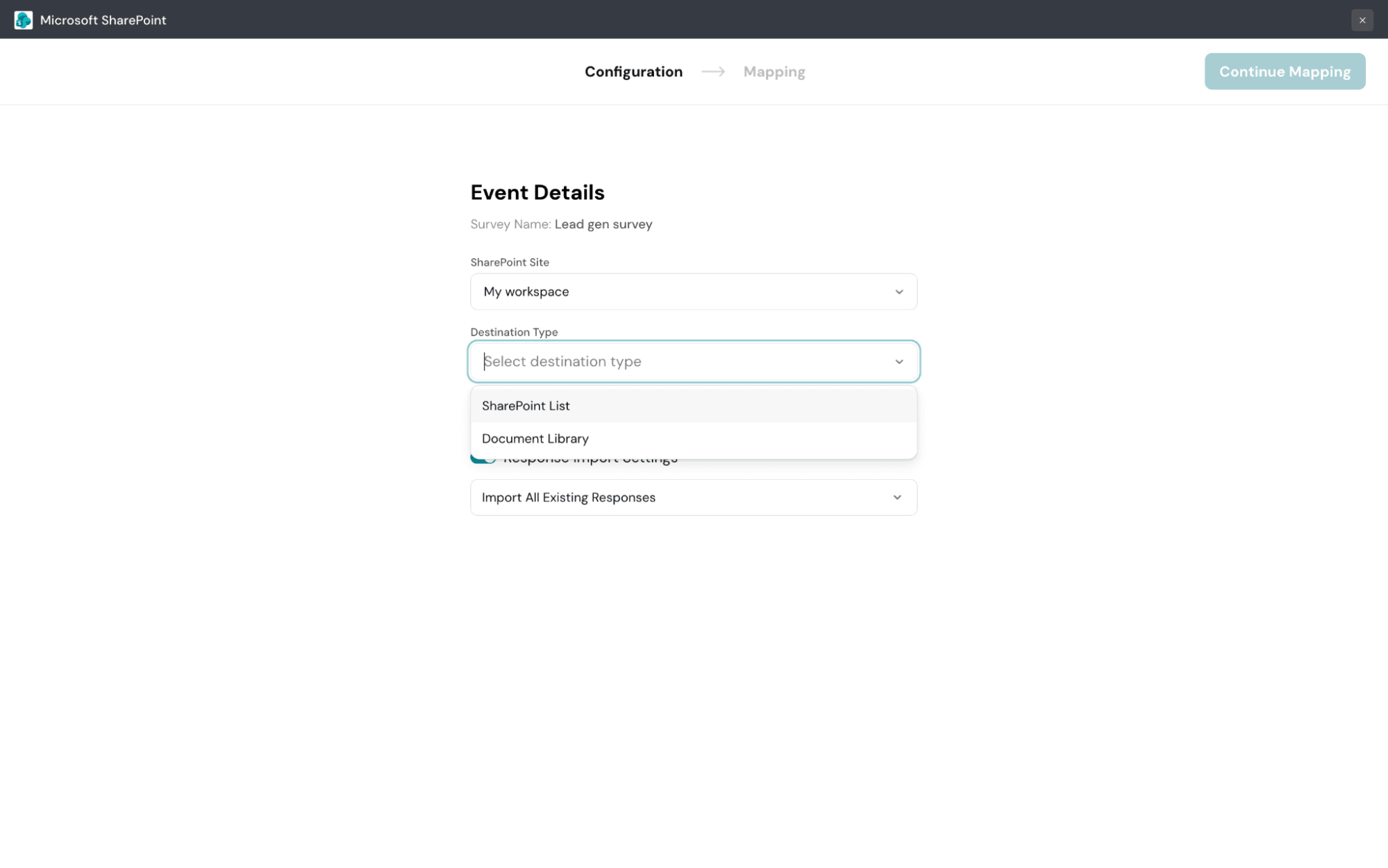
You can export responses to a SharePoint List for structured, queryable data or to a Document Library as CSV or XLSX files. This gives you flexibility in how feedback is stored and used across teams.
Conditional data import
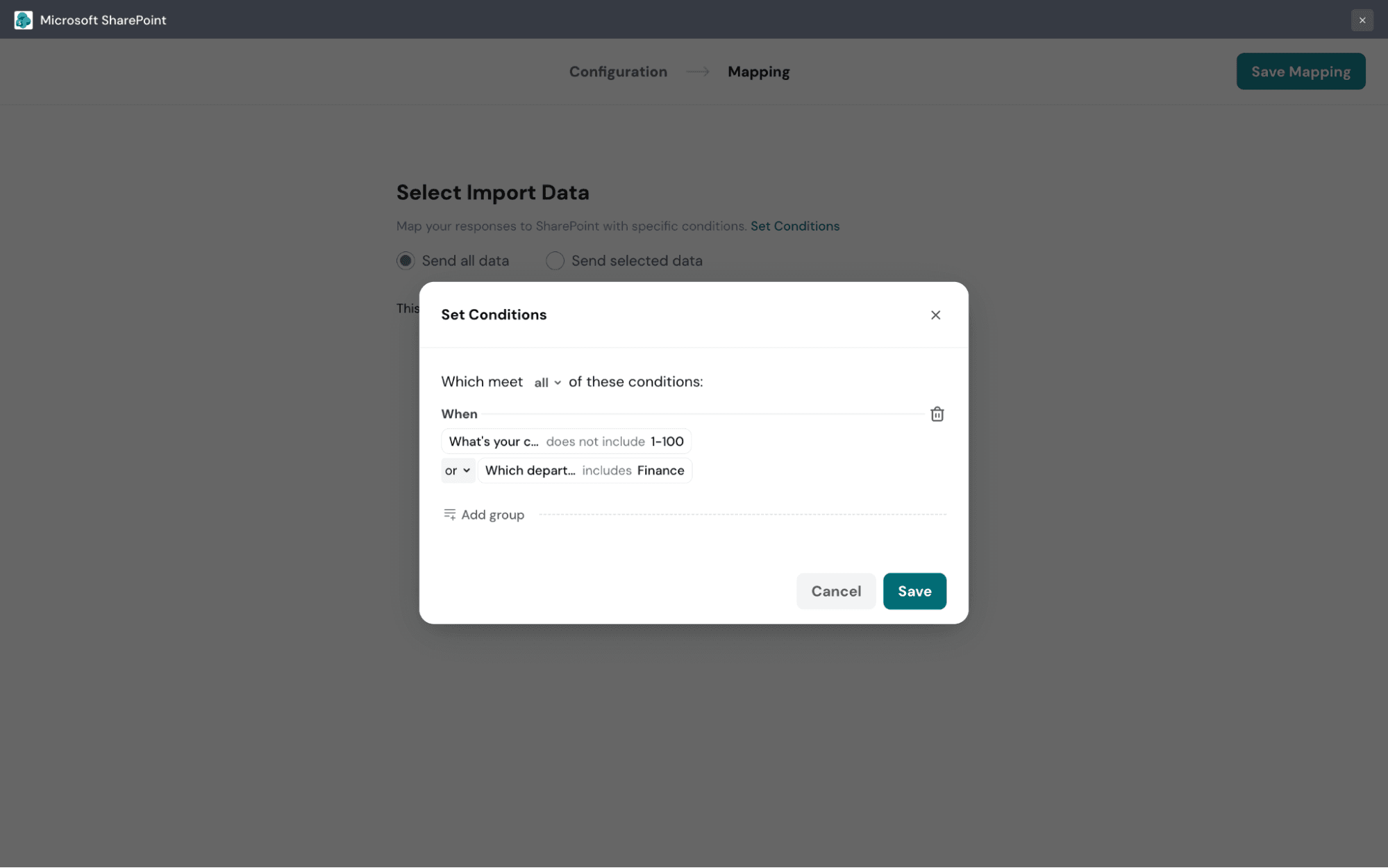
When creating a response mapping, you can set filters that determine which responses are eligible to be exported, based on survey answers or other response data properties. This ensures only the responses relevant to your team flow into SharePoint.
Date filtering
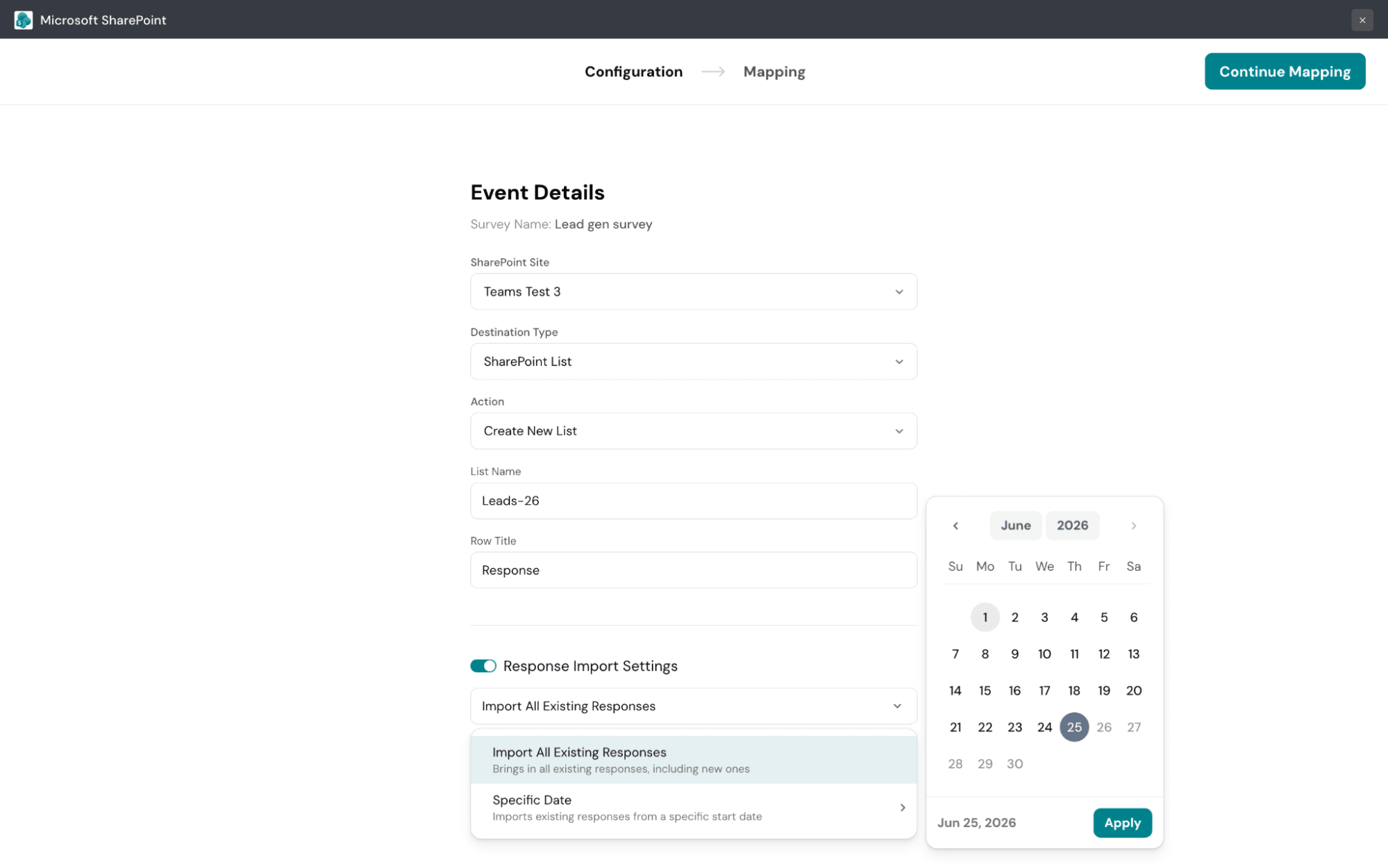
You can import all existing responses along with future ones, or limit the export to responses from a specific date onward. This lets you control exactly which data flows into SharePoint.
Microsoft SharePoint: key features
- Document libraries for storing, organizing, and sharing files
- Structured lists for tracking and querying data
- Internal site workspaces for team collaboration
- Tight integration with the Microsoft 365 ecosystem
- Centralized information hub accessible across devices
